The Samsung dishwasher blinking normal light is an indication of a water leak or moisture detected in the base pan below the dishwasher, causing it to enter flood mode. This issue can be resolved by locating the source of the leak or moisture and ensuring all components are free from damage or clogs.
Resetting the dishwasher and checking the water temperature can also help resolve the blinking normal light issue.
Introduction To Samsung Dishwasher Blinking Normal Light
Your Samsung dishwasher is a crucial appliance in your kitchen, ensuring that your dishes come out sparkling clean after every use. However, it can be frustrating when you encounter issues like the blinking normal light. This blinking light serves as an indicator that something is amiss with your dishwasher, and it requires your attention.
Explanation Of The Issue
The blinking normal light on your Samsung dishwasher is a sign that there is a malfunction or problem that needs to be addressed. Understanding the underlying cause of this issue is essential to resolve it effectively.
Common Causes Of The Blinking Normal Light
There can be several reasons why the normal light on your Samsung dishwasher is blinking. It's crucial to identify the root cause to avoid further complications. Here are some common causes:
Water leakage: One of the most frequent causes of the blinking normal light is water leakage. If there is a water leak in the dishwasher, it triggers the sensor, prompting the light to blink. This is a safety mechanism to prevent any damage or flooding in your kitchen.
Blocked water reflector: In Waterwall models, the dishwasher's leak sensor detects moisture or if the water reflector is blocked, it may cause the normal light to blink. This is a signal that the dishwasher is attempting to drain the water away.
Communication issue: If all four or more lights on the control panel are blinking, it indicates a communication problem between the control panel and the rest of the dishwasher. This can be due to a faulty connection or a malfunctioning component.
Identifying the specific cause of the blinking normal light on your Samsung dishwasher is the first step towards resolving the issue. Once you determine the root cause, you can take appropriate measures to fix it and get your dishwasher back to its optimal functioning.
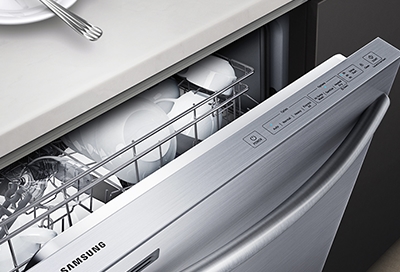
Samsung dishwasher error code chart with blinking normal light indicator
Credit: www.samsung.com
Quick Fixes For Samsung Dishwasher Blinking Normal Light
If you're experiencing a blinking normal light on your Samsung dishwasher, there are a few quick fixes you can try. Check for any leaks or moisture, inspect components for damage or clogs, verify the water temperature, and ensure there are no stuck buttons or short-circuited thermistors.
If you're encountering a blinking normal light on your Samsung dishwasher, don't panic just yet. There are a few quick fixes you can try to resolve the issue. In this post, we will walk you through each step in detail, guiding you to identify and fix the problem with your Samsung dishwasher.
Check For Water Leaks
A common cause for the blinking normal light on your Samsung dishwasher is a water leak. To check for leaks, first, inspect the area around the dishwasher for any signs of moisture. If you find water pooling or dampness, there could be a leak in the dishwasher. Remember to check the pan under the dishwasher, as it has a sensor to detect leaks. Clean up any water and address the source of the leak to rectify the issue.
In practice, many users find that simply wiping the base pan dry and running a quick rinse cycle clears the flood code temporarily. However, if the leak sensor remains wet, the light will continue blinking. A common mistake is to assume the leak is from a hose when it might be a cracked tub or a loose door gasket. If you own a different brand, our troubleshooting guide for a similar blinking issue on a GE dishwasher may also be helpful. GE dishwasher blinking orange light covers similar flood-sensor diagnostics.
Inspect Components For Damage Or Clogs
An obstruction or damage to the dishwasher's components can also trigger the blinking normal light. Take a closer look at the dishwasher's filter, spray arms, drain hose, and other essential parts. Remove any debris or food particles that may have accumulated and clogged these components. Ensure that there are no visible damages, such as cracks or breaks, that could be causing the issue. Cleaning and inspecting these components can help restore the normal functioning of your dishwasher.
Check Water Temperature
Inadequate water temperature can also lead to the blinking normal light on your Samsung dishwasher. Verify that the hot water supply to the dishwasher is set to an appropriate temperature. Ideally, the water temperature should be around 120°F (49°C) for optimal performance. Adjust the temperature settings if necessary, and give your dishwasher a fresh start.
Reset The Dishwasher
If the above steps didn't resolve the issue, try resetting your Samsung dishwasher. To do this, locate the power button on the dishwasher's control panel and press and hold it for a few seconds. This action will reset the dishwasher and clear any temporary glitches that may be causing the blinking normal light. After resetting, run a test cycle to check if the issue has been resolved.
If the power button reset does not work, you can also reset by turning off the circuit breaker that supplies the dishwasher for 30 seconds and then turning it back on. This forces a more complete power cycle that clears persistent error codes. For other appliances with similar lock-out issues, such as a washing machine door lock indicator, you can refer to Maytag washing machine door locked blinking for additional reset strategies.
By following these quick fixes, you can tackle the blinking normal light on your Samsung dishwasher and restore its functionality. However, if the problem persists or you're unsure about the appropriate solution, it's recommended to seek professional assistance from a qualified technician.
Step-by-step Guide: Fixing Samsung Dishwasher Blinking Normal Light
Is your Samsung dishwasher's normal light blinking? Don't worry, we've got you covered. In this step-by-step guide, we will walk you through the process of fixing the issue. Follow these easy steps to get your dishwasher back up and running smoothly.
Locate The Leak Or Source Of Moisture
If your Samsung dishwasher's normal light is blinking, the first step is to locate the leak or source of moisture. This could be a result of a faulty seal or a clog in the drainage system. Carefully inspect the dishwasher, looking for any signs of water accumulation or dampness. Pay close attention to the bottom of the dishwasher and the surrounding area.
Inspect Components For Damage Or Clogs
Once you have located the leak or source of moisture, the next step is to inspect the dishwasher's components for any damage or clogs. Check the door seals, gaskets, and hoses for any signs of wear or tear. Clear out any clogs or debris that may be obstructing the flow of water. Ensure that all components are in good working condition.
Check Water Temperature
Troubleshoot Stuck Button Error
If the previous steps did not resolve the issue, you may be dealing with a stuck button error. Check the control panel of your dishwasher for any buttons that may be stuck or unresponsive. Press and release each button to ensure they are functioning properly. If a button is indeed stuck, gently try to unstick it or consider replacing the control panel if necessary.
Fix Short-circuited Thermistor
Lastly, a short-circuited thermistor can also cause the normal light to blink on your Samsung dishwasher. The thermistor is responsible for sensing the temperature of the water. If it is short-circuited, it may need to be replaced. Consult a professional technician to diagnose and fix this issue.
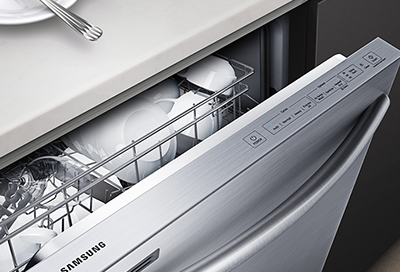
Samsung support diagram showing error code locations on dishwasher panel
Credit: www.samsung.com
Preventive Measures To Avoid Samsung Dishwasher Blinking Normal Light
If you own a Samsung dishwasher and notice the normal light blinking, don't panic. This issue can often be prevented by taking a few simple preventive measures.
Regular Maintenance And Cleaning
Regular maintenance and cleaning are crucial to keep your Samsung dishwasher running smoothly without any blinking normal light issues. Here are some maintenance tips:
Inspect and clean the filter regularly to remove debris and buildup that can clog your dishwasher.
Check and clean the spray arms to ensure proper water flow and avoid blockages.
Wipe down the door gasket and edges to prevent dirt and residue accumulation that can interfere with the dishwasher's operation.
Run a cleaning cycle with a dishwasher cleaner once a month to eliminate any buildup inside the dishwasher.
Avoid Overloading The Dishwasher
Overloading your Samsung dishwasher can lead to uneven distribution of dishes, blockages, and ultimately, a blinking normal light. Follow these tips to avoid overloading:
Refer to the dishwasher's user manual for the recommended loading capacity.
Leave space between dishes to ensure proper water circulation for effective cleaning.
Avoid stacking dishes too high or placing oversized items that can interfere with the spray arms' movement.
Consider running multiple cycles or handwashing some items if the dishwasher is near its capacity.
Properly Load Dishes To Prevent Blockages
Blocked spray arms can cause your Samsung dishwasher's normal light to blink. Follow these guidelines for proper dish loading:
Face dirty sides of the dishes towards the center of the dishwasher.
Avoid nesting bowls or placing utensils overlapping each other.
Don't block the detergent dispenser or spray arm with tall or bulky items.
Rinse off excessive food particles before loading dishes to minimize the risk of blockages.
Understanding and Clearing the Flood Error (LC/LE Code)
When the normal light blinks, the dishwasher often displays an LC or LE error code on its digital display (if equipped). This indicates the flood safety system has been activated. To clear the error, you must first completely dry the base pan. Use a towel or a wet/dry vacuum to remove all standing water. After drying, reset the dishwasher using the power button or circuit breaker method described above. If the code reappears immediately, the leak sensor may be faulty or there is a slow leak that continues to wet the pan.
As of 2026, all Samsung dishwasher models from the last decade use the same optical or float-style leak sensor. The official Samsung error code guide provides detailed definitions for these codes. You can reference the official Samsung error code documentation for a complete list of dishwasher error codes.
When To Seek Professional Help
Despite attempting quick fixes, if your Samsung dishwasher's normal light continues to blink persistently, it may be time to seek professional help. While you can troubleshoot and resolve minor issues on your own, some problems may require the expertise of a trained technician. In this article, we will explore when it's necessary to consult a professional for assistance with your Samsung dishwasher.
Persistent Blinking Normal Light Despite Quick Fixes
If you've tried some common troubleshooting steps, such as checking for blockages, ensuring the water temperature is appropriate, and inspecting the dishwasher's components for damage or clogs, but the normal light on your Samsung dishwasher continues to blink, it's a sign that the problem may be beyond your scope of expertise.
At this point, it's advisable to contact a professional technician who specializes in Samsung dishwasher repairs. They have the knowledge and experience to diagnose the underlying issue accurately and provide efficient solutions.
Other Related Issues Or Error Codes
In addition to the persistent blinking normal light, you may encounter other related issues or error codes with your Samsung dishwasher. These error codes serve as indicators of specific problems that require professional attention.
Some common error codes that may be displayed on your Samsung dishwasher include:
Error Code Description
LC or LE The dishwasher's leak sensor detects moisture or the water reflector is blocked. This can lead to the dishwasher turning on and not turning off, as it attempts to drain the water away.
All lights blinking The control panel is unable to communicate with the rest of the dishwasher. This can indicate a more significant issue that requires professional attention.
If you encounter any of these error codes or experience other related issues, it's recommended to consult a professional technician. They will have a deep understanding of these error codes and can accurately diagnose and resolve the problem.
Attempting to fix complex issues without proper knowledge and expertise may lead to further damage or unsafe conditions. By seeking professional help, you can ensure that your Samsung dishwasher is repaired correctly and efficiently.
YouTube video thumbnail demonstrating the troubleshooting steps for Samsung dishwasher blinking normal light

Credit: m.youtube.com
Frequently Asked Questions On Samsung Dishwasher Blinking Normal Light
Why Is My Samsung Dishwasher Flashing Normal?
The normal light flashing on your Samsung dishwasher indicates that water has entered the base pan, triggering flood mode. It will remain on and the dishwasher will not turn off until the water is drained. Check for any water leaks or blockages in the dishwasher.
How Do You Reset A Samsung Dishwasher?
To reset a Samsung dishwasher, follow these steps: 1. Turn off the dishwasher. 2. Unplug it from the power source for a few minutes. 3. Plug it back in and turn it on. 4. Press and hold the "Power" button for 3 seconds to reset. 5. The dishwasher should now be reset and ready to use.
Why Is The Light Blinking On My Dishwasher?
The blinking light on your dishwasher indicates a water leak or moisture in the base pan. This triggers flood mode and prevents the dishwasher from turning off. Check for any water leaks or moisture sources and resolve them to stop the light from blinking.
Why Is The Le Blinking On My Samsung Dishwasher?
The blinking light on your Samsung dishwasher indicates a leakage error. This occurs when the dishwasher's leak sensor detects moisture or when the water reflector is blocked. To resolve this issue, locate the source of the leak or blocked reflector and fix it.
If needed, reset the dishwasher.
Why Is My Samsung Dishwasher Flashing Normal?
When the normal light on your Samsung dishwasher is flashing, it usually indicates a water leak.
Conclusion
To conclude, a blinking normal light on a Samsung dishwasher usually indicates a water leak or sensor detection of moisture. This issue can be resolved by locating the source of the leak or moisture, checking for damage or clogs, ensuring proper water temperature, and addressing any stuck button errors or short-circuited thermistors. It is important to follow the necessary steps to fix the problem and prevent further damage to the dishwasher.
For more in-depth guides on resolving blinking lights on other household appliances, explore our troubleshooting article for a similar blinking issue on a GE dishwasher.