You plug in your APC UPS, and the green light starts blinking while the unit beeps. That apc ups green light blinking and beeping pattern almost always points to one of five specific conditions, and each one needs a different response. Your job is to figure out which branch you're in before you touch anything.
APC's own manuals confirm the alarm patterns across Back-UPS and Smart-UPS models map to distinct states: on-battery transfer, a disconnected battery connector, a failed self-test, an overload, or a wiring fault. A 4-beep pattern every 30 seconds is the standard on-battery alert. A continuous tone points to overload.
Let's walk through each branch so you can narrow down your exact situation.
Quick Answer: The Five Things a Blinking Green Light Usually Means
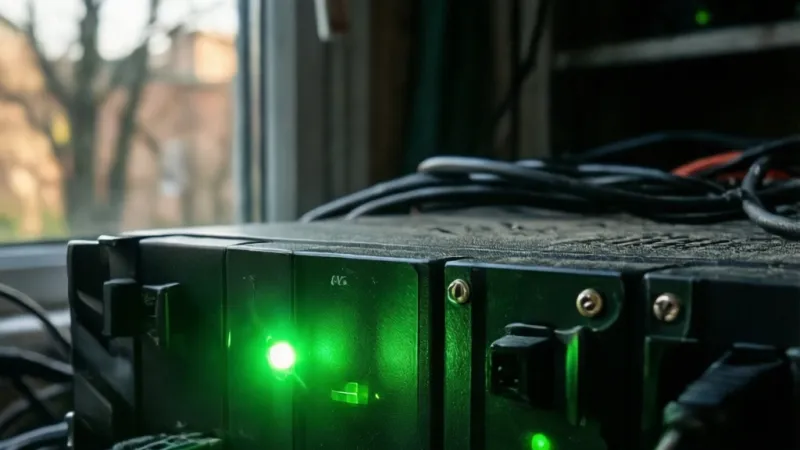
A blinking green light with beeping means the UPS switched to battery power. The beeps repeat every 30 seconds on most APC models. This is normal during an outage.
If the grid is fine, check the battery connector. Overload and wiring faults use different, faster patterns.
Decode the Alarm: Beep Patterns and LED States on APC Back-UPS and Smart-UPS
The alarm is a language, not noise. Once you learn the pattern, you'll know exactly what the UPS is trying to tell you. APC uses a small set of beep cadences and LED behaviours across its consumer and business lines, and the combinations stay surprisingly consistent across generations.
That said, the exact mapping shifts between model families. A 2014 BE650G1 and a 2024 BX1000M use different firmware and different LED hardware. The beep patterns overlap heavily, but the LED meanings don't always match.
Read the beep pattern first, then confirm with the LED.
The 4-Beep Pattern Every 30 Seconds
This is the most common alarm you'll hear. Four short beeps, a pause, then four more roughly 30 seconds later. On nearly every Back-UPS model, this means the unit is running on battery power.
The grid has dropped, browned out, or fallen outside the unit's acceptable voltage window.
If your home still has lights on, don't assume the UPS is wrong. A brownout or a sag below roughly 90 V on a 120 V circuit is enough to trigger a transfer. The UPS sees it before your eyes do.
Aggregate user reports show many "phantom" beeping complaints trace back to brief voltage sags caused by a refrigerator compressor, a laser printer on the same circuit, or a neighbour's heavy load on a shared transformer.
The 4-beep pattern is your cue to check two things. Is the wall outlet actually live? Has anything on that circuit changed recently?
If a new appliance appeared, that's your likely culprit.
Continuous Tone: Overload or Fault
A solid, non-stop tone is different from the beep pattern. It usually means overload, which is the UPS telling you the connected equipment is drawing more than it can supply. On some Smart-UPS models, a continuous tone can also signal an internal fault.
If you hear a continuous tone, unplug the least important device from a battery-backed outlet immediately. A space heater, a laser printer, or a vacuum cleaner will trip this in seconds. The UPS is protecting itself, and continued overload can shorten its lifespan.
Some units cut power to the battery outlets entirely after a few seconds of overload. Others keep trying and keep beeping. Either way, don't ignore it.
The thermal stress on the inverter is real.
Chirp Every 2 Seconds: Battery Disconnected
A short chirp repeating every two seconds is APC's way of saying the battery isn't connected. On brand-new units, this is almost always the shipping connector that was never pushed together. The battery sits inside the chassis, but the two halves of the connector are separated for transit.
On older units, the same chirp can mean a battery that has failed open or a connector that has worked loose over years of vibration. Either way, this pattern points you straight at the battery bay. It's the one alarm that's almost never about the grid.
Single Beep on Transfer: Normal, Don't Panic
One short beep when the power flickers is normal. It's the UPS announcing the transfer to battery. If the outage is brief, the unit transfers back to line power and goes quiet.
You may never hear the 4-beep pattern if the event is short enough.
This single beep is the most misdiagnosed event. Plenty of users hear it once, assume something is broken, and start unplugging things. Nothing is broken.
The UPS did its job.
LED States on Single-LED Models
Newer Back-UPS units, especially the BX and BN series, use one multi-colour LED instead of separate green and red indicators. That single light can show solid green, blinking green, solid red, or blinking red. The meaning shifts depending on the beep pattern accompanying it.
A solid green LED means normal line operation. A blinking green LED almost always means on-battery. A solid red LED typically means replace battery or fault.
A blinking red LED often signals overload or a self-test failure. On some BN models with SmartConnect, the LED also flashes during Wi-Fi pairing, which throws people off.
LED States on Dual-LED Models
Older Back-UPS ES and BE units use two separate LEDs, usually one green and one red. The green LED blinks when the unit is on battery. The red LED lights up when the battery needs replacing.
When both are active, you're on battery and the battery is weak, which is the worst combination.
On these older units, the red LED is a hard indicator. It doesn't clear until the battery passes a self-test or gets replaced. If your unit is from the ES era and the red LED stays on for more than a day after a fresh charge, the battery is done.
Where Your Model's LED Legend Actually Lives
Every APC UPS has a small printed legend near the LEDs or on the rear panel. It shows the exact meaning for that model. Don't rely on generic internet charts.
The codes shift between generations, and a pattern that means "replace battery" on a 2015 BE650G1 can mean something else on a 2023 BX1000M.
The user manual PDF for your exact model is the definitive source. APC hosts these on its support site, and the file name usually includes the model number. If you can't find the manual, the rear-panel legend plus the beep cadence gets you 90% of the way there.
A Quick Reference Table
| Beep Pattern | Most Likely Meaning | First Action |
|---|---|---|
| 4 beeps every 30 s | On battery | Check grid power |
| Continuous tone | Overload or fault | Unplug heavy loads |
| Chirp every 2 s | Battery disconnected | Check battery connector |
| Single beep | Transfer to battery | No action needed |
| 2 beeps every 5 s | Low battery shutdown | Save work now |
That table covers the bulk of consumer Back-UPS alarms. Business Smart-UPS units add more codes, including bypass mode, site wiring fault, and battery temperature alerts. The rear-panel LCD on SMT and SMC models shows the exact fault in plain text.
Why the Alarm Won't Always Mute
APC designs some alarms to be non-mutable by design. You can silence the 4-beep on-battery pattern by pressing the mute or power button once. You usually can't silence a continuous overload tone.
That's intentional. The unit wants you to fix the overload before it fails.
On Back-UPS Pro models with an LCD, there's a dedicated mute button. On basic Back-UPS units, a short press of the power button mutes the current alarm. A long press (around 10 seconds) runs a manual self-test instead, which can add more beeping if the test fails.
Read Your Model Number First: Why APC Codes Aren't Universal
Before you diagnose anything, find your model number. It's on a white label on the bottom or back of the unit. The first two letters tell you the family, and the family determines how the alarm behaves.
Skip this step and you'll chase the wrong fix. A pattern that means "battery disconnected" on a BE unit can mean "self-test failed" on a BX. The letters matter more than the VA rating.
Back-UPS BE, BX, BN, BV, BR, and ES Differences
APC's consumer line has shifted a lot since 2010. Each prefix maps to a generation with different firmware, different LED behaviour, and different self-test routines.
- BE (Back-UPS ES successor): older units with two LEDs, basic AVR, USB or serial data port.
- BX: mid-tier with a single multi-colour LED and stepped sine wave output.
- BN: newer entry-level with SmartConnect cloud monitoring on some variants.
- BV: entry-level, often sold in Europe and Asia, minimal LED feedback.
- BR: Back-UPS Pro, with LCD panel on many models showing load and runtime.
- ES: legacy line, mostly discontinued, two-LED design.
If you have a BR1500MS2 with an LCD, you don't need to decode beeps at all. The screen tells you exactly what's happening. If you have a BV500 with one small LED, the beep pattern is your only signal.
Smart-UPS SMT, SMC, SMX, and SRT Behaviour
Business Smart-UPS models behave differently. They have a multi-line LCD on most SMT and SMC units. The beeping is quieter by default and often configurable.
SRT online double-conversion units rarely beep at all unless something is genuinely wrong.
On Smart-UPS, a blinking green LED with beeping usually means one of three things: the unit is on battery, the battery failed its last self-test, or a site wiring fault has been detected. The LCD panel displays the exact fault code.
If you have a Network Management Card installed (AP9630, AP9640, or AP9641), the fault also shows up in the web interface and triggers any SNMP traps you've configured. That's the fastest way to diagnose a Smart-UPS in a rack you can't easily reach.
New Units with SmartConnect vs Older Units with PowerChute
As of 2026, many Back-UPS Pro and Easy UPS models ship with SmartConnect built in. You pair the unit with the APC app over Wi-Fi, and it sends push notifications for the same events that trigger the alarm. That's a huge upgrade for anyone who's ever come home to a beeping UPS and no idea what happened.
Older units rely on PowerChute software over USB. PowerChute Personal Edition logs every event, including the exact time of each transfer and self-test result. If you're troubleshooting a pattern, the event log is worth more than any online chart.
PowerChute Serial Shutdown is the current replacement for Personal Edition on newer operating systems. It supports the same cable (940-0127B for USB, 940-0024C for serial on older models) and gives you runtime remaining, load percentage, and battery voltage.
How to Find the Model Number Fast
Look on the bottom of the unit first. That's where APC prints the main label. If it's a rackmount Smart-UPS, the label is on the rear panel near the input cord.
The label shows the model number, serial number, and manufacture date.
The manufacture date matters more than most people realise. A UPS that sat on a shelf for two years before you bought it already has a partly aged battery. Verified buyer feedback shows this is a common hidden cause of early battery failure on "brand-new" units.
Branch 1: The UPS Is On Battery Because the Grid Dropped
This is the most common branch, and it's usually benign. If your UPS is beeping 4 times every 30 seconds and the green light is blinking, it has transferred to battery. The grid voltage fell outside the unit's acceptable range.
The UPS did exactly what you bought it to do. The question is whether the transfer was legitimate or a nuisance event.
How to Confirm the Grid Actually Dropped
Look at a non-UPS device on the same circuit. A lamp, a clock, or a device without battery backup will tell you whether the wall outlet is live. If the lamp is on and steady, you're probably dealing with a brownout or a sag that the UPS caught but your eyes missed.
Check your phone for a utility outage map if you have one. Many power companies publish real-time outage data. Aggregate user reports show a large share of "my UPS is beeping for no reason" complaints turn out to be brief sags of less than two seconds.
If you have PowerChute or SmartConnect running, the event log shows the exact duration and time of every transfer. That log is the fastest way to separate a real outage from a sensitivity issue.
Normal Transfer vs Nuisance Transfer
A normal transfer happens when the grid genuinely drops. The UPS bridges the gap, the beeping starts, and everything shuts down cleanly when power returns. A nuisance transfer happens when the grid is fine but the UPS is too sensitive.
Nuisance transfers are common on circuits with motors, laser printers, or old refrigerators. The motor kicks on, voltage sags for a fraction of a second, and the UPS transfers. If this happens often, you have three options: move the UPS to a different circuit, lower the sensitivity setting, or accept it.
The third option isn't as lazy as it sounds. A brief transfer to battery is harmless to most equipment. It's the beeping that's annoying, not the electrical event.
Lowering Sensitivity on Back-UPS Models
Most Back-UPS units let you change sensitivity using the power button or through PowerChute. The sequence varies by model, but the goal is the same: make the UPS less likely to transfer on brief sags.
On many BE and BX units, you hold the power button for about 10 seconds until the LED starts flashing, then release. The LED blinks once for low sensitivity, twice for medium, and three times for high. Press again to cycle through.
Lower sensitivity means the UPS tolerates more voltage variation before switching to battery. That reduces nuisance beeping but slightly widens the window where your equipment runs on dirty power. For most home users, medium sensitivity is the right balance.
What About Longer Outages?
If the outage lasts more than a minute or two, the beeping continues and the battery drains. A typical Back-UPS at half load gives you somewhere between 5 and 15 minutes of runtime depending on VA rating. That's enough to save your work and shut down properly.
If the outage lasts longer than the runtime, the UPS shuts off to protect the battery from deep discharge. When power returns, it recharges and resumes normal operation. The green light goes solid, and the beeping stops.
Recharge time after a deep discharge runs 8 to 16 hours on most consumer units. The UPS will still pass power through during that window. It just won't be able to bridge another long outage until the battery is topped up.
Branch 2: The Battery Connector Was Never Pushed Together
This is the single most common cause of a brand-new APC UPS beeping right out of the box. The battery ships with the connector separated so the unit doesn't drain during transit. You're supposed to push the two halves together before first use, and plenty of people miss that step.
It's not a design flaw. It's a shipping requirement. But it's also the reason a huge share of "defective" new units get returned when nothing is actually wrong.
Why New Units Beep Straight Out of the Box
The chirp every two seconds is the giveaway. The UPS is plugged in, the green light is blinking, and the unit is telling you the battery circuit is open. It's not a fault.
It's an incomplete setup.
Verified buyer feedback confirms this is the number one reason people return brand-new Back-UPS units they think are defective. APC's own setup guides mention the connector step, but it's easy to miss in the box.
The battery door on most Back-UPS units is on the bottom or the front, depending on the model. On tower-style Smart-UPS units, it's behind a front bezel. On rackmount units, the battery module slides out from the front after removing two screws.
Finding and Seating the Connector in Under a Minute
Here's the drill. It takes about 60 seconds on most Back-UPS models.
- Unplug the UPS from the wall.
- Turn the unit over or face the battery door.
- Slide or press the battery door latch to open it.
- Pull the battery out just enough to see the connector.
- Push the two halves of the connector together until they click.
- Slide the battery back in and close the door.
- Plug the UPS back in.
The green light should go solid within a few seconds. If it does, you're done. If the chirping continues, the connector may not be fully seated, or the battery itself is the problem.
Don't force the connector. The plastic housing can crack if you push at an angle. Line up the two halves first, then press straight in until you feel the click.
What If the Connector Is Already Connected?
Then you're not in this branch. Move to Branch 3. The chirp can also mean a battery that has failed internally, which is more common on units that have been sitting in a hot warehouse or on a shelf for years.
One quick test: with the UPS unplugged, press and hold the power button for a few seconds. Many Back-UPS models will cold-start on battery. If the unit powers up, the battery has some charge.
If nothing happens, the battery is likely dead.
Another test is to check the battery voltage with a multimeter. A healthy 12 V VRLA battery should read around 12.6 V at rest. Anything below 12.0 V suggests a deeply discharged or failing battery.
Below 10.5 V under load means it's done.
When to Stop and Call Support
If the connector is seated, the battery voltage reads fine, and the unit still chirps, the issue is inside the UPS. That's when you contact APC support or file a warranty claim. The warranty on most Back-UPS models runs two to three years, and batteries are often covered for the first year or two.
Have the model number, serial number, and purchase date ready. APC's support team can pull the unit's history if it has SmartConnect, which speeds up the diagnosis considerably.
Branch 3: The Battery Is Aged, Weak, or Failing Its Self-Test
If the connector is seated and the chirping continues, the battery is the next suspect. Sealed lead-acid (VRLA) batteries don't fail suddenly. They fade, and the self-test catches the fade before you notice it.
APC's consumer Back-UPS units run an automatic self-test every 14 days. During the test, the unit briefly switches to battery to measure how the battery handles a small load. If it sags too far, the unit flags the battery as failed.
What the 14-Day Self-Test Actually Does
The self-test is a controlled discharge. The UPS measures battery voltage under load for a fraction of a second, then compares the result against expected values. If the voltage drops below a threshold, the test fails.
On most models, a failed self-test shows up as a solid red LED, a blinking red LED, or a "Replace Battery" indicator on the LCD. On dual-LED units, the red LED lights up and stays on. The green LED continues to show normal operation if the grid is fine.
The self-test is why batteries fail "for no reason." They didn't fail suddenly. The test just caught what was already happening.
Reading Battery Health Through Runtime Data
Runtime at half load is the most honest health metric you can track. A new 1000 VA Back-UPS might give you 12 minutes at half load. After three years in a warm room, the same unit might give you 4 minutes.
PowerChute and SmartConnect both log runtime remaining in real time. If you watch that number over months, you'll see the decline. By the time the self-test fails, the runtime may already be half of what it was when new.
Aggregate user reports show that most consumer UPS batteries last three to five years in a climate-controlled room. In a hot garage or an unventilated cabinet, that drops to two years or less.
Factors That Kill VRLA Batteries Early
Not all battery failures are the same. Some are heat-driven. Some are cycle-driven.
Some are just age.
| Factor | Impact on Battery Life | Typical Effect |
|---|---|---|
| Ambient temp above 30 °C | Severe | Cuts life by 50% or more |
| Frequent deep discharges | Moderate | Accelerates plate corrosion |
| Long periods at full charge | Mild | Normal ageing |
| Extended storage uncharged | Severe | Sulfation, often unrecoverable |
| Vibration or loose mounting | Mild | Can crack internal plates |
Heat is the biggest killer. A VRLA battery rated for five years at 25 °C lasts about half that at 35 °C. That's the physics of lead-acid chemistry, not an APC-specific issue.
When a Replace Battery Warning Is a False Alarm
Sometimes the self-test fails for reasons that aren't the battery's fault. A brief brownout during the test, a loose connector, or a firmware bug can all trigger a false fail.
If you see the red LED or "Replace Battery" warning but the runtime still looks normal, try this. Unplug the UPS, wait 30 seconds, plug it back in. Then run a manual self-test with a light load.
If it passes, the earlier fail was likely a glitch.
If it fails again, the battery is the problem. False alarms are real but rare. The self-test routine is conservative by design.
Checking Battery Voltage with a Multimeter
You can verify battery health directly with a multimeter. Unplug the UPS and open the battery bay. Disconnect the battery leads and measure voltage across the terminals.
A healthy 12 V VRLA battery reads 12.6 V to 12.8 V at rest. A partly discharged battery reads 12.0 V to 12.4 V. Anything below 12.0 V suggests it's been sitting discharged for a while.
Below 10.5 V under a small load means the battery is done.
Voltage alone doesn't tell the whole story. A battery can read 12.6 V at rest and still collapse under load. That's why the self-test matters more than a static reading.
Swapping the Battery: What to Expect
Battery replacement on most Back-UPS models takes two to five minutes. You unplug the UPS, open the battery door, disconnect the leads, pull the old battery, drop in the new one, and reconnect. No tools required on many models.
Smart-UPS tower units need a Phillips screwdriver to remove the front bezel. Rackmount units have a battery module that slides out after removing two screws. The process is documented in each model's user manual.
After the swap, leave the unit plugged in for 24 hours before trusting the runtime estimate. The UPS needs a full charge cycle to recalibrate. Until then, the runtime display may read low or erratic.
Branch 4: You've Overloaded the Battery-Backed Outlets
If your UPS is beeping a continuous tone or a rapid repeating alarm, overload is the likely cause. The inverter is being asked to supply more power than it can deliver. That's a hard stop, not a warning.
Overload is one of the few UPS faults you can fix in seconds. Unplug the wrong device, and the alarm stops.
Printers, Heaters, and Motors Don't Belong on Battery Outlets
Laser printers draw a huge surge when they heat the fuser. Space heaters pull 1500 W continuously. Vacuums and power tools pull heavy inductive loads.
None of these belong on a battery-backed outlet.
A typical 650 VA Back-UPS can supply around 390 W. A single laser printer can exceed that on startup. The UPS sees the spike, trips into overload, and starts screaming.
Move those devices to a surge-only outlet on the same UPS, or better, plug them into a separate wall outlet entirely. Surge-only outlets pass wall power through with filtering. They don't drain the battery.
VA vs Watts: Why the Numbers Don't Match
UPS ratings come in two flavours: volt-amperes (VA) and watts (W). The VA number is always bigger. It describes apparent power.
The watt number describes real power. The ratio between them is the power factor.
Consumer Back-UPS units typically have a power factor around 0.5 to 0.6. A 650 VA unit rated at 0.6 PF gives you about 390 W. A 1500 VA unit at the same PF gives you roughly 900 W.
Business Smart-UPS models usually run a power factor of 0.9 to 1.0. That means a 1500 VA Smart-UPS can deliver close to 1500 W. This is one reason business units cost more.
They handle more real load per VA.
How to Add Up Your Load
Add the wattage of everything plugged into battery-backed outlets. The label on each device usually shows watts or amps. If it shows amps, multiply by your line voltage (120 V in North America, 230 V in Europe) to get watts.
| Device | Typical Running Watts | Battery Outlet? |
|---|---|---|
| Desktop PC + monitor | 200 to 400 W | Yes |
| Router + modem | 20 to 40 W | Yes |
| NAS with 4 drives | 60 to 120 W | Yes |
| Laser printer (idle) | 15 to 30 W | Surge only |
| Laser printer (printing) | 600 to 1200 W | Surge only |
| Space heater | 1000 to 1500 W | No |
| Desk lamp (LED) | 5 to 15 W | Yes |
| Inkjet printer | 20 to 40 W | Borderline |
Keep total battery load under 70% of the UPS's watt rating. That leaves headroom for startup surges and extends runtime.
Battery Outlets vs Surge-Only Outlets
Most Back-UPS units have both. Battery outlets keep your equipment alive during an outage. Surge-only outlets just filter the power.
They go dead the moment the grid drops.
Look at the rear panel. Battery outlets are usually labelled "Battery Backup" and grouped on one side. Surge-only outlets are labelled "Surge Only." On some units, they're marked with a small icon.
If you've got a laser printer plugged into a battery outlet, that's your overload. Move it. Same for anything with a heating element or a large motor.
What Happens If You Ignore an Overload
The UPS protects itself in two ways. First, it may shut down the battery outlets entirely. Second, it may keep beeping while running hot.
Neither is good long-term.
Repeated overload events stress the inverter and shorten the unit's life. In extreme cases, the internal fuse blows and the UPS needs service. The overload alarm is not a suggestion.
It's a demand.
If the alarm continues after you've moved devices off the battery outlets, the UPS may be reading a false overload. That points to a firmware issue or an internal fault, and it's worth a support call.
Branch 5: Wiring Faults, Sensitivity Settings, and Generator Noise
Not every alarm traces back to the battery or the load. Sometimes the problem is upstream, in the wiring itself. Other times the UPS is just being too sensitive to a noisy power source.
This branch covers the electrical environment around the UPS. It's the one most people overlook, and it's often the fastest fix.
The Building Wiring Fault LED on 120 V Models
Many North American Back-UPS models have a small red LED near the input cord labelled "Building Wiring Fault." When it lights up, the UPS has detected a problem with the wall outlet's wiring.
Common causes include reversed hot and neutral, a missing ground, or a shared neutral circuit. Any of these is a genuine electrical hazard. The UPS is doing you a favour by flagging it.
If the Building Wiring Fault LED is on, stop using that outlet. Call an electrician. Don't keep running equipment on a circuit with a wiring fault.
This is a real safety issue, not a nuisance alarm.
This feature is specific to North American 120 V models. European 230 V units and UK BS 1363 models don't have the same detection, mostly because their plug designs make some faults less likely.
Why Surge Strips and Extension Cords Cause Trouble
Plugging a UPS into a surge strip is a bad idea. The surge strip adds another layer of protection that fights the UPS's own filtering. It can also cause voltage drop that triggers false alarms.
Extension cords are worse. A long, thin extension cord causes voltage sag under load. The UPS sees the sag and transfers to battery unnecessarily.
That's a nuisance transfer caused by your own wiring.
Plug the UPS directly into a wall outlet. That's what APC's manuals specify, and it's what the unit was designed to expect. If the outlet is in an awkward spot, get an electrician to add one where you need it.
High, Medium, and Low Sensitivity Settings
APC builds in three sensitivity levels. High sensitivity makes the UPS transfer to battery on the smallest voltage variation. Low sensitivity lets more variation through before transferring.
- High: best for clean power environments and sensitive equipment.
- Medium: the factory default on most models, and the right balance for most homes.
- Low: best for generator-backed circuits or areas with frequent voltage swings.
If your UPS beeps and transfers to battery during normal operation, drop the sensitivity. If your equipment is sensitive and your power is clean, keep it high.
The setting is usually stored in the UPS firmware and survives power cycles. On Back-UPS models, you change it with a button sequence or through PowerChute. On Smart-UPS models, it's in the LCD menu under "Sensitivity."
Generators and Dirty Waveforms
Generator power is rarely clean. The waveform may be stepped, distorted, or off-frequency. A UPS set to high sensitivity will transfer to battery constantly on generator power.
Lower the sensitivity to medium or low when running on a generator. That widens the acceptable voltage window and stops the nuisance transfers. Just be aware that your equipment is now running on generator power directly, which may be dirtier than ideal.
For critical equipment on a generator, consider a double-conversion online UPS. Models like the APC Smart-UPS Online (SRT series) regenerate a clean sine wave from whatever input they receive. They don't care about the input waveform.
The IEEE 1100 standard (the Emerald Book) covers power quality recommendations for sensitive electronics, and it's worth reading if you're designing a generator-backed setup.
The Frequency Question
Most consumer UPS units are frequency-agnostic on input. They accept 50 or 60 Hz within a range and pass it through. If the generator's frequency drifts too far, the UPS may transfer to battery or refuse to accept the input entirely.
On Smart-UPS models, the LCD shows input frequency. If it's swinging outside 47 to 63 Hz, that's a generator regulation problem. The UPS isn't faulty.
The generator is.
This is common with cheaper portable generators that lack electronic governor control. A UPS can't fix a wildly unstable input. It can only bridge short gaps.
When to Call an Electrician
If the Building Wiring Fault LED is lit, call an electrician. If you've lowered sensitivity and the UPS still transfers constantly on grid power, call an electrician. If your lights flicker every time a major appliance kicks on, call an electrician.
The UPS is designed to protect your equipment from the grid. It's not designed to compensate for a broken circuit. That's an electrical problem, and it needs an electrical fix.
The National Electrical Code (NFPA 70) covers the wiring standards your electrician will work to. OSHA also publishes electrical safety guidance for workplaces, which applies if you're managing a UPS in a commercial setting.
Step-by-Step: Diagnose and Clear the Alarm in the Right Order
You've now seen every branch. Here's the full workflow in the order that makes sense. Follow it top to bottom.
Don't skip ahead.
The order matters because each step rules out a branch. If you jump straight to "replace the battery," you might miss a loose connector or an overloaded outlet. That's wasted money and wasted time.
Step 1: Protect Your Connected Equipment
Save your work. Close anything critical. If the UPS is running on battery and the runtime is dropping, shut down your PC or NAS gracefully.
Don't let the battery run flat with the machine still running.
If you're on grid power but the UPS is beeping, you have more time. Still, save your work before you start unplugging things. You never know when a step will trigger a transfer.
Step 2: Confirm Outlet Power and Cord Seating
Check a non-UPS device on the same circuit. A lamp works fine. If the lamp is off, the circuit is dead.
Check the breaker panel.
Then check the UPS input cord. It should be fully seated in the wall outlet and not plugged into a surge strip or extension cord. If it is, move it.
Step 3: Verify the Battery Connector
Unplug the UPS. Open the battery door. Push the two halves of the battery connector together until they click.
Close the door. Plug the UPS back in.
If the chirping stops and the green light goes solid, you're done. This is the fix for the majority of new-unit alarms.
Step 4: Check the Load on Battery Outlets
Count what's plugged into battery-backed outlets. Add up the wattage. If it's over 70% of the UPS's watt rating, move devices to surge-only outlets or to a different wall circuit.
Unplug anything with a heating element, a large motor, or a laser printer. Those never belong on battery outlets.
Step 5: Run a Manual Self-Test
With the UPS plugged in and a light load connected, run a manual self-test. On most Back-UPS models, press and hold the power or mute button for about 10 seconds until you hear a chirp, then release.
The unit will transfer to battery briefly and check the result. If the test passes, the battery is healthy. If it fails, the battery is the problem.
Step 6: Read the Software Log
Open PowerChute, SmartConnect, or the Network Management Card web interface. Check the event log. Look at the last self-test result, the last transfer event, and the current runtime estimate.
The log tells you what happened and when. If you see a transfer at 3:14 a.m. with no corresponding utility outage, that's a nuisance transfer. If you see a self-test fail with no other events, that's a battery issue.
Step 7: Mute the Alarm Without Silencing a Real Warning
If you've confirmed the alarm is a nuisance transfer and you don't need to fix anything, mute it. On most Back-UPS models, a short press of the power or mute button silences the current alarm. The next alarm event will still beep.
Don't mute an overload or a battery fault. Those need action, not silence. Muting is for the "the UPS did its job and I already know about it" cases.
Step 8: Escalate to Support If Nothing Works
If you've checked the connector, the load, the outlet, the sensitivity, and the self-test, and the UPS is still beeping, it's time to call APC. Have the model number, serial number, and purchase date ready.
If your unit has SmartConnect, support can pull the diagnostic history remotely. That speeds up the process considerably. If you're within warranty, you may get a replacement unit or a free battery.
| Step | Time | What It Rules Out |
|---|---|---|
| 1. Save work | 1 min | Data loss |
| 2. Check outlet and cord | 2 min | Dead circuit, bad cord |
| 3. Battery connector | 3 min | Shipping disconnect |
| 4. Load check | 5 min | Overload |
| 5. Manual self-test | 1 min | Battery health |
| 6. Software log | 5 min | Transfer history |
| 7. Mute | 10 s | Nuisance alarm |
| 8. Call support | Varies | Internal fault |
Replace the RBC or Replace the Whole UPS?
Once you've confirmed the battery is the problem, you face a decision. Do you buy a replacement battery cartridge, or do you replace the entire UPS? The answer depends on age, cost, and how the unit has behaved.
For most units under six years old, a battery swap is the right call. For older units, the math gets murkier.
Cost Comparison: Cartridge vs New Unit
Replacement battery cartridges for Back-UPS models typically run $35 to $80 depending on size. A comparable new UPS costs $70 to $200. For a small unit, the cartridge is clearly cheaper.
For a large one, the gap narrows.
| UPS Size | RBC Cost (approx.) | New Unit Cost (approx.) | Better Choice |
|---|---|---|---|
| 350 to 650 VA | $35 to $50 | $60 to $90 | New unit (barely) |
| 850 to 1000 VA | $50 to $70 | $100 to $150 | RBC cartridge |
| 1350 to 1500 VA | $70 to $100 | $150 to $250 | RBC cartridge |
| Smart-UPS 1500 | $100 to $180 | $400 to $600 | RBC cartridge |
The math changes if the UPS itself is showing other faults. If you're also seeing overload errors with no load, firmware glitches, or a failed transfer switch, the unit is on its way out. Replace the whole thing.
Signs the Unit Itself Is Done
Battery problems and UPS problems look similar. Here's how to tell them apart.
- The unit fails a self-test with a brand-new battery.
- The inverter doesn't switch on during an outage even with a fresh battery.
- The overload alarm triggers with nothing plugged in.
- The unit smells like burnt plastic or has visible bulging.
- The LCD shows fault codes that persist after a battery swap.
Any of those means the UPS itself is failing. A new battery won't fix it. Replace the unit.
Age matters too. If the UPS is over eight years old, the capacitors and the inverter have taken their licks. Even a new battery may not restore reliable operation.
Matching the Right RBC Part Number
APC's battery cartridges are model-specific. Getting the wrong one means it won't fit, or worse, it won't be compatible electrically.
The correct part number is printed on the old battery itself and in the user manual. Common consumer cartridges include RBC2, RBC4, RBC5, RBC6, RBC7, RBC17, RBC32, RBC33, and the newer APCRBC series (APCRBC110, APCRBC123, APCRBC124, APCRBC133).
Don't guess. If you're unsure, enter your UPS model number into APC's online battery finder. It gives you the exact cartridge.
Buying a generic replacement is possible, but you lose the warranty coverage and the connector may not match.
Recycling the Old Battery
Lead-acid batteries cannot go in household trash. In the US, the EPA classifies them as hazardous waste under RCRA rules, and most states require recycling. In the EU, the Battery Directive 2006/66/EC mandates take-back programs.
In the UK, the Waste Batteries Regulations apply.
Most auto parts stores, home improvement stores, and municipal household hazardous waste sites accept lead-acid batteries for free. The US EPA maintains a search tool for local drop-off locations.
Don't store old batteries in a hot garage for months. Don't stack them on concrete. Don't short the terminals.
Handle them like the hazardous items they are.
The Recalibration Step Nobody Mentions
After a battery swap, the UPS needs a full charge cycle to recalibrate its runtime estimate. Leave it plugged in with a light load for 24 hours. Don't trust the runtime display until then.
Some models let you force a recalibration through PowerChute. Others handle it automatically after a few discharge cycles. Either way, the runtime number will look wrong for the first day.
That's normal.
Mistakes That Turn a Two-Minute Fix Into a Dead UPS
Most UPS problems are fixable in minutes. A few common mistakes turn those minutes into a dead unit and lost data. Here's what to avoid.
Testing a Loaded Unit You Never Shut Down
Running a manual self-test with your PC and monitor still running is a bad idea. The test forces a transfer to battery. If the battery is marginal, the transfer may drop your load entirely.
Save your work first. Shut down anything critical. Then run the test with only a small load attached, like a router or a desk lamp.
That gives you a clean read without risking your data.
Ignoring a Swollen or Corroded Battery
A battery that has swollen is not a battery you should keep using. Swelling means internal pressure has built up, and the case may rupture. Corrosion on the terminals means acid has leaked.
If you see either, stop. Unplug the UPS. Don't try to charge it back to health.
Ventilate the area. Then recycle the battery properly and replace it.
Swollen batteries are rare in normal use, but they show up in units that have been overcharged or run hot for years. A UPS that has been sitting in a garage at 40 °C for five summers is a candidate.
Assuming Every Blinking Green Light Means the Same Thing
Green doesn't always mean good. On some APC models, a blinking green LED with beeping means on battery. On others, it means a self-test is running.
On newer SmartConnect units, it can mean the Wi-Fi pairing mode is active.
Always check the beep pattern alongside the LED colour. The two signals together give you the real answer. A blinking green LED alone tells you almost nothing.
The rear-panel legend or the user manual for your exact model is the only source that matters. Generic internet charts get you close, not exact.
Muting an Alarm That Needed Action
Muting is fine for a nuisance transfer. It's dangerous for an overload or a battery fault. If you silence a real warning and walk away, the next alarm might be the one where your equipment goes down.
Rule of thumb: mute only after you've identified the cause. If you don't know why the UPS is beeping, don't silence it. Figure it out first.
Daisy-Chaining Into Surge Strips
Plugging a UPS into a surge strip is a common shortcut. It's also a warranty violation on most APC models. The strip adds impedance, causes voltage drop, and fights the UPS's own filtering.
Plug the UPS straight into a wall outlet. If the outlet is in the wrong place, get an electrician to add one. That's cheaper than replacing a UPS that failed because of a $15 strip.
Using the Wrong Battery Cartridge
A physically similar battery is not the same battery. APC cartridges use specific connector shapes, terminal positions, and internal wiring. A generic substitute may fit but won't communicate correctly with the UPS.
Worse, a mismatched battery can overheat or fail to hold charge. Use the exact RBC or APCRBC part number listed for your model. If you can't find it, look up the model on APC's site.
Leaving a Failed UPS Plugged In Indefinitely
A UPS that has failed a self-test and continues to beep is still drawing power. The battery is being charged, and if the battery is faulty, that charging can generate heat. In rare cases, it can swell or leak.
If you're not going to replace the battery right away, unplug the UPS. There's no benefit to leaving a failing unit plugged in. It just stresses the electronics further.
Battery, Wiring, and Disposal Safety You Can't Skip
Lead-acid batteries and mains wiring are not hobby items. The UPS is a sealed appliance, but the battery inside is a genuine hazard if you handle it wrong. Here's what to respect.
Capacitors Stay Charged After Unplugging
Unplugging the UPS does not make it safe to open. The internal capacitors hold a dangerous charge for minutes, sometimes longer. Only open the battery compartment, which is separated from the high-voltage side.
Never remove the outer casing unless you're a qualified technician. The inverter side of a UPS runs at mains voltage or higher, and the stored charge can kill. APC's manuals warn about this repeatedly.
Take it seriously.
Lead-Acid Handling Rules
VRLA batteries contain sulfuric acid in a gel or absorbed-glass-mat form. It's not liquid in normal use, but a cracked case or a swollen cell can expose it. Treat every battery like it's leaking.
- Don't short the terminals with a tool or a ring.
- Don't puncture or crush the case.
- Don't open the battery to "check the acid."
- Don't store batteries near heat sources or sparks.
- Wear gloves and eye protection when handling a damaged battery.
- Ventilate the area if you smell sulfur or see white powder.
A shorted lead-acid battery can deliver hundreds of amps in an instant. That's enough to melt a tool, start a fire, or cause a burn. Even a small 7 Ah battery carries real energy.
Venting and Hydrogen
Charging a lead-acid battery produces hydrogen gas. In normal operation, the UPS manages this with a small vent. If the battery is overcharged or damaged, hydrogen can build up in a sealed space.
Don't run a UPS inside a closed cabinet without ventilation. Don't stack units with no airflow between them. A tiny amount of hydrogen in a confined space is a real ignition risk if a spark occurs.
Wiring Faults Are Not Optional Fixes
If the Building Wiring Fault LED is lit, that's a real problem. Reversed polarity, missing ground, or a shared neutral can shock someone or damage equipment. Don't ignore it.
An electrician can fix most wiring faults in under an hour. That's far less than the cost of replacing a fried PC or dealing with a fire. The National Electrical Code (NFPA 70) sets the standards your electrician works to.
Disposal: Lead-Acid Is Hazardous Waste
Lead-acid batteries are regulated as hazardous waste in most countries. In the US, the EPA's RCRA rules apply, and most states require recycling. In the EU, the Battery Directive 2006/66/EC mandates take-back programs.
The UK operates under the Waste Batteries Regulations.
Auto parts stores, home improvement stores, and municipal collection centers accept lead-acid batteries, usually for free. Never put one in household trash.
If you're shipping a spare battery, it falls under UN 2794 classification. That means special packaging and labeling. Most couriers have specific rules for lead-acid shipments, so check before you send.
The Warranty and Compliance Angle
APC's warranty covers manufacturing defects, not user damage. If you open the casing, use a non-APC battery, or plug the UPS into a surge strip, you may void coverage. That's not just a policy line.
It reflects the fact that those actions genuinely increase risk.
The UPS itself carries a UL 1778 listing in North America, a CSA C22.2 No. 107.3 mark in Canada, and IEC 62040-1 and 62040-3 compliance internationally. Those standards define the safety envelope. Staying inside it keeps you and your equipment protected.
Keeping It Quiet Long-Term: Self-Tests, Load Hygiene, and Battery Life
A UPS that runs clean for a decade is not an accident. It's the result of a few habits that cost almost nothing to keep. Here's what actually extends life and prevents nuisance alarms.
Temperature Is the Biggest Variable
Heat kills VRLA batteries faster than any other factor. A battery rated for five years at 25 °C typically lasts half that at 35 °C. At 40 °C, you're looking at two years at best.
Keep the UPS out of direct sunlight, away from heating vents, and out of closed cabinets without airflow. A home office at 22 °C is ideal. A garage in Phoenix is not.
If you have no choice about placement, plan on replacing the battery every two years. Budget for it, and buy the correct RBC cartridge ahead of time so you're not scrambling when the alarm goes off.
Load Hygiene: What Belongs on Battery Outlets
Keep battery-backed outlets reserved for equipment that needs runtime. That means your PC, monitor, router, modem, and NAS. Everything else goes on surge-only outlets or a different circuit entirely.
Laser printers, space heaters, hair dryers, vacuums, and power tools never belong on battery outlets. They cause overloads and shorten inverter life. The surge-only outlets on the same chassis are fine for low-draw devices like a desk lamp.
Aim to keep total battery load under 70% of the UPS's watt rating. That headroom gives you longer runtime and better surge tolerance. It also reduces the chance of nuisance overload alarms.
Self-Tests: Don't Skip Them
APC runs an automatic self-test every 14 days on most consumer models. That's your early warning system. Don't disable it and don't ignore a failed result.
You can also run manual self-tests through PowerChute, SmartConnect, or the front panel. Running one every few months is a good habit. If a test fails, replace the battery before the next outage forces the issue.
If your unit has an LCD, check the "last self-test" reading periodically. If your unit uses LEDs only, watch for a red LED that stays on after the test window. Either signal means the battery is on its way out.
Recharge Time and Deep Discharge
After a long outage that drains the battery, the UPS needs 8 to 16 hours to recharge fully. During that window, it still passes grid power through, but it can't bridge another long outage.
If you've had two outages in a day and the second one dropped your equipment, that's why. The battery wasn't ready. Give it a full day on grid power before you trust it again.
Deep discharges, the kind that run the battery down to shutdown, shorten battery life. If they happen often, consider a larger UPS. A bigger unit runs at a lower percentage of capacity, which means longer runtime and less stress per event.
Recalibrating After a Battery Swap
After installing a new RBC, leave the UPS plugged in with a light load for a full 24 hours. The runtime estimate will look wrong until the unit has completed a full charge cycle. Don't trust the display during that window.
Some models let you force recalibration through PowerChute or the front panel. Others handle it automatically over the next few discharge cycles. Either way, give it a day before you judge the new battery.
Event Logs Are Your Maintenance Diary
If your UPS supports PowerChute or SmartConnect, check the event log every few months. Look for patterns: repeated transfers, failed self-tests, or runtime estimates that have dropped.
A log that shows five transfers in a week with no utility outage points to a sensitivity issue. A log that shows a self-test fail with no other events points to a battery. The log turns guesswork into a clear diagnosis.
Frequently Asked Questions
Can I just unplug the UPS to stop the beeping?
No. Unplugging cuts power to your connected equipment and doesn't fix the underlying issue. The alarm will return the moment you plug the unit back in.
Diagnose the cause first, then mute if it's a nuisance alarm. Unplugging is only appropriate if you're storing the unit or replacing the battery.
Does a blinking green light always mean the battery is bad?
No. On most APC models, a blinking green light means the unit is running on battery power, which is normal during an outage. A bad battery usually shows up as a red LED, a "Replace Battery" message on the LCD, or a failed self-test.
Match the beep pattern to the LED before assuming anything.
How long should a Back-UPS battery last?
Three to five years in a climate-controlled room. Two years or less in a hot garage, unventilated cabinet, or attic. The self-test will usually catch the decline a few weeks before the battery fails completely.
If you've had the unit more than three years and it starts beeping, the battery is the first suspect.
Will the UPS shut my PC down on its own?
Only if you've connected the USB or serial cable and installed PowerChute, SmartConnect, or an equivalent shutdown agent. Without that connection, the UPS just beeps until the battery runs out, then cuts power. For a PC or NAS, install the software.
It's the difference between a clean shutdown and a hard crash.
Is it safe to keep using a UPS that keeps beeping?
It depends on why it's beeping. A nuisance transfer is safe. An overload or a failed self-test is not.
If the alarm is continuous, if the unit feels hot, or if you smell burning, stop using it and unplug it. Otherwise, diagnose the pattern and fix the cause before trusting it with critical equipment.
Why does my UPS beep at night with no obvious outage?
Brief voltage sags are the usual cause. A refrigerator compressor, a laser printer, or a neighbour's heavy load on a shared transformer can pull the voltage down for a fraction of a second. The UPS catches it and transfers.
Lowering the sensitivity to medium usually stops these nuisance alarms.