The blinking blue light on the Litter Robot 3 indicates that the waste drawer is full. The Litter Robot 3 is a popular automated litter box system that offers convenience to cat owners.
However, like any other electronic device, occasional issues may arise. One common problem that users encounter is a blinking blue light. This blinking blue light serves as an indicator that the waste drawer is full and needs to be emptied.
When the waste drawer reaches its maximum capacity, the Litter Robot 3 automatically notifies users with a flashing blue light or a "drawer full" notification. This feature ensures that cat owners are alerted when it's time to empty the waste and provide a clean litter box for their feline friends. We will explore the significance of the blinking blue light and provide solutions for troubleshooting this issue.
In practice, many owners first notice the blue flash during the night or while they are away, which can be concerning if you don't yet know what it means. A common mistake is assuming the unit has malfunctioned when in fact the indicator is simply doing its job. Understanding this signal saves unnecessary worry and keeps your cat's environment fresh.
Understanding The Blinking Blue Light On Litter Robot 3
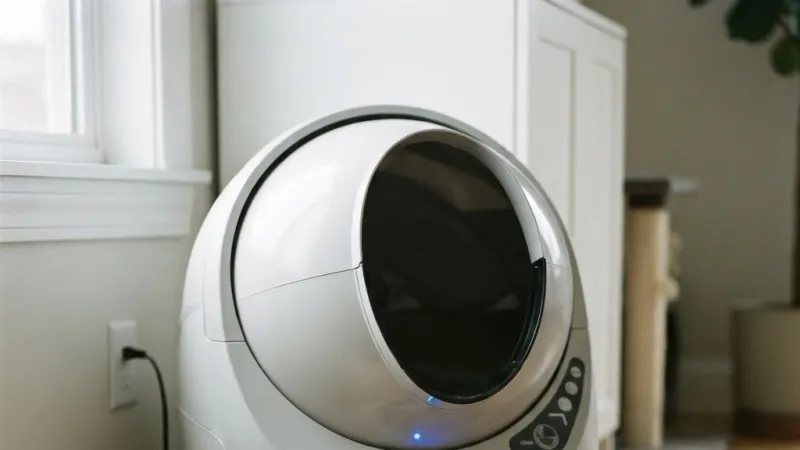
Keeping your Litter Robot 3 in optimal condition is crucial for maintaining a clean and pleasant environment for both you and your furry friend. One of the indicators you may encounter while using the Litter Robot 3 is the blinking blue light. In this section, we will delve into the reasons behind this blinking blue light, its indication of a full waste drawer, and how it can potentially affect the unit's functionality.
Reasons Behind The Blinking Blue Light On Litter Robot 3
The blinking blue light on your Litter Robot 3 serves as an important signal, alerting you to certain conditions that need your attention. These conditions may include:
The waste drawer is reaching its capacity
Issues with the DFI (Drawer Full Indicator) sensor
Problems with the bag installation
Identifying the specific reason behind the blinking blue light can help you devise the appropriate troubleshooting measures to resolve the issue.
Over time, the DFI sensor can become obstructed by dust, litter dust, or even a stray piece of clumping litter. A simple cleaning of the sensor lens, which we cover in the troubleshooting steps below, will often resolve false readings. Many users find that routine DFI cleaning every two to three months prevents the blinking blue light from appearing when the drawer is not actually full — a small habit that pays off in reliability.
Indication Of A Full Waste Drawer
One of the primary reasons for the blinking blue light on your Litter Robot 3 is an indication that the waste drawer is reaching its maximum capacity. This ensures that you are always aware of when it's time to empty and replace the waste drawer to maintain optimal functionality of the unit and prevent any potential overflow.
For multi-cat households, the waste drawer may fill faster than expected. Keeping a spare liner and a small trash bag near the unit makes the emptying process quick and mess-free. If you notice the blue light appearing more frequently than every few days, it may be time to check whether the drawer seal is fully seated — an improperly seated drawer can sometimes trigger the sensor early.
How The Blinking Blue Light Affects The Unit's Functionality
The blinking blue light on your Litter Robot 3 does not directly impact the unit's ability to perform its automatic cleaning cycles. However, it serves as a crucial reminder that attention is required to empty the waste drawer. Once the waste drawer is empty, the blinking blue light will stop, indicating that the unit is ready to resume its regular cleaning cycles.
Keeping an eye on the blinking blue light and promptly emptying the waste drawer ensures that your Litter Robot 3 continues to provide efficient and hassle-free waste management for your furry companion.
It is worth noting that if the drawer is allowed to overflow, waste can accumulate in the base of the unit, which may eventually interfere with mechanical movement. Addressing the blinking blue light right away prevents this scenario and keeps the interior clean. Owners who stay on top of the indicator report fewer odor issues and a longer-lasting unit.
Troubleshooting Steps For The Blinking Blue Light Issue
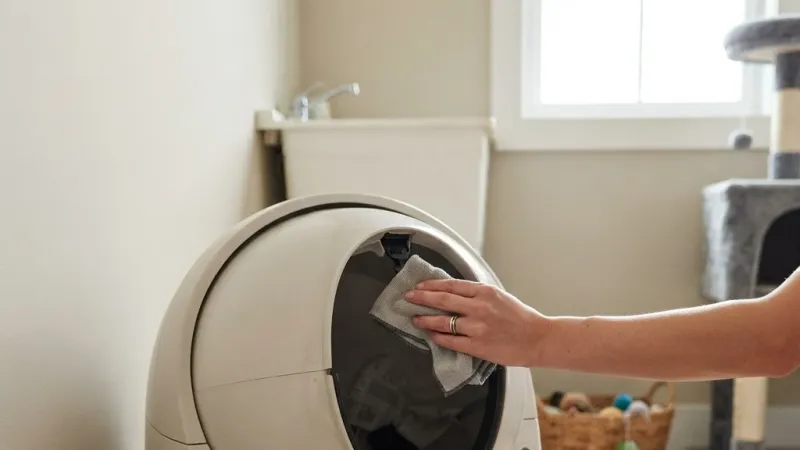
If you own a Litter Robot 3 and are experiencing a blinking blue light issue, don't worry! We've got you covered with these troubleshooting steps to help you resolve the problem.
Step 1: Checking The Waste Drawer For Fullness And Proper Insertion
The first thing you should do when you notice a blinking blue light on your Litter Robot 3 is to check the waste drawer. Make sure it is not full and properly inserted into the unit. If the waste drawer is full, you may need to empty it to stop the blinking blue light. Additionally, ensure that the waste drawer is inserted correctly to allow for proper waste detection.
Sometimes the drawer may look partially empty but still trigger the light if the waste pile is tall enough to reach the sensor beam. Gently leveling the waste with a gloved hand or repositioning the liner can resolve this without requiring a full empty. Always push the drawer in until you hear a slight click confirming it is seated.
Step 2: Cleaning The Dfi Lens For Accurate Waste Detection
A dirty DFI (drawer full indicator) lens can cause inaccurate waste detection, leading to a blinking blue light issue. To resolve this, gently wipe the DFI lens with a clean cloth. This will ensure accurate waste detection and help stop the constant blinking of the blue light.
For a more thorough clean, use a cotton swab lightly dampened with isopropyl alcohol to reach the small recess of the sensor. Allow it to dry completely before reassembling. Avoid using paper towels, as lint can leave residue that attracts more dust. This is one of the most effective steps and often solves persistent flashing that appears even after emptying the drawer.
Step 3: Performing A Hard Reset To Resolve The Constant Blinking
If the blinking blue light issue persists after checking the waste drawer and cleaning the DFI lens, it's time to perform a hard reset. To do this, unplug the Litter Robot 3 from the power source and wait for around 5 minutes. After the waiting period, plug it back in and see if the blinking blue light issue is resolved. Performing a hard reset can often fix minor glitches and restore the normal functioning of the unit.
If your unit is connected to a backup battery, remove the battery as well during the hard reset. This ensures all residual power drains from the control board. Leaving the battery connected can sometimes keep the unit in a state where the error persists. Reinsert the battery only after the power cord is reconnected.
Step 4: Resetting The Blinking Blue Light On Litter Robot 3
If the previous steps didn't resolve the blinking blue light issue, you can try resetting the Litter Robot 3. To do this, follow these steps:
Unplug the Litter Robot 3 from the power source.
Press and hold the "Reset" button located on the back of the unit for 3 seconds.
While still holding the "Reset" button, plug the Litter Robot 3 back into the power source.
Continue to hold the "Reset" button for an additional 15 seconds or until the blinking blue light stops.
Release the "Reset" button and wait for the unit to reset itself.
This should reset the blinking blue light issue on your Litter Robot 3 and restore its normal operation.
Make sure the unit is on a stable, level surface during the reset procedure. If the globe moves or the unit rocks, the reset may not complete properly. A steady surface helps the internal switches align correctly during the process. After resetting, run a manual cycle to confirm the blue light has cleared and the drawer indicator is functioning properly.
Step 5: Seeking Professional Assistance If The Issue Persists
If none of the above steps resolve the blinking blue light issue on your Litter Robot 3, it is advisable to seek professional assistance. Contact the Litter Robot customer support team or a qualified technician who can further diagnose and fix the problem. They will have the knowledge and expertise to tackle more complex issues that may be causing the constant blinking of the blue light.
Before contacting support, have your unit's serial number and the approximate date of purchase ready. This helps the support team look up your warranty status and any known service bulletins for your specific production batch. Many users find that a quick phone call or live chat session resolves stubborn issues in minutes.
Resolving Persistent Blue Light Issues On Litter Robot 3
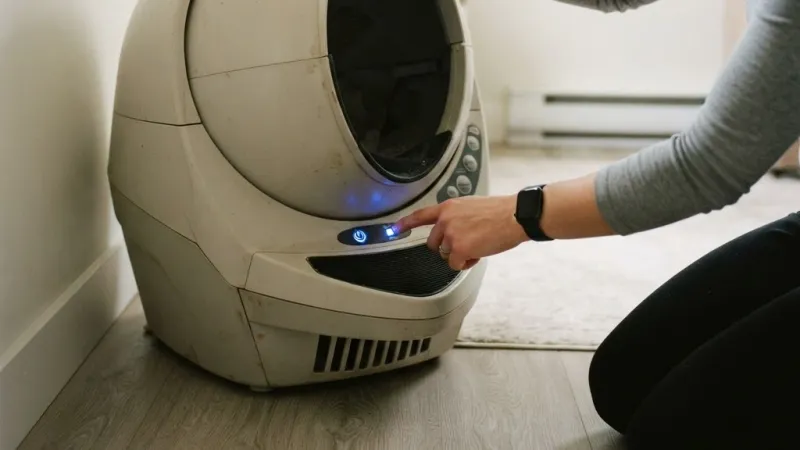
The blinking blue light on your Litter Robot 3 can be quite frustrating, especially if you have already tried the troubleshooting steps. In this section, we will explore the common reasons for the blue light to continue blinking despite your efforts. Additionally, we will discuss advanced solutions to resolve this issue and address potential mechanical or electrical problems in the unit.
Common Reasons For The Blue Light To Continue Blinking Despite Troubleshooting Steps
If you have already gone through the troubleshooting steps and the blue light on your Litter Robot 3 is still persistently blinking, several factors could be causing this issue. Let's take a look at the common reasons and what you can do to resolve them:
Dirty DFI lens: The DFI (Drawer Full Sensor) lens may be dirty, causing the unit to detect a full waste drawer when it's not. To fix this, simply wipe the lens with a clean cloth.
Improperly inserted waste bag: Make sure the waste bag is correctly inserted into the Litter Robot 3. If it's not inserted properly, the unit might register it as a full drawer. Remove and reinsert the waste bag, ensuring it fits securely.
Another often-overlooked cause is a small tear or hole in the waste bag liner. If the liner is punctured, waste can touch the sensor directly, causing a false full signal. Inspect the liner for damage each time you change the bag, and replace it if you find any compromised spots.
Advanced Solutions For Resolving The Blinking Blue Light Issue
If the common troubleshooting steps haven't resolved the blinking blue light issue on your Litter Robot 3, you might need to try some advanced solutions. Here are a couple of options to consider:
Perform a hard reset: To perform a hard reset on your Litter Robot 3, unplug the unit from the power outlet and remove the backup battery. Leave it unplugged for about 10 minutes, then reconnect the power and reinsert the battery. This can often help reset any internal glitches causing the blue light to persistently blink.
Contact customer support: If none of the above solutions have worked, it's best to contact Litter Robot's customer support. They have specialized knowledge and experience in troubleshooting and resolving issues with their products. Reach out to them for further assistance.
Some users have also reported success with manually triggering the DFI calibration by pressing and holding both the "Cycle" and "Empty" buttons simultaneously for five seconds while the unit is powered on. This recalibration is not documented in all manuals but has been shared in the Litter Robot user community as a useful reset for stubborn sensor behavior.
Addressing Potential Mechanical Or Electrical Problems In The Unit
If the blinking blue light issue on your Litter Robot 3 persists even after trying advanced solutions, there might be underlying mechanical or electrical problems in the unit itself. In such cases, it's crucial to have a professional technician evaluate and repair your Litter Robot 3. Attempting to fix complex issues without proper knowledge and expertise could potentially cause further damage or risk voiding any existing warranties.
Remember, troubleshooting steps may vary depending on the specific model of your Litter Robot 3. Always refer to the official Litter Robot documentation or contact their customer support for accurate and model-specific information.
Electrical problems, such as a failing power supply or a loose wire connection on the control board, can mimic sensor issues. If the unit behaves erratically — cycling randomly, not responding to buttons, or showing multiple flashing lights — a failing power adapter is a common culprit. Replacing the adapter with an official Litter Robot part is a straightforward fix that many owners can perform themselves.
The Litter Robot 3 control panel showing the blue light indicator that signals a full waste drawer.
Credit: www.litter-robot.com
Additional Troubleshooting Tips For Litter Robot 3
If you own a Litter Robot 3 and are experiencing issues with the blinking blue light, there are several troubleshooting tips you can try to get your unit up and running smoothly again. Understanding the other lights and indicators on the Litter Robot 3, practicing proper maintenance and cleaning, and troubleshooting other common problems can help eliminate any light-related issues you may be facing. Let's dive into these tips to ensure your Litter Robot 3 is functioning optimally.
Understanding Other Lights And Indicators On The Litter Robot 3
Aside from the blinking blue light that indicates a full waste drawer, the Litter Robot 3 has other lights and indicators that can provide valuable information about its status. Here's a breakdown of what each light means:
Blue Light On Solid: When the blue light is continuously on, it means everything is functioning normally, and you're just waiting for the next cycle to occur. No action is required on your part.
Blue Light Flashing: If the blue light is flashing, it indicates that the Drawer Full Sensor (DFi) thinks the waste drawer is full. However, sometimes the sensor might have a faulty reading, so it's crucial to double-check the waste drawer before taking any action.
Solid Yellow Light: A solid yellow light on the Litter Robot 3 suggests that the unit is cycling.
Flashing Red Light: If you notice a flashing red light, it could indicate an issue with the unit's sensors or motor. In this case, it's recommended to consult the official Litter Robot support for further assistance.
Tips For Proper Maintenance And Cleaning Of The Unit To Prevent Light Issues
Maintaining and cleaning your Litter Robot 3 regularly is essential to prevent light issues and ensure its optimal performance. Here are some tips to keep in mind:
Empty the Waste Drawer Regularly: Make it a habit to empty the waste drawer regularly, especially when the blue light is flashing or the DFi indicates it's full. This will help prevent any unnecessary light-related issues and ensure a clean environment for your cat.
Clean the DFi Lens: If you notice a blue blinking light, even when the waste drawer is empty, it could be due to a dirty DFi lens. Use a cloth to wipe the lens and remove any dirt or debris that might be causing the issue.
Properly Insert Waste Bags: Ensure that waste bags are inserted correctly in the Litter Robot 3. Sometimes, even a slightly misaligned bag can trigger false sensor readings and result in light issues.
Regularly Clean the Unit: Clean the Litter Robot 3 unit itself, including the globe and base, using mild soap and water. Avoid using harsh chemicals or abrasive materials that could damage the unit.
For deeper maintenance, consider removing the globe and washing it in a bathtub with warm water and a gentle dish soap every two to three months. Pay special attention to the carbon filter area, where odors can accumulate. Drying the globe thoroughly before reassembly prevents moisture from affecting the sensor electronics. This routine is similar to what you might do for other household appliances — keeping it running smoothly with periodic attention.
Troubleshooting Other Common Problems Related To Litter Robot 3
While the blinking blue light is a common issue with the Litter Robot 3, there might be other problems you could encounter. Here are some troubleshooting tips for other common issues:
Litter Sensor Errors: If you're experiencing issues with the litter sensor, ensure that the litter is evenly distributed and not clumped. The sensor may have difficulty detecting the litter if it's clumped together.
Motor Malfunction: If the Litter Robot 3 is not starting up or the motor is not functioning, check the power source and ensure it's properly connected. You can also try performing a hard reset on the unit.
Unresponsive Buttons: If the Litter Robot 3 buttons are not working, check the power connection and make sure the unit is receiving power. If the issue persists, contact Litter Robot support for further assistance.
By understanding the different lights and indicators, practicing proper maintenance and cleaning, and troubleshooting common issues, you can resolve many of the problems you may encounter with your Litter Robot 3. If problems persist, don't hesitate to reach out to Litter Robot support for expert assistance.
Understanding The Waste Drawer Full Sensor In Detail
The DFI (Drawer Full Indicator) sensor on the Litter Robot 3 uses an infrared beam that detects when waste has accumulated high enough to interrupt the light path. This is a straightforward and reliable design, but it can occasionally give false readings if the beam is blocked by something other than waste — for example, a crumpled liner, a dropped toy, or even a large clump of litter that fell outside the drawer.
If you have checked the drawer and it is clearly not full, inspect the sensor window for any physical obstruction. Also verify that the waste drawer liner is pulled taut across the opening; a sagging liner can dip into the sensor path and trigger the blue light prematurely. Adjusting the liner so it is smooth and taut usually resolves this.
When The Blinking Blue Light Accompanies Other Symptoms
Sometimes the blinking blue light appears alongside other behaviors, which can help narrow down the cause:
Blinking blue light + unit won't cycle: This often points to a motor stall or a jam in the globe mechanism. Check for litter buildup under the globe and remove any debris.
Blinking blue light + yellow light cycling rapidly: The unit may be attempting to recalibrate. Allow it to complete its cycle without interruption, then check the drawer.
Blinking blue light + no power to buttons: A power supply issue is likely. Try a different outlet and inspect the power cord for damage.
If you encounter a combination of symptoms, the most reliable approach is to start with a full unplug-and-reset, then proceed through the DFI cleaning steps. This sequence resolves the vast majority of compound issues without needing to contact support.
Comparison Of Litter Robot 3 Blue Light Patterns
| Light Pattern | Meaning | Action Required |
|---|---|---|
| Solid blue (steady) | Normal operation, waiting for cycle | None |
| Blinking blue (slow, ~1 blink per second) | Waste drawer is full | Empty the drawer |
| Blinking blue (fast, ~3 blinks per second) | DFI sensor error or obstruction | Clean DFI lens, check liner |
| Blue + red alternating | General system fault | Perform hard reset or contact support |
| No blue light at all | Unit is off or not receiving power | Check outlet and power cord |
This quick-reference table can help you diagnose the urgency of the situation at a glance. Keeping a copy near your unit may save time when the blue light catches you off guard.
Frequently Asked Questions Of Litter Robot 3 Blinking Blue Light
Why Is My Litter-robot 3 Flashing Blue Light?
If your Litter-Robot 3 is flashing a blue light, it means that the waste drawer is full. This is a normal indication.
Why Is My Litter-robot Still Blinking Blue?
If your Litter-Robot is still blinking blue, it means that the waste drawer is full. You can reset the blinking blue light by emptying the waste drawer.
How Do You Reset The Blinking Blue Light On Litter-robot?
To reset the blinking blue light on your Litter-Robot, simply press and hold the black reset button on the back of the unit for 3 seconds. This will reset the Waste Drawer indicator and stop the light from flashing.
How Do I Do A Hard Reset On My Litter-robot?
To perform a hard reset on your Litter-Robot, follow these steps: 1. Unplug the unit from the power source. 2. Remove the waste drawer and empty it. 3. Remove the bonnet and access the control panel. 4. Locate the reset button and press it for 10 seconds. 5. Plug the unit back into the power source and wait for it to restart. Note: Performing a hard reset will reset all settings on your Litter-Robot.
Why Is My Litter Robot Blinking A Blue Light?
The blue blinking light on your Litter Robot indicates that the waste drawer is full.
Can a Dirty Globe Cause the Blinking Blue Light?
Not directly, but a dirty globe can allow waste or litter to fall outside the drawer and block the DFI sensor. If you have cleaned the DFI lens and emptied the drawer but the blue light persists, remove the globe and inspect the inside of the base for any debris that may have accumulated. A quick wipe-down of the base interior can eliminate the obstruction.
Does the Litter Robot 3 Have a Backup Battery That Affects the Blue Light?
Yes. The Litter Robot 3 includes a backup battery that maintains settings during power outages. If the backup battery is low or failing, it can cause erratic behavior including false sensor readings. If your unit is plugged in but the blue light behaves unpredictably, try removing the backup battery and running the unit on AC power alone for a day to see if the issue resolves. Replace the battery if the problem disappears.
Will Overfilling the Litter Level Cause a Blinking Blue Light?
No. The blue light is tied to the waste drawer sensor, not the litter level inside the globe. However, if the globe is overfilled, litter may spill into the waste drawer during cycling, causing the drawer to fill faster than expected and triggering the blue light sooner. Use the manufacturer's recommended litter line inside the globe to avoid this.
How Often Should the DFI Sensor Be Cleaned?
For the average household with one or two cats, cleaning the DFI sensor every two to three months is sufficient. If you have multiple cats or use a particularly dusty litter, monthly cleaning may be needed. You will know it is time if the blue light begins appearing when the drawer is clearly not full. Make cleaning the sensor part of your regular Litter Robot maintenance routine.
Is the Blinking Blue Light Covered Under Warranty?
Yes, if the blinking blue light is caused by a defect in the DFI sensor or control board, it is typically covered under the Litter Robot 3 warranty. Normal wear and tear — such as a dirty sensor — is not covered, but cleaning it yourself is free and simple. If you suspect a hardware defect, contact Litter Robot support with proof of purchase.
Conclusion
If you notice a blinking blue light on your Litter Robot 3, it is an indication that the waste drawer is full. This is a normal function of the device. To resolve the issue, simply empty the waste drawer and ensure that it is inserted correctly. Remember, a clean and well-maintained Litter Robot leads to a happier and healthier environment for both you and your furry friend. For more appliance troubleshooting guides, explore our articles on the Nest thermostat red blinking light and the Frida humidifier blinking blue indicator for other common household issues.
Get the most from your Litter Robot 3 — set a recurring weekly reminder on your phone to check the waste drawer and clean the DFI sensor. A quick two-minute routine keeps the blue light where it belongs: only on when it's truly time to empty.