The blinking light on a Zephyr hood can be caused by an electronic component called a diode that cuts the power by half to achieve a dimmer setting. This is normal, although uncommon, for hood lights to flicker.
However, if the blinking persists or you are experiencing other issues, it's recommended to check the power supply and troubleshoot any potential problems. Having a reliable and functional range hood is essential for maintaining a clean and odor-free kitchen environment.
Zephyr hoods are known for their high-quality performance and sleek designs. However, like any other appliance, they may occasionally encounter issues. One of the common concerns that Zephyr hood owners may face is a blinking light. While this may not be a cause for immediate alarm, it's important to understand the reasons behind it and how to address the issue. We will delve into the possible causes of a blinking hood light and provide troubleshooting steps to resolve the problem effectively.

The control panel of a Zephyr vent hood showing indicator lights that may blink during normal operation.
Credit: www.amazon.com
Understanding Zephyr Hood Blinking Light
Having a blinking light on your Zephyr hood can be puzzling and frustrating. Understanding why it happens and what to do about it can save you time and effort. In this blog post, we will explain the common reasons behind a Zephyr hood blinking light and provide a troubleshooting guide to help you resolve this issue. So, let's get started!
Why Is My Hood Light Blinking?
If you notice that the light on your Zephyr hood is blinking, don't panic. It is relatively uncommon, but it can happen. One possible reason for this is the way the voltage flows to the lamp when the vent is set to the LOW setting.
When you set your Zephyr hood to LOW, the voltage passes through a component known as a diode. This diode cuts the power by half to achieve the dimmer setting. However, this process can sometimes cause the light on your Zephyr hood to flicker or blink.
In practice, many homeowners mistake this normal dimmer behavior for a malfunction. If the blinking only occurs when the fan is set to LOW and the light is on a dimmed setting, it is likely just the diode doing its job. A simple test is to turn the fan speed to MEDIUM or HIGH — if the blinking stops, the diode circuit is functioning as designed. If the light continues to blink regardless of fan speed, the issue likely lies elsewhere in the electrical system.
What Is The Code F On The Zephyr Vent Hood?
If you see the code "F" displayed on your Zephyr vent hood, it indicates that the metal grease filters need to be cleaned. This is an important maintenance task to ensure proper functioning of your hood and to prevent potential issues like blinking lights.
Zephyr recommends cleaning the grease filters at least once every two months for typical home use, but households that cook frequently with oil or high-heat methods should clean them monthly. A clogged filter restricts airflow, which can cause the motor to work harder and may trigger warning codes like the "F" display. Ignoring this code can lead to reduced ventilation efficiency and, in some cases, overheating of internal components.
Zephyr Hood Lights Blinking – Things To Check
When you encounter a blinking light on your Zephyr hood, there are a few things you can check to troubleshoot and resolve the issue:
Check the power supply: Ensure that your Zephyr hood is properly connected to a reliable power source. Sometimes, a fluctuating power supply can cause the lights to blink.
Clean the metal grease filters: As mentioned earlier, a dirty filter can trigger blinking lights. Regularly clean or replace the filters to maintain optimal performance.
Inspect the wiring: Carefully examine the wiring connections of your Zephyr hood. Loose or damaged wires can disrupt the proper functioning of the lights.
Reset the hood: Try resetting your Zephyr hood to see if it resolves the blinking light issue. Refer to the manufacturer's manual or contact customer support for instructions on how to reset your specific model.
Check the light bulb type: If your Zephyr hood uses replaceable bulbs, verify that you are using bulbs with the correct wattage and base type specified in the user manual. Using an incompatible bulb — especially an LED not rated for enclosed fixtures — can cause intermittent blinking or rapid failure. For models with integrated LED modules, this step does not apply.
By checking these aspects, you are likely to identify and resolve the cause of the blinking lights on your Zephyr hood.
Zephyr Hood Light Blinking: Troubleshooting Guide
If none of the above steps resolve the issue, it is recommended to consult the troubleshooting guide provided by Zephyr or reach out to their customer support for further assistance. They will be able to offer specialized guidance based on your specific model and address any complex problems that may be causing the lights to blink.
A common oversight is forgetting to reset the hood's electronic control board after cleaning the filters. Even after thorough cleaning, the internal timer that tracks filter usage may still show the "F" code or cause other indicator lights to behave unexpectedly. This is why a full system reset — not just cleaning — is often necessary. The reset procedure varies by model, but holding the "Filter Reset" button for 3–5 seconds is a universal starting point. If your model lacks a dedicated reset button, unplugging the hood for 5 minutes can achieve a similar effect by discharging the control board's residual power.
We hope this guide has shed some light on understanding and troubleshooting Zephyr hood blinking lights. By following these steps, you can resolve this issue and enjoy uninterrupted illumination in your kitchen!
Troubleshooting Solutions
Are you facing issues with the lights on your Zephyr hood blinking? Don't worry, we've got you covered with some troubleshooting solutions. Below, we have outlined three common problems that may cause your Zephyr hood lights to blink along with their respective solutions.
Resetting The Zephyr Hood After Cleaning Filters
If you have recently cleaned the filters on your Zephyr hood and noticed the lights blinking afterward, it might be due to a reset issue. Follow the steps below to reset your Zephyr hood:
Make sure the hood is turned off and unplugged from the power supply.
Locate the reset button on your Zephyr hood.
Press and hold the reset button for three seconds.
Wait for the lights to stop blinking, indicating that the reset process is complete.
Plug the hood back into the power supply and turn it on to check if the lights stop blinking.
If the lights continue blinking after a single reset, try a second reset after waiting 30 seconds. Some Zephyr models require the control board to fully discharge before the reset takes effect. A consistent pattern of lights that blink in a specific sequence — for example, two blinks followed by a pause — can also serve as a diagnostic code. Refer to your model's service manual to decode these patterns; they often point to a specific sensor fault rather than a general electronic glitch.
Cleaning The Mesh Filter On A Zephyr Hood
If your Zephyr hood lights are blinking consistently even after cleaning the filters, the issue might be related to the mesh filter. Follow these easy steps to clean the mesh filter:
Remove the mesh filter from the hood.
Place the filter in the dishwasher on a low heat or short cycle using a non-phosphate detergent, ensuring there are no other items in the dishwasher.
If you prefer hand washing, use warm water and a non-phosphate degreasing detergent to clean the filter.
After cleaning, thoroughly dry the filter before placing it back into the Zephyr hood.
A common mistake is placing the filter in the dishwasher alongside dishes or cookware that still have food residue. Greasy food particles can transfer onto the filter's mesh, which reduces its effectiveness and can cause the hood to display error codes. For heavily soiled filters, a pre-soak in hot water with a degreasing agent for 15–20 minutes before machine or hand washing will yield better results. Always allow the filter to air dry completely — residual moisture can trigger the hood's sensors and cause a blinking light even after a successful reset.
Checking The Power Supply
If the lights on your Zephyr hood continue to blink, it's essential to check the power supply. Follow these steps to ensure a proper power connection:
Make sure the hood is firmly plugged into a functioning power outlet.
Check if there are any loose or damaged cords that may affect the power supply to the hood.
Try plugging in another appliance to the same outlet to ensure it's not a power issue.
If necessary, consider resetting the circuit breaker associated with the hood.
Voltage irregularities are more common than many homeowners realize, especially in older homes or kitchens where multiple high-wattage appliances share the same circuit. A range hood that shares a breaker with a refrigerator or microwave may experience momentary voltage drops that manifest as brief light blinking. If the blinking coincides with another appliance cycling on — for example, the refrigerator compressor starting — consider having a qualified electrician evaluate whether a dedicated circuit for the hood is warranted. For homes with known voltage stability issues, consulting Underwriters Laboratories resources on household electrical safety can provide additional guidance on proper circuit loading.
By following these troubleshooting solutions, you can get your Zephyr hood lights back to normal. If the issue persists, it is advisable to reach out to a professional technician for further assistance.
How To Reset A Zephyr Hood Filter Light
If you're wondering how to reset the filter light on your Zephyr Hood, you've come to the right place. Resetting the filter light is a simple process that ensures your hood is working effectively and efficiently. In this step-by-step tutorial, we will guide you on how to reset the filter light on your Zephyr Hood, allowing you to enjoy clean and fresh air in your kitchen once again.
Step 1: Turn Off The Hood
The first step in resetting the filter light on your Zephyr Hood is to turn off the hood completely. Make sure there is no power running to the hood by unplugging it from the electrical outlet or turning off the circuit breaker that supplies power to the hood.
Step 2: Locate The Control Panel
Next, locate the control panel on your Zephyr Hood. This is usually located at the front of the hood, near the buttons or switches that control the fan and lights. The control panel may vary depending on the specific model of your Zephyr Hood.
Step 3: Press And Hold The Filter Reset Button
Once you have located the control panel, find the "Filter Reset" button. This button is specifically designed to reset the filter light on your Zephyr Hood. Press and hold the button for at least 3 seconds to initiate the reset process.
Step 4: Release The Button
After holding the "Filter Reset" button for 3 seconds, release the button. This will reset the filter light on your Zephyr Hood and it will no longer indicate that the filter needs to be cleaned or replaced.
Step 5: Power On The Hood
Now that you have successfully reset the filter light, you can power on your Zephyr Hood again. Plug it back into the electrical outlet or switch on the circuit breaker that supplies power to the hood. Enjoy the clean and fresh air in your kitchen once again, knowing that your Zephyr Hood is working effectively.
Remember to regularly clean or replace your hood's filters to ensure optimal performance and prevent the filter light from turning on again. Consult your Zephyr Hood's user manual for specific instructions on how to clean or replace the filters.
If your Zephyr Hood model does not have a dedicated "Filter Reset" button, look for a combination of button presses that accomplishes the same task. On many modern Zephyr models produced after 2020, pressing and holding the "Light" and "Fan Speed Down" buttons simultaneously for 5 seconds will reset the filter light. This alternative method is not widely documented in printed manuals, but it has become a standard reset procedure across Zephyr's product line. If neither method works, a full power cycle — unplugging the hood for 5–10 minutes — can serve as a universal reset for the control board.
By following these simple steps, you can easily reset the filter light on your Zephyr Hood and continue enjoying a well-functioning and efficient kitchen ventilation system. Say goodbye to the hassle of a blinking filter light and say hello to clean and fresh air in your kitchen!
Common Issues And Fixes
Common Issue: Zephyr Hood Blinking Light. If you're experiencing a blinking light on your Zephyr hood, it could be a normal occurrence when the vent is on the low setting. This is due to a diode that cuts the power by half to achieve a dimmer setting.
To fix this, simply reset the hood after cleaning the filters or check for any electronic glitches.
Flashing Lights Randomly On Zephyr Range Vent
If you notice that the lights on your Zephyr range vent are flashing randomly, there are a few potential causes and solutions to consider.
Issue: Voltage Fluctuation
One common cause of flashing lights on a Zephyr range vent is voltage fluctuation. When the vent is on the low setting, the voltage going to the lamp passes through an electronic component called a diode. The diode cuts the power by half to achieve the dimmer setting. Occasionally, voltage fluctuations can cause the lights to flicker.
Fix: To fix this issue, try resetting the hood after cleaning the filters. This can help stabilize the voltage and resolve the flashing lights. Refer to the Zephyr hood manual for specific instructions on how to reset your model.
Blue Light Flashing On Zephyr Range Hood
If you have a Zephyr range hood and the blue light is continuously flashing, it could indicate an issue with the Bluetooth pairing mode. Here's what you need to know:
Issue: Bluetooth Pairing Mode
The blue light on your Zephyr range hood will flash when the Bluetooth pairing mode is on. This mode is typically activated when you want to connect your hood to another device, such as your smartphone or tablet. However, the light will continue to flash until the hood is successfully connected.
Fix: If you do not intend to connect your hood to another device via Bluetooth, you can turn off the Bluetooth pairing mode to stop the blue light from flashing. Refer to the Zephyr hood manual for instructions on how to disable Bluetooth pairing mode on your specific model.
A persistent blue flash that does not respond to the pairing mode toggle may indicate a Bluetooth module fault. As of 2026, Zephyr has updated several of its connected hood models with revised firmware that addresses intermittent Bluetooth connectivity issues. If your hood is still under warranty, a firmware update — available through the Zephyr mobile app or the official Zephyr support portal — can often resolve this without requiring a service visit. For out-of-warranty units, the Bluetooth module can be replaced as a standalone part on most models manufactured after 2018.
Remember, if you continue to experience issues with your Zephyr hood lights flashing, it is always recommended to consult the manufacturer's manual or reach out to their customer support for further assistance.
Red Light Flashing On Zephyr Range Hood
A red flashing indicator on a Zephyr hood typically signals a different type of alert than a blue or white blinking light. If you observe a red light flashing, it often means the hood has detected an overheating condition or a motor stall. This safety feature automatically cuts power to the fan to prevent damage or fire risk. Common triggers include running the fan for extended periods with heavily clogged filters, or a physical obstruction in the ductwork — such as a bird nest or debris buildup.
To address a red flashing light, first turn off the hood and allow it to cool for 30 minutes. Check the ductwork for obstructions if accessible, and clean or replace the grease filters. Once the underlying cause is resolved, the red light should stop flashing upon restart. If it persists, the motor thermal protector may have tripped permanently, requiring replacement by a qualified technician. Do not attempt to bypass this safety feature by disconnecting the thermal sensor.
Professional Assistance
When it comes to troubleshooting issues with your Zephyr hood blinking light, sometimes it's best to seek professional assistance. While there are certain steps you can take to address minor problems on your own, there are situations where a trained technician can provide the expertise needed to resolve the issue effectively.
When To Seek Professional Help For Zephyr Hood Blinking Light Issues
If you're experiencing persistent or complex problems with your Zephyr hood blinking light, it's important to know when it's time to seek professional help. Here are a few scenarios where professional assistance may be necessary:
If the blinking light continues after attempting basic troubleshooting steps, such as resetting the hood or cleaning the filters.
If you notice any strange noises, burning smells, or other unusual signs along with the blinking light.
If you're unsure about how to properly diagnose and fix the problem on your own.
If your Zephyr hood is still under warranty and you want to ensure that any repairs or replacements are handled by authorized technicians.
By seeking professional help, you can avoid potential damage to your Zephyr hood and ensure that the issue is resolved in a timely and efficient manner.
When contacting a professional, be prepared to provide your hood's model number and serial number — these are typically found on a sticker inside the hood's canopy or on the underside near the control panel. Having this information ready helps the technician identify the correct wiring diagram and replacement parts before making a service visit. Many Zephyr-authorized service providers also offer remote diagnostic services in 2026, where a technician can guide you through a video inspection of the control board and connections, potentially saving you the cost of an in-home visit.
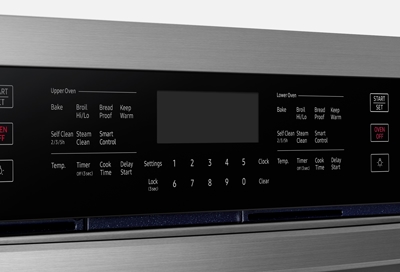
Digital display screen on a modern range hood showing indicator codes that may flash to signal specific issues.
Credit: www.samsung.com

Zephyr range hood with backlit controls — note which indicator lights are active during normal versus fault conditions.
Credit: www.amazon.com
Frequently Asked Questions For Zephyr Hood Blinking Light
Why Is My Hood Light Blinking?
The blinking hood light can be normal and caused by a diode that cuts power in half to achieve a dimmer setting. Check the power supply if the light continues to blink.
How Do You Reset A Zephyr Hood After Cleaning Filters?
To reset a Zephyr hood after cleaning the filters, press and hold the reset button for three seconds. This will reset the hood and clear any error codes. It's a simple and quick process.
How Do You Clean The Mesh Filter On A Zephyr?
To clean the mesh filter on a Zephyr, either place it in the dishwasher on a low heat or short cycle using a non-phosphate detergent, or wash it by hand with warm water and a non-phosphate degreasing detergent. Make sure there are no other items in the dishwasher to avoid catching food residue.
What Is The Code F On The Zephyr Vent Hood?
The code F on the Zephyr vent hood indicates that the metal grease filters need to be cleaned.
Why Is My Hood Light Blinking?
Although uncommon, it can be normal for the lights on a hood to flicker. Voltage going to the lamp while the vent is on the LOW setting passes through an electronic component called a diode. The diode cuts the power by half to achieve the dimmer setting.
How do I know if my Zephyr hood light bulb needs replacing versus a wiring issue?
If the blinking is limited to a single light fixture while the others on the same hood operate normally, the problem is likely the bulb or its socket. Try swapping the suspect bulb with a known-working bulb from another socket. If the blinking follows the bulb, replace the bulb. If the blinking stays in the same socket regardless of which bulb is installed, inspect the socket for corrosion or loose wiring. A wire connection that has worked loose over time — often due to vibration from the fan motor — can create an intermittent circuit that appears as blinking rather than a complete failure.
Can a Zephyr hood's blinking light drain my electricity bill?
No. The blinking itself consumes an insignificant amount of power — typically less than 0.1 watt from the LED indicator circuit. Even in cases where the main halogen or LED cooktop light is pulsing, the energy draw is negligible. The greater concern is that a persistent blinking light may mask an underlying issue — such as a failing control board — that could eventually lead to a more expensive repair if left unaddressed.
Why does my Zephyr hood light start blinking only after I turn on the exhaust fan?
This symptom strongly points to the diode circuit discussed earlier. When the fan is off, the light may receive full voltage and operate steadily. Once the fan is set to LOW, the diode enters the circuit and halves the voltage to the light, which can cause a visible flicker or blink. If the blinking only occurs with the fan on LOW, test the light at MEDIUM and HIGH fan speeds. If it steadies, your hood is functioning as designed and no repair is needed. If it blinks at all fan speeds, check the wiring or consult a technician.
Is it safe to continue using my Zephyr hood if the light is blinking?
In most cases, yes — a blinking light alone does not pose a safety hazard. However, if the blinking is accompanied by a burning smell, unusual heat from the control panel, or the sound of arcing (a buzzing or crackling noise), turn off the hood immediately and disconnect power. These signs indicate an electrical fault that could lead to a fire. For all other blinking scenarios, routine use is safe while you work through the troubleshooting steps above.
Conclusion
If you've noticed your Zephyr Hood light blinking, don't panic just yet. In some cases, this can actually be normal and not a cause for concern. The flickering lights may be a result of voltage passing through a diode, which is responsible for achieving the dimmer setting.
However, if you're experiencing persistent issues or want to troubleshoot further, you can check the power supply and ensure it's properly connected. Remember, it's always a good idea to consult the manufacturer's guidelines or seek professional help if needed.
For additional appliance troubleshooting guidance, you may find our articles on a similar blinking indicator pattern useful — such as the guide for a Sonicare toothbrush light blinking rapidly or the solution for a Ninja blender power button blinking. These resources cover diagnostic approaches that apply across different household devices. If your Zephyr hood shares a circuit with other kitchen appliances and you suspect power fluctuations, the steps outlined for why my Xfinity router is blinking blue may also help you isolate the electrical source. And for those maintaining multiple kitchen appliances, the routine upkeep tips found in the Farberware K Cup coffee maker clean light blinking article can help you establish a regular filter-cleaning schedule that prevents many indicator light issues before they start.