A soft heat heating pad blinking red light is one of the most common things SoftHeat owners search for. That little light is the controller's way of talking to you. Sometimes it means the pad is warming up.
Other times it's a fault signal telling you to stop and check.
SoftHeat pads, made by Perfect Fit Industries, run on low-voltage power. The controller watches for loose connections, overheating, and moisture. Per UL 130, the safety standard for electric heating pads, that monitoring is required.
Here's how to read the signal and what to do next.
Quick Answer
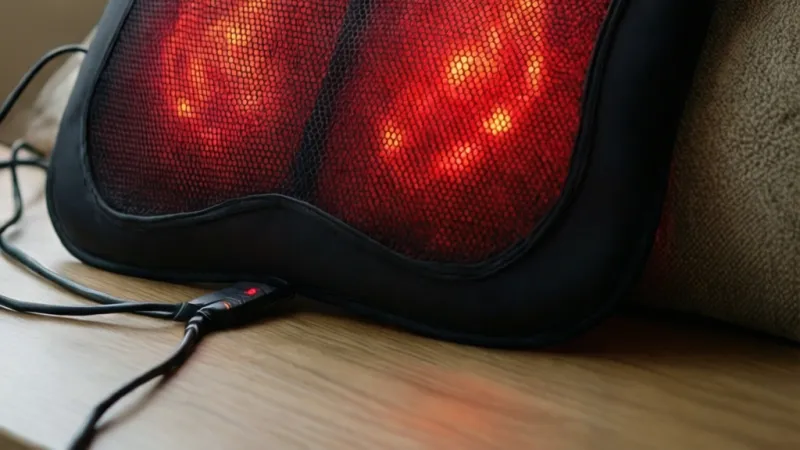
A SoftHeat heating pad blinking red usually means the controller paused heating. It can signal a warm-up cycle, a loose connector, or overheat protection. Check the pad plug first.
Unplug for two minutes, then reconnect. If the blink continues, stop using the pad.
What a Blinking Red Light on a SoftHeat Heating Pad Actually Means
A blinking red light is not a single fault code. It's a signal that changes meaning based on when it blinks, how fast it blinks, and whether the pad is producing heat.
On SoftHeat controllers, the LED is the only diagnostic tool you get. There's no digital display, no beep code, no app. So you have to read timing and context.
That's exactly what trips people up.
Here's the short version. If the light blinks during the first few minutes and the pad warms up, that's normal. If it blinks for more than ten minutes with no warmth, the controller has locked out heating for a reason.
The table below maps the most common LED behaviors to likely causes.
| LED behavior | Likely meaning | What to do |
|---|---|---|
| Slow blink at startup, then solid | Preheat or warm-up cycle | Wait 5 to 10 minutes |
| Fast blink, no heat | Connection fault or overheat lockout | Unplug, inspect, reconnect |
| Blink mid-session around 2 hours | Auto shut-off timer | Restart if you want more heat |
| Blink mid-session before 2 hours | Overheat protection | Check for folds or covering |
| Blink after a spill or wash | Moisture detected | Let dry 24 to 48 hours fully |
| Blink with visible cord damage | Wiring fault | Stop using, replace |
A few things matter before you act on that table.
SoftHeat is a brand, not a single model. The line includes pads with different controllers, different connectors, and different blink patterns. A behavior that's normal on one model can be a fault on another.
The user manual for your exact model is the only authoritative source for what each blink pattern means. If you don't have the manual, the model number printed on the pad tag or the controller is the key to finding it.
One more thing. A blinking red light is not the same as a solid red light. A solid red usually means the pad is on and heating.
A blinking red means something has paused, tripped, or failed. Don't treat them as the same signal.
How the SoftHeat Controller and Low-Voltage Pad System Work
SoftHeat is a brand of electric heating pad made by Perfect Fit Industries. The line is known for running on low-voltage DC power instead of straight 120V AC from the wall.
Here's the basic chain:
Wall outlet (120V AC in the US and Canada, 230V in the UK and EU) → power adapter or controller → low-voltage DC output → heating element inside the pad.
That low-voltage step is what makes SoftHeat different from many older pads. Lower voltage means lower shock risk if the pad ever gets damaged. It's also why the controller does more work than a simple on/off switch.
The controller is the brain of the system. It converts voltage, sets heat level, watches for faults, drives the LED, and shuts the pad off when something looks wrong.
| Component | What it does |
|---|---|
| Power adapter | Converts AC wall power to low-voltage DC |
| Controller | Sets heat level, watches for faults, drives the LED |
| Pad connector | Joins the controller to the heating element |
| Heating wire | Produces the warmth |
| Thermal fuse | Cuts power if the pad overheats |
| LED indicator | Shows status: solid, blinking, or off |
| Auto shut-off timer | Cuts power after a set time, usually 2 hours |
Per UL 130 and IEC 60335-2-17, the international standard for flexible heating appliances, heating pads must include overheat protection and a way to prevent sustained unsafe temperatures. That's the regulatory backdrop for why your pad shuts itself off.
You can see the current UL 130 scope and related standards at UL Solutions. The short version is simple. The blinking light is the system doing what it was designed to do.
As of 2026, most SoftHeat models still ship with a wired controller. No Bluetooth, no companion app, no remote. That means the LED is your only live feedback, and reading it correctly matters.
The 5-Minute Safe Check: What to Do Before Anything Else
Before you assume the pad is dead, run this sequence. It takes about five minutes and fixes a surprising number of blinking red lights.
Unplug, inspect, and reconnect in the right order
Order matters here. Skipping a step or reconnecting before you inspect can mask the real problem.
- Unplug the power adapter from the wall outlet. Don't skip this.
- Disconnect the controller from the pad at the connector.
- Look at both ends of the connector. Check for bent pins, lint, dust, or moisture.
- Inspect the full cord for fraying, chew marks, kinks, or pinches.
- Reconnect the controller firmly. It should seat with a click or a snug fit.
- Plug the adapter into a different wall outlet. Skip power strips and extension cords if you can.
- Turn the controller on and watch the LED.
- Wait up to 10 minutes. A preheat blink should resolve. A fault blink will not.
- If the blink continues past 10 minutes with no heat, unplug the pad and stop using it.
If you want to sanity-check the outlet itself, plug in a lamp or phone charger. If that device works, the outlet is fine. If it doesn't, you've found your problem.
What you're looking for on the connector and cord
You're checking for three things: physical damage, moisture, and fit.
Physical damage means bent pins, cracked plastic, exposed wire, or a connector that wiggles when you touch it. Moisture means any dampness inside the connector, which can happen after a wash, a spill, or damp storage. Fit means the connector seats fully and doesn't pull loose with light tension.
If any of those three fail, don't keep testing. A damaged connector is a burn risk, not just an inconvenience. Replace the controller or the pad.
One safety note that comes up often. Never use pins, clips, or binder clips to hold a heating pad in place. That's a documented fire and shock hazard, and it voids the warranty on every major brand.
Puncture damage is a recurring theme in heating pad incidents, and the US Consumer Product Safety Commission tracks those reports at CPSC.
Branch 1: Blinking Red Right After You Plug It In
This is the most common scenario. You plug in, turn it on, and the LED starts blinking red right away.
Use if/then logic to narrow it down.
- If the blink is slow and steady, and the pad starts warming within 5 to 10 minutes, that's a normal preheat cycle. Leave it alone.
- If the blink is fast and the pad stays cold after 10 minutes, the controller has detected a fault at startup. Unplug, inspect the connector, and reconnect.
- If the blink continues after a clean reconnect on a known-good outlet, the controller or pad has failed.
- If the outlet itself is dead, test it with another device. A tripped GFCI outlet is a common culprit, especially in bathrooms, kitchens, and garages.
The table below ranks the likely causes.
| Cause | Likelihood | Fix |
|---|---|---|
| Normal preheat cycle | Common | Wait 10 minutes |
| Loose pad connector | Common | Reseat firmly |
| Tripped GFCI outlet | Common | Reset outlet or move to another |
| Failed controller | Less common | Replace controller |
| Failed heating element | Less common | Replace pad |
A couple of edge cases are worth calling out.
If you recently washed the pad or the cover, moisture inside the connector can trip the controller on the very first plug-in. Let it air-dry a full 24 to 48 hours before you test again. A hair dryer is tempting but can damage the fabric and wiring.
If you're using a voltage converter with a UK or EU model on a US outlet, that's another startup failure waiting to happen. Match the pad to the voltage it was built for. A 120V pad on a 230V outlet will fail, often immediately.
Branch 2: Blinking Red Mid-Session After It Was Heating Fine
The pad was working. Then the light started blinking and the heat stopped.
Most of the time, this is the auto shut-off timer. SoftHeat pads, like nearly every electric heating pad sold in the US, shut off automatically after about two hours. That's required by UL 130 and it's a safety feature, not a fault.
If it's not the timer, here's what else it could be:
- Overheat protection tripped because the pad was folded, bunched, or covered by a heavy blanket.
- A loose connection from movement during use, especially if the connector sits under your body.
- Cord strain from pulling, bending, or wrapping the cord tightly around the controller.
- Moisture from sweat or a spill reaching the connector.
- A failing thermal fuse inside the pad.
Run the same if/then logic.
- If the blink started right around the 2-hour mark, it's the timer. Turn it back on if you want more heat.
- If the blink started before 2 hours and the pad was folded, bunched, or covered, unfold it, let it cool 15 minutes, and try again on a flat surface.
- If the blink started before 2 hours with no fold, no cover, and no moisture, and the pad stays cold, stop using it. Something inside has failed.
One more thing to watch. If the pad blinks red mid-session and feels unusually hot in one spot, that's an overheat event in progress. Unplug it immediately and don't plug it back in.
Uneven heat like that points to a damaged heating wire, and the pad needs to be replaced, not reset.
Branch 3: Blinking Red With No Heat at All
This is the scenario that worries people most. The light blinks, the pad stays cold, and nothing you press seems to help.
Start with the simplest explanation first. On many SoftHeat models, the controller needs a moment before it sends power to the heating element. If the LED is blinking during that window, the pad may simply not be warm yet.
Give it 10 full minutes on a mid-range heat setting. If the fabric is still cold to the touch after that, you're dealing with a genuine no-heat fault, not a slow warm-up.
Here's the if/then path.
- If the pad is cold after 10 minutes and the blink is steady, the controller has locked out heating. Unplug, reseat the connector, and try a different outlet.
- If it's still cold after a clean reseat, the controller is the likely failure point. Controllers fail more often than pads do.
- If a known-good replacement controller doesn't fix it, the heating element inside the pad has failed. At that point, the pad is done.
- If the pad warms in one area but not another, the heating wire is damaged. Stop using it immediately.
That last point matters more than it sounds. A pad that heats unevenly is a burn risk, because the working section can run hotter than it should while the dead section stays cool. Uneven heat is not a resettable problem.
It's a replace-it problem.
Aggregate user reviews of SoftHeat pads show that the two most common failure points are the controller and the connector, in that order. The heating element itself is usually the last thing to go. That's good news for your wallet if you can source a replacement controller.
| Symptom | Most likely cause | Best next step |
|---|---|---|
| Blink, cold pad, reseat didn't help | Controller failure | Replace controller |
| Blink, cold pad, new controller didn't help | Heating element failure | Replace pad |
| Warm in one spot, cold in another | Damaged heating wire | Stop using, replace pad |
| Blink, no heat, faint burning smell | Internal short or fuse failure | Unplug, stop using, replace |
If you smell anything burning, even faintly, that changes the decision entirely. Unplug the pad and don't plug it back in. Burning smells point to insulation breakdown or a failing thermal fuse, and neither is something you troubleshoot at home.
Branch 4: Blinking Red After Washing, Spills, or Damp Storage
Moisture is the single most common reason a SoftHeat pad blinks red after it was working fine the day before.
Most SoftHeat pads have a removable cover you can machine wash. The pad itself is usually spot-clean only. If water reaches the connector or the internal wiring, the controller can detect the moisture and lock out heating as a protective measure.
That's a feature, not a bug. But it means you have to dry the pad completely before you test it again.
Here's the drying workflow.
- Unplug everything. Don't leave the pad plugged in while it dries.
- Blot the connector area with a dry towel. Don't force anything into the connector.
- Lay the pad flat in a well-ventilated room. Avoid folding it during drying.
- Give it 24 to 48 hours, depending on humidity. Damp climates take longer.
- Don't use a hair dryer, oven, radiator, or direct sunlight. Heat can warp the wiring and fabric.
- After drying, reseat the connector and test on a known-good outlet.
- If the blink is gone, you're fine. If it's still there, moisture wasn't the only issue.
A few situations to watch for.
If you spilled liquid directly on the controller, that's a different problem. The controller housing isn't sealed against liquid ingress on most SoftHeat models. A wet controller usually needs replacing, not drying.
If the pad was stored in a damp basement or garage over the summer, the same rule applies. Give it a full dry-out before the first use of the season. A pad that's been sitting in humidity for months can trip the controller on the very first plug-in.
If you washed the cover and put it back on a still-damp pad, you can trap moisture against the connector. Take the cover off and let both pieces dry separately.
One more thing. Never submerge the pad or the controller in water, even if the pad label says "washable." In our research, "washable" on SoftHeat packaging almost always refers to the cover, not the pad. The pad itself is spot-clean only on every current model we've reviewed.
Decoding the LED: Slow Blink vs Fast Blink vs Solid Red vs Green
The LED is your only diagnostic tool, so it's worth learning the difference between the four states you'll actually see.
Here's how they break down.
| LED state | What it usually means | Typical action |
|---|---|---|
| Solid green | Pad is on and at temperature | Normal use |
| Solid red | Pad is heating toward set temperature | Normal use |
| Slow red blink | Preheat, warm-up, or auto-off notice | Wait, or restart if desired |
| Fast red blink | Fault: connection, overheat, or moisture | Unplug, inspect, reseat |
| No light | No power, or controller off | Check outlet, check switch |
A few nuances matter here.
Not every SoftHeat model uses green at all. Some controllers only show red, and the difference between "heating" and "fault" is entirely in the blink pattern. Check your model's manual before you assume green means good and red means bad.
The blink rate itself is the signal. On most SoftHeat controllers, a slow blink is a status message and a fast blink is a fault. If you can't tell the difference by eye, count blinks over 10 seconds.
A slow blink gives you roughly 5 to 10 pulses. A fast blink gives you 20 or more.
A solid red that never changes is usually fine. A solid red that appears after a blink sequence has ended is often a fault that's holding steady, especially if the pad stays cold.
The "no light" state catches people off guard. If the LED is completely dark, the controller isn't getting power. Check the outlet, check the adapter connection at the wall, and check that the pad connector is fully seated.
Don't assume the pad is dead until you've ruled out power delivery.
One last thing about the LED. On some SoftHeat models, the light dims or pulses rather than blinking on and off. A pulsing light is usually a heating indicator, not a fault.
A true blink has a clear off phase between pulses.
When the Pad Isn't the Problem: Outlet, Adapter, and Extension Cord Checks
Before you blame the pad, rule out everything upstream of it. A surprising number of blinking red lights trace back to the outlet, the adapter, or the way the pad is plugged in.
Start with the outlet. Plug in a lamp, a phone charger, or anything else you know works. If that device also fails, the outlet is your problem, not the pad.
GFCI outlets are a common culprit. Bathrooms, kitchens, garages, and outdoor outlets often have GFCI protection, and a tripped GFCI cuts power completely. Press the reset button on the outlet and try again.
If it trips immediately, stop using that outlet with the pad.
Next, check the adapter. On SoftHeat pads with a separate power adapter, the adapter can fail on its own. Look for a warm housing, a flickering LED on the adapter itself, or a loose barrel connector where it meets the controller.
A failing adapter can produce a blink on the controller even when the pad is fine.
Then check the cord path. Extension cords and power strips are a known weak point with heating pads. UL 130 and most manufacturer manuals discourage using them because the added resistance can cause voltage drop, which the controller may read as a fault.
Here's the if/then for upstream issues.
- If another device fails on the same outlet, the outlet is the issue. Move to a different circuit.
- If the GFCI trips on reset, stop using that outlet. Have an electrician check it.
- If the adapter housing is hot to the touch, stop using it. Replace the adapter.
- If the blink only happens on an extension cord, plug directly into the wall.
- If the blink happens on every outlet and every cord, the pad or controller is the problem.
A quick note on voltage. SoftHeat pads sold in the US and Canada are built for 120V AC. Pads sold in the UK and EU are built for 230V AC.
If you're using a travel adapter or voltage converter, that's a common source of startup faults. A 120V pad on a 230V supply will fail, often on the first plug-in.
The FDA regulates electric heating pads sold with therapeutic claims, and burn injuries from heating pads are a documented injury category. That's one reason the safety margin on voltage and wiring is tighter than you'd expect from a simple household appliance.
Reset, Reconnect, Retest: The Controller Workflow That Fixes Most Blinking Red Lights
Most blinking red lights resolve with a full power cycle done in the right order. The trick is not skipping steps and not testing too soon.
Step-by-step reset sequence
- Unplug the power adapter from the wall. Wait a full 60 seconds.
- Disconnect the controller from the pad at the connector.
- Inspect both connector ends for debris, moisture, or bent pins.
- Reconnect the controller firmly. You want a snug fit with no wobble.
- Plug the adapter directly into a wall outlet. No extension cord, no power strip.
- Turn the controller on and set it to a mid-range heat level.
- Watch the LED for 10 minutes without touching anything.
- If the pad warms and the blink stops, the reset worked.
- If the blink continues past 10 minutes with no heat, the fault is hardware.
That 60-second unplug matters. Many controllers use a capacitor that holds a small charge, and the fault latch won't clear until that charge drains. Thirty seconds often isn't enough.
A full minute is safer.
How to confirm the fix actually worked
Don't just check the light. Check the heat.
Place your hand on the center of the pad after 10 minutes. It should feel noticeably warm, not hot. If the light is steady and the pad is warm, you're good.
Then do a short test run. Use the pad for 15 to 20 minutes on your normal setting. If it holds heat and doesn't blink, the fix is stable.
If it blinks again within that window, you have an intermittent fault, which usually means a failing controller or a damaged connector.
If the reset fails, repeat it once. If it fails twice, stop resetting and move to the decision points below. Repeatedly power-cycling a pad that has a real hardware fault doesn't fix it, and it can hide a growing safety issue.
| Reset attempt | Result | Next step |
|---|---|---|
| First reset | Pad warms, no blink | Normal use, monitor |
| First reset | Blink returns within 20 min | Repeat reset once |
| Second reset | Blink returns again | Stop using, diagnose hardware |
| Any reset | No heat at all | Replace controller or pad |
| Any reset | Burning smell or hot spot | Unplug, replace immediately |
One final note. If your pad is under warranty, run the reset sequence and document the results before you call support. Most manufacturers ask whether you've power-cycled the unit, and having a clear answer speeds up the replacement process.
Mistakes That Trigger Blinking Red: Folds, Pins, Wrong Adapters, and Covered Pads
Most blinking red lights aren't manufacturing defects. They're user errors the controller is correctly reacting to.
Here are the ones we see most often, ranked by how frequently they show up in buyer complaints and support threads.
| Mistake | Why it triggers the blink | Fix |
|---|---|---|
| Folding or bunching the pad | Traps heat, trips overheat protection | Lay flat, let cool 15 min |
| Covering with a heavy blanket | Same overheat trap | Remove the blanket, retest |
| Pinning the pad in place | Damages wiring, voids warranty | Never use pins or clips |
| Using a power strip or extension cord | Voltage drop reads as a fault | Plug directly into the wall |
| Wrong voltage adapter | Controller can't regulate input | Match pad to local voltage |
| Wrapping the cord tight around the controller | Strains the connector joint | Coil loosely for storage |
| Sitting or lying on the pad | Crushes the heating wire | Use on top of, not under, the body |
| Leaving it on while sleeping | Auto shut-off and overheat cycles | Use a timer, wake to turn off |
Folding is the big one. A folded heating pad traps heat in a small area, and the thermal sensor reads that pocket as an overheat event. The controller blinks red and cuts power.
Unfold it, let it cool completely, and it usually comes back.
Covering is a close second. A pillow, a duvet, or even a thick blanket over the pad does the same thing as folding. Heat builds up faster than the pad can dissipate it.
Pins and clips are the most dangerous mistake on the list. They can pierce the outer fabric and reach the heating wire. That's a shock and fire hazard, and it voids the warranty on every major brand.
Use the elastic straps that came with the pad, or just lay it in place.
Extension cords deserve a specific mention. Per UL 130, heating pads are designed for direct wall connection. A long extension cord adds resistance, drops voltage, and can confuse the controller into a fault state.
If you must use one, keep it short and rated for the pad's wattage.
Here's the if/then logic.
- If the blink started right after you folded or covered the pad, remove the cause and let it cool 15 minutes.
- If the blink started after you added an extension cord, plug into the wall directly and retest.
- If the blink started after you used pins, stop using the pad. Puncture damage isn't repairable.
- If the blink started after you moved to a different country or outlet type, check the voltage rating on the pad label.
One more mistake worth naming. Using a heating pad on a pet, an infant, or anyone who can't feel or report heat is a burn risk, not just a fault risk. The controller can't protect someone who doesn't feel the heat building.
That's a human judgment call the electronics can't make for you.
Burn, Fire, and Shock Risk: When to Stop Using the Pad for Good
This section is the one that matters most. A blinking red light is usually a fault signal, but in a small number of cases it's the last warning before a burn or a fire.
Stop using the pad immediately, and don't plug it back in, if you notice any of these:
- A burning smell, even faint, from the pad, cord, or controller.
- A hot spot on the fabric that feels much warmer than the rest of the pad.
- Visible scorch marks, discoloration, or melted plastic anywhere.
- Exposed wire, cracked insulation, or a frayed cord.
- A connector that sparks, arcs, or feels hot to the touch.
- The pad continues to heat after the controller is switched off.
- Repeated blinking red after two clean resets.
Any one of those is a replacement event. Not a repair event. Not a "let me try one more thing" event.
The FDA regulates electric heating pads sold with therapeutic claims. That oversight exists because burns from heating pads are a real and documented injury category, especially in older adults and people with reduced skin sensitivity.
The people at highest risk are the ones who feel the least. That includes:
- People with diabetic neuropathy, where nerve damage blunts heat sensation.
- People with spinal cord injuries or other conditions affecting skin sensitivity.
- Older adults, whose skin is thinner and heals more slowly.
- Anyone taking medication that reduces sensation or blood flow.
- Infants and young children, who can't report discomfort clearly.
- Anyone who falls asleep with the pad on.
For pacemaker and implantable defibrillator users, check with your cardiologist before using any electric heating pad. Some device manufacturers advise against direct heat over the implant site.
Pregnancy is another one to discuss with a doctor. Heat therapy on the lower back or abdomen during pregnancy should be cleared by your provider first.
Never use a heating pad while sleeping. That's the single most common pathway to a serious burn. The auto shut-off timer helps, but two hours is long enough to cause tissue damage if the pad is against bare skin.
A few practical guardrails.
- Always use the pad over a layer of clothing, not directly on bare skin.
- Set a timer on your phone if you're using it in bed or on the couch.
- Never use the pad on a waterbed, memory foam mattress, or any surface that traps heat.
- Keep pets and children away from the cord. Chewed cords are a fire hazard.
- Unplug the pad when you're done. Don't rely on the controller switch alone.
The CPSC tracks heating pad incidents and recalls, and damaged cords and puncture damage come up again and again. If your pad is on a recall list, stop using it even if it works perfectly.
Repair, Replace, or Warranty Claim? Costs, Timelines, and the Right Call
Once you've confirmed a hardware fault, the next question is what to actually do about it. The answer depends on which part failed and how old the pad is.
Here's the rough decision map.
| Fault | Best option | Typical cost | Typical timeline |
|---|---|---|---|
| Controller failure | Replace controller | $20 to $40 | 3 to 7 days shipping |
| Connector damage | Replace controller or pad | $20 to $80 | 3 to 7 days shipping |
| Heating element failure | Replace pad | $30 to $80 | 3 to 7 days shipping |
| Cord damage near the plug | Replace pad | $30 to $80 | 3 to 7 days shipping |
| Under warranty, any fault | Claim through manufacturer | $0 | 1 to 4 weeks |
| Recall-affected model | Stop use, follow recall notice | $0 to refund | Varies |
Controller replacement vs full pad replacement
Replacing the controller is the cheaper fix, and it works whenever the pad itself is still sound. The test is simple. If a known-good controller produces heat on your pad, the pad is fine and the controller is the problem.
But there's a catch. SoftHeat controllers are matched to specific pad models. A controller from a different model may not fit the connector or deliver the right voltage.
In our research, mismatched controllers are a common cause of repeat faults and, in a few cases, overheating.
So buy the controller that matches your model number, or buy the full pad. Don't improvise.
Replace the whole pad if any of these are true:
- The heating element is dead, even with a new controller.
- The cord is damaged anywhere along its length.
- The connector housing is cracked or the pins are bent.
- The pad has a hot spot or uneven heat.
- The pad has been punctured, chewed, or submerged.
Full pad replacement is the safer call in every one of those cases. A repaired pad with internal damage is a burn risk you can't see.
What your warranty likely covers
SoftHeat pads typically carry a limited warranty, and the exact term varies by model. Some run two years, some run five. The warranty card in the box or the manufacturer's site is the only reliable source for your specific pad.
What's usually covered: manufacturing defects in the controller, the heating element, and the wiring. What's usually not covered: damage from folding, punctures, moisture, pets, wrong voltage, or normal wear on the fabric.
Keep your proof of purchase. Most warranty claims ask for it, and without a receipt you're often out of luck even inside the coverage window.
If you're filing a claim, have these ready:
- Model number from the pad tag.
- Serial number if present.
- Date and place of purchase.
- A short description of the fault and what you've already tried.
- Photos of any visible damage.
A replacement controller is usually the fastest path if you're out of warranty and only the controller failed. A new pad is the better path if you're inside warranty or if the fault is anywhere other than the controller.
Model Numbers, Manuals, and Support: Getting the Exact Answer for Your Pad
Blink patterns are model-specific. What's normal on one SoftHeat pad is a fault on another. So the single most useful thing you can do is find your model number and pull the correct manual.
Here's where to look.
- On the pad itself: a fabric tag sewn into an edge or corner, usually near the cord exit.
- On the controller: a small label on the back or underside of the housing.
- On the packaging or the original receipt, if you still have either.
- On the power adapter label, if your model uses a separate adapter.
The model number is usually a short alphanumeric code, often starting with letters followed by digits. The serial number, if present, is longer and identifies the specific unit.
Once you have the model number, the fastest path is the manufacturer's site. SoftHeat is a brand of Perfect Fit Industries, and the current product pages and support contacts live there. Search the exact model number rather than the brand name.
Brand-level searches pull up unrelated pads.
A few things worth knowing about the support process.
Most manufacturers ask whether you've power-cycled the unit before they'll process a warranty claim. Run the reset sequence first and note the result. That one step saves you a back-and-forth email.
If your pad is discontinued, manuals can be hard to find. In that case, the model number plus "manual" in a search engine often surfaces archived PDFs. Be cautious with third-party PDF hosts.
Stick to the manufacturer's own site or a recognized retailer's product page.
Product registration is optional on most pads, but it helps if you ever need a warranty claim. Register within the first 30 days if you can.
For recall checks, the CPSC maintains a public recall database. Enter the brand and model, and it'll tell you whether your pad has been flagged. It takes two minutes and it's worth doing, especially for older pads.
If you can't find your model number and the pad is more than a few years old, don't spend hours hunting. The cost of a replacement pad is often lower than the time you'd spend chasing documentation for a discontinued model.
Frequently Asked Questions
Why is my SoftHeat heating pad blinking red and not heating?
A blinking red with no heat usually means the controller has locked out power. The most common causes are a loose pad connector, a tripped GFCI outlet, or overheat protection. Unplug for 60 seconds, reseat the connector firmly, plug directly into a wall outlet, and test for 10 minutes.
Is a blinking red light on a heating pad dangerous?
It can be. A blink from the auto shut-off timer or a preheat cycle is harmless. A blink that repeats after two clean resets, or that comes with a burning smell, hot spot, or damaged cord, means stop using the pad.
Those point to a hardware fault that resetting can't fix.
How long should a SoftHeat pad take to heat up?
Most SoftHeat pads reach a usable temperature within 5 to 10 minutes on a mid-range setting. A slow blink during that window is a normal warm-up signal. If the pad is still cold after 10 minutes with the light blinking, treat it as a fault, not a slow start.
Can I use an extension cord with my SoftHeat heating pad?
No, not if you can avoid it. UL 130 and most manufacturer manuals call for direct wall connection. Extension cords and power strips add resistance and can drop voltage enough to trigger a fault.
If the blink only happens on an extension cord, plug into the wall directly.
What should I do if my heating pad blinks red after washing?
Let it dry completely first. Moisture in the connector is a common trigger, and the controller locks out heating as a protective measure. Air-dry the pad flat for 24 to 48 hours, never with a hair dryer or direct heat, then reseat the connector and test again.
Should I replace the controller or the whole pad?
Replace the controller if the pad heats normally with a known-good controller of the same model. Replace the whole pad if the heating element is dead, the cord is damaged, the connector is cracked, or the pad has a hot spot. Internal damage isn't repairable at home.