If your smoke detector is blinking green every 3 seconds, the short answer is simple. It's telling you it has power. On most hardwired and battery-backup models, that slow green pulse is a normal standby signal.
That's the reassuring part. The catch is that green means different things on different brands.
Manufacturer specifications confirm the pattern. Kidde, First Alert, X-Sense, and Google Nest Protect all use a green LED as a power or standby indicator. But the blink interval shifts between models.
Per UL 217, the standard covering residential smoke alarms, power status is signalled separately from alarm and fault states. So the light alone doesn't prove your sensor still works.
Quick Answer
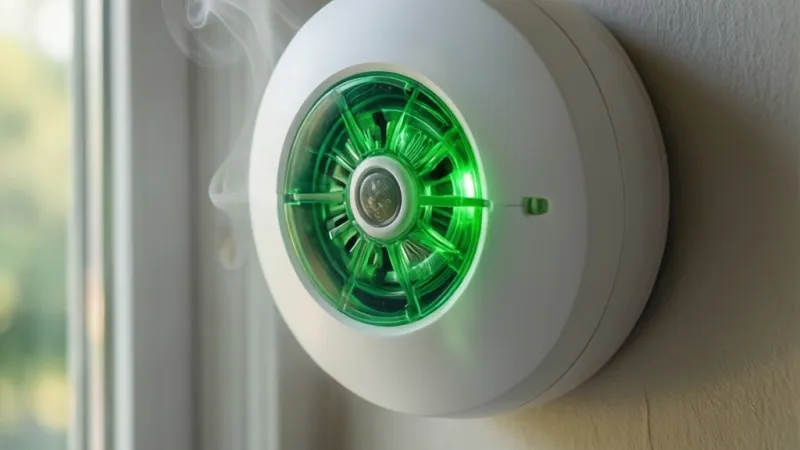
A green blink every 3 seconds usually means your smoke detector has power. It's a standby or mains indicator, not an alarm signal. Green does not confirm the sensor works.
Check your model's manual for the exact LED code. Test the unit monthly and replace it at 10 years.
Why a Green Blink Every 3 Seconds Isn't Automatically All Good
Green is the color of reassurance. That's exactly why it trips people up. A green LED on a smoke alarm almost always reports one thing.
Power is reaching the unit. It does not report that the sensing chamber is clean, that the backup battery is healthy, or that the sensor is still inside its service life.
Aggregate user reports show this confusion constantly. Someone notices a green blink, assumes all is well, and ignores a chirp that starts two days later. The chirp was the real warning.
The green light was background noise.
So what does "every 3 seconds" actually add? Not much on its own. It tells you the unit is in active standby rather than hush mode or a fault state.
That's useful context. It is not a health check.
What the light tells you and what it doesn't
Here's the split, laid out plainly.
| The green blink does tell you | The green blink does not tell you |
|---|---|
| The unit has power | The sensor still detects smoke |
| The unit is in standby | The backup battery is good |
| The unit is not in alarm or hush | The unit is within its 10-year life |
| The unit is not in a fault state | The interconnect is working |
A green LED is a status light, not a self-test result. Only the test button, or an automatic self-test on smart models, confirms the sensor actually responds.
Why green means different things on UK, US, and Australian models
Regional standards change the code. In the UK and Ireland, mains-powered alarms sold under EN 14604 and BS 5839-6 typically show a solid or slowly pulsing green LED to confirm 230V AC power. That's the dominant convention there.
In North America, hardwired alarms under UL 217 often use green for AC power and red for alarm or trouble. The green may be solid. On some brands it pulses roughly every 30 to 60 seconds, not every 3 seconds.
Australia and New Zealand follow AS 3786. Some models there use green for mains and amber for fault. The blink rate is manufacturer-specific in every region.
There is no universal "green every 3 seconds" rule.
That's why the manual, not a forum post, is your source of truth.
What Green, Red, and Amber LEDs Actually Mean
Most residential smoke and CO alarms use a three-color LED language. Green covers power and standby. Red covers alarm, test, and sometimes trouble.
Amber or yellow covers faults, end-of-life, and CO events on combination units. Learn the trio and most of the confusion disappears.
Green means power or standby, not sensor health
Green is the "everything is plugged in" light. On a hardwired unit, a solid green usually confirms 120V or 230V AC is present. On a battery-only unit, green often means the battery is seated and the unit is running.
A slow green blink, in the 3 to 60 second range, is typically a heartbeat. It shows the processor is cycling normally. That's it.
It is not a sensitivity check, and it is not a battery test.
If the green light goes out entirely, that's the signal worth acting on. A dead LED on a mains-powered alarm usually means the circuit is dead or the unit has failed.
Red means alarm, test, or trouble depending on the brand
Red is where brands diverge most. On many Kidde and First Alert models, a red LED flashing once per second means the unit is in alarm. On others, red flashing every 30 to 60 seconds signals a trouble condition, like a dirty chamber or a failed self-test.
During a manual test, red usually blinks rapidly while the horn sounds. That's expected. Red without sound is the pattern to investigate.
It often points to a sensor fault, a low battery on some models, or an interconnect problem.
Amber or yellow means fault, end-of-life, or a CO event
Amber and yellow are the "pay attention" colors. On combination smoke and CO alarms, an amber LED often means the CO sensor has detected carbon monoxide. It may flash while the horn sounds a distinct pattern.
On smoke-only units, amber frequently means end-of-life. The sensor has hit its 10-year limit and the unit needs replacing. It can still glow green on power.
Here's a quick reference table.
| LED color | Most common meaning | Action |
|---|---|---|
| Solid green | AC power present | Normal |
| Blinking green (3 to 60 s) | Standby heartbeat | Normal |
| No green | Power lost or unit failed | Check circuit, replace |
| Red (steady or fast) | Alarm or test in progress | Follow alarm protocol |
| Red (slow, no sound) | Trouble or fault | Check manual, clean or replace |
| Amber or yellow | CO event or end-of-life | Ventilate or replace immediately |
Find Your Model Number and Manual: The Only LED Code Table That Counts
No universal LED chart exists. Every manufacturer publishes its own. The only way to decode your specific blink pattern is to find the model number and pull that manual.
It usually takes under five minutes.
Where to look on the back of the unit
Twist the alarm off its mounting bracket, or unclip it from the base. The label is almost always on the back plate. Look for a model number, often prefixed with letters like "P" for photoelectric or "i" for ionization on Kidde units.
First Alert uses "SA" and "SC" codes.
The label also lists the serial number, the manufacture date, and a replacement date on newer models. Photograph the label with your phone. That way you have the data even after the alarm goes back on the ceiling.
Reading the manufacture date and expiry stamp
Every smoke alarm has a finite service life. The manufacture date is stamped on the label, often in a "YYYY MM DD" format or a coded date. NFPA and UL both point to 10 years as the replacement ceiling for smoke alarms.
CO sensors inside combination units typically expire sooner, often 5 to 7 years. If your alarm is older than its service life, the green light is meaningless. Replace the unit.
The NFPA publishes the residential guidance that most US manufacturers follow. It's worth a look if you want the full picture on lifespan and placement.
Getting the manual when the paperwork is long gone
Lost the manual? You've got options.
- Search "[brand] [model number] manual PDF" in any search engine.
- Check the manufacturer's support page directly. Kidde, First Alert, and X-Sense all host free PDFs.
- Scan the QR code on newer units. Many link straight to the manual.
- Call the manufacturer's support line. Have the model and serial number ready.
Once you have the manual, search inside it for "LED" or "indicator." The code table is usually in a two-page troubleshooting spread near the back.
Reading the Signals Together: Green Blink vs. Chirp vs. Full Alarm
The LED is only one of three signals your alarm sends. The other two are sound and, on smart models, app notifications. Reading them together is what actually tells you whether the unit is fine, faulting, or screaming for attention.
Slow blink, fast blink, and pulse patterns by brand
Blink rate carries meaning. A slow pulse, often every 30 to 60 seconds, usually means standby. A fast blink, once per second or faster, usually means alarm, test, or trouble.
Here's a rough guide by brand family. Rates can vary within a product line, so always confirm in the manual.
| Brand family | Common green behavior | Typical meaning |
|---|---|---|
| Kidde (i9000, P9000 series) | Green blink every 30 to 45 s | AC power, standby |
| First Alert / BRK | Green solid or slow pulse | AC power, standby |
| X-Sense | Green blink every 60 s | Standby, battery OK |
| Google Nest Protect | Green solid, brief pulse during test | Power and self-test OK |
| UK mains models (Aico, Ei) | Green solid | 230V AC present |
A green blink every 3 seconds is unusual for most of these. It appears on some hardwired models as a heartbeat. It can also mean the unit is in a special mode.
Check the manual.
One chirp every 30 to 60 seconds vs. chirp groups
Chirping is the alarm's second language. A single chirp every 30 to 60 seconds is the classic low-battery signal. It's also the end-of-life signal on units that have hit their 10-year limit.
Chirp groups are different. Three chirps in a row, followed by a pause, usually means a sensor fault. Four chirps often means a CO event on combination units.
Five chirps can mean end-of-life on some brands.
If your unit is chirping and blinking green, the green light is a red herring. The chirp is the message. Replace the battery first.
If the chirp continues, replace the whole unit.
When a normal-looking light hides a real problem
This is the dangerous scenario. The LED looks fine, the alarm seems quiet, and yet the unit is dead in every way that matters.
Three situations produce that illusion.
- The sensing chamber is clogged with dust or insects. It cannot detect smoke, but the power light still glows.
- The backup battery is dead. On AC power, the green light stays on. During an outage, the unit is silent.
- The unit is past its 10-year date. The sensor chemistry has degraded. The light proves nothing.
The only fix for all three is a manual test and a date check. Press and hold the test button for the recommended time. If the alarm doesn't sound at full volume, replace it.
Condition Check: Mains Power, Battery Backup, and Interconnect Status
Once you've confirmed what the light means, the next step is verifying the three systems behind it. Mains power, backup battery, and interconnect. A green blink doesn't cover any of them fully.
Is the circuit live? Checking the breaker and wiring
The circuit is live if the breaker is set and the alarm's green light stays on. Start at the breaker panel. Find the circuit that feeds the alarm.
It's often shared with a bedroom or hallway lighting circuit in older homes.
If the breaker is tripped, reset it and see if the green light returns. If the breaker holds but the alarm stays dark, the problem is downstream. A loose wire nut, a bad splice in the junction box, or a failed unit are the usual culprits.
That's electrician territory if you're not comfortable working inside a live box.
The US Consumer Product Safety Commission tracks recalls on smoke alarms and CO detectors. If your model number shows up, stop troubleshooting and replace it.
Backup battery health and orientation
Hardwired alarms still rely on a backup battery, usually a 9V, AA, or a sealed lithium cell. The backup runs the unit during an outage. If it's dead, the alarm is effectively battery-less.
Pop the battery door and check three things.
- Voltage. A 9V should read above 8.4V on a multimeter.
- Orientation. Positive and negative terminals must match the markings.
- Corrosion. White or green crust on the terminals means replace the battery.
Sealed 10-year lithium units don't have a user-replaceable battery. If one of those is chirping, the whole unit is at end-of-life. Replace it.
Wireless interconnect pairing failures
Interconnected alarms wake the whole house, not just one room. Hardwired interconnect uses a third wire, usually red or orange. Wireless interconnect uses RF pairing that has to be set up per the manual.
If one unit triggers but the others stay silent, the interconnect has failed. Common causes include:
- A unit that was replaced with a non-matching model.
- A wireless unit that lost its pairing after a power outage.
- A dip switch or app setting that was never configured.
Re-pairing usually means holding the test button on each unit in a specific sequence. The manual spells out the order. Get it wrong and the units won't talk to each other.
If the interconnect is hardwired and silent, call an electrician. The traveler wire is the usual suspect.
Step-by-Step: Test, Clean, Reset, and Re-Pair Your Alarm
Now you know what the light means. Here's what to do about it. Work through these steps in order.
Most green-blink questions resolve by step two.
Step 1: Run a manual test
Press and hold the test button for the time your manual specifies. That's usually 5 to 10 seconds. A passing test sounds the horn at full volume.
On interconnected systems, every unit in the chain should sound within a few seconds.
If the horn is weak, muffled, or silent, the unit has failed. Stop here and replace it. No amount of cleaning fixes a dead sounder.
Step 2: Clean the sensing chamber
Dust is the number one cause of false alarms and silent failures. Power down the unit first. Remove it from the bracket and take out the battery if it's user-replaceable.
Vacuum the openings around the chamber with a soft brush attachment. Don't poke anything inside. The chamber geometry is tuned for airflow, and bending it changes sensitivity.
Compressed air works too, but keep the nozzle at least 6 inches away.
Step 3: Check and replace the backup battery
Swap the battery even if it reads fine on a multimeter. Cost is trivial and the peace of mind is worth it. Use the exact type the manual specifies.
Alkaline 9V and AA cells are the norm, though some models want lithium for cold rooms.
Never mix old and new cells. Never use rechargeable batteries unless the manual says they're approved. Their lower nominal voltage can trigger a false low-battery chirp.
Step 4: Hard reset the unit
A hard reset clears fault codes and stuck states. The sequence varies, but the common one is: remove the unit from the bracket, pull the battery, hold the test button for 15 to 20 seconds to drain residual charge, then reinsert the battery and remount.
Some smart models need a longer press or an app-based reset. Google Nest Protect, for example, uses a specific button combo during startup. Check the manual before guessing.
Step 5: Re-pair interconnected alarms
If one alarm triggers and the others stay quiet, the interconnect has dropped. For hardwired systems, check the traveler wire at the junction box. For wireless systems, run the pairing routine again.
Wireless pairing usually means putting every unit into learn mode within a set window, often 60 seconds. Do them one at a time. If a unit refuses to pair, move it closer to the others during setup, then remount it.
Step 6: Log the test and set a reminder
Write the date on a strip of tape on the back of the unit. Set a recurring phone reminder for the first of every month. A 30-second test once a month catches most failures before they matter.
| Step | Time needed | Tools |
|---|---|---|
| Manual test | 1 minute | None |
| Clean chamber | 5 minutes | Vacuum, soft brush |
| Replace battery | 3 minutes | Fresh battery |
| Hard reset | 5 minutes | None |
| Re-pair interconnect | 10 to 20 minutes | Manual, ladder |
| Log and set reminder | 2 minutes | Tape, phone |
The 10-Year Clock: When a Green Light Really Means Replace Me
Every smoke alarm has an expiry date. It's not a suggestion. The sensing element degrades over time, and the unit becomes less reliable long before it stops glowing.
NFPA and UL both point to 10 years as the replacement ceiling for smoke alarms. That clock starts at the manufacture date, not the install date. A unit that sat in a warehouse for two years has eight years of life left, not ten.
Smoke alarm lifespan vs. CO alarm lifespan
Smoke sensors last about a decade. CO sensors don't. The electrochemical cell inside a carbon monoxide alarm typically wears out in 5 to 7 years.
That difference matters on combination units. The smoke side may still be fine while the CO side has already expired. Manufacturers handle this differently.
Some shut the whole unit down. Others keep the smoke function running and signal CO end-of-life separately.
| Alarm type | Typical service life | End-of-life signal |
|---|---|---|
| Photoelectric smoke | 10 years | Chirp pattern or amber LED |
| Ionization smoke | 10 years | Chirp pattern or amber LED |
| CO only | 5 to 7 years | Distinct chirp or voice alert |
| Combination smoke and CO | 7 to 10 years | Voice or chirp, varies by brand |
| Heat detector | 10 years | Fault code or chirp |
Why a unit past its date can glow green and still fail
The LED only proves power is present. It says nothing about sensor chemistry. A 12-year-old alarm can blink green every 3 seconds and still miss a smoldering fire entirely.
Verified buyer feedback reports show this pattern repeatedly. People replace batteries for years but never replace the unit. The alarm keeps lighting up, so it feels alive.
In reality, the sensing chamber's calibration has drifted past the point where it can trigger.
If your unit is past its replacement date, stop troubleshooting. Replace it.
Sealed 10-year battery models and state mandates
Sealed-battery alarms are now the default in several US states. California, Oregon, and others require 10-year sealed lithium units in certain residential settings. The idea is simple.
When the battery dies, the whole unit dies with it.
That removes the classic failure mode where someone pulls the battery to stop a nuisance alarm and never puts it back. It also means there's no battery to swap. If a sealed unit chirps, the unit itself is done.
As of 2026, the trend is spreading. Check your state or local code before buying a replacement. A cheap battery-only model may not meet current requirements.
Risk Factors That Turn a Normal Light Into a Silent Failure
A green blink hides several failure modes. None of them show up on the LED. All of them show up during a real fire.
Post-outage and tripped-breaker scenarios
Power outages stress backup batteries. A weak cell that was limping along on AC power may be fully drained after a 6-hour outage. The unit comes back online, green light returns, and the backup is now dead.
Check the breaker after any outage. If the alarm circuit shares a breaker with a room you rarely use, it may have been tripped for weeks without anyone noticing.
Dust, humidity, insects, and painted-over vents
Dust settles in the sensing chamber. Humidity condenses on the sensor. Small insects crawl inside and die there.
All three reduce sensitivity or cause false alarms.
Painting is worse. A landlord or homeowner who paints over an alarm without removing it seals the vents shut. The unit is now blind.
If you see paint on the housing, replace the alarm.
Homes with gas appliances and no CO coverage
Smoke alarms don't detect carbon monoxide. If your home has a gas furnace, gas water heater, gas range, or an attached garage, you need CO detection too.
CO is odorless and invisible. Symptoms start as headache, nausea, and fatigue. They get mistaken for flu constantly.
A CO alarm is the only reliable early warning.
The CDC tracks carbon monoxide poisoning data and publishes prevention guidance. The numbers are sobering. Most deaths happen at night, in homes, with no working CO alarm.
Older homes with no interconnect wiring
Pre-1990s homes often have standalone battery alarms, one per floor. They don't talk to each other. A fire in the basement may not wake anyone on the second floor.
If your home has no interconnect, upgrading is worth the cost. Wireless interconnect models exist for homes without traveler wiring. They pair over RF and give you the same whole-house warning without opening walls.
Common Mistakes That Disable a Life-Safety Alarm
These are the mistakes that show up again and again in fire investigation reports. Each one turns a working alarm into decoration.
Pulling the battery to stop nuisance alarms
This is the most dangerous habit in home fire safety. A chirping alarm gets annoying at 2 a.m. The battery comes out.
It never goes back in.
Nuisance alarms have real causes. Cooking smoke, shower steam, and dusty chambers top the list. Fix the cause instead.
Move the alarm, clean it, or use the hush feature. Never disable it.
Assuming green means tested and working
A green LED is a power indicator. It is not a self-test. It does not confirm the sensor responds to smoke.
It does not confirm the horn will sound.
Only the test button does that. Press it monthly. It takes 30 seconds.
Ignoring a chirp because the light looks fine
The chirp is the alarm's way of saying something is wrong. Low battery, end-of-life, sensor fault, or interconnect failure. All of them produce chirps.
If the light is green and the unit is chirping, the chirp wins. Replace the battery first. If it continues, replace the unit.
Replacing the battery but not the alarm
People replace batteries for 15 years on the same unit. The sensor expired at year 10. The unit is now a plastic box with a working light and a dead nose.
Write the replacement date on the back when you install a new alarm. Set a calendar reminder for 10 years out. You won't remember otherwise.
Installing near kitchens, bathrooms, or HVAC vents
Placement matters as much as function. NFPA 72 specifies minimum distances for a reason.
- At least 20 feet horizontally from a cooking appliance.
- At least 3 feet from a bathroom door with a tub or shower.
- At least 3 feet from ceiling fans and air supply diffusers.
Too close to any of these and you get constant nuisance alarms. Too far and detection is delayed. Follow the spec.
Painting over or covering the alarm
Construction dust and paint fumes trigger alarms. The common fix is a plastic bag over the unit. The problem is when the bag stays on after the work is done.
If you cover an alarm during renovation, set a reminder to uncover it the same day. Better yet, remove the unit entirely and store it somewhere safe.
Smoke vs. CO vs. Combination Alarms: Matching the Light to the Device
The same green blink can mean different things depending on what the unit detects. Knowing your device type tells you which sensor to trust.
Photoelectric, ionization, and dual-sensor behavior
Photoelectric sensors detect smoldering fires. They use a light beam and a photocell. When smoke scatters the beam, the alarm triggers.
These are best for bedrooms and living areas.
Ionization sensors detect flaming fires. They use a tiny radioactive source to ionize air between two plates. Smoke disrupts the current and triggers the alarm.
These respond faster to fast-burning fires but are more prone to nuisance alarms from cooking.
Dual-sensor units combine both. They cost more but cover the full fire spectrum. For most homes, a dual-sensor or a mix of photoelectric and ionization units is the smart choice.
Electrochemical CO cells and their shorter service life
CO alarms use an electrochemical cell. It generates a tiny current when carbon monoxide binds to a catalyst inside. That current triggers the alarm at the right threshold.
The cell degrades with exposure to CO, humidity, and time. That's why CO alarms last 5 to 7 years, not 10. When the cell dies, the alarm may still light up green.
The CO detection is gone.
Hardwired, battery-only, and smart app-connected units
Hardwired units run on household AC with a battery backup. They're the most reliable option in homes with existing wiring. They can also interconnect through a traveler wire.
Battery-only units are easy to install anywhere. They need monthly testing and annual battery changes. Sealed 10-year models reduce the maintenance burden.
Smart units add Wi-Fi, app alerts, and voice notifications. Google Nest Protect, for example, speaks the location of the alarm and sends phone alerts. They're convenient, but they still need the same monthly test and 10-year replacement.
| Type | Power | Best for | Maintenance |
|---|---|---|---|
| Hardwired with backup | AC plus battery | Homes with existing wiring | Monthly test, battery yearly |
| Battery-only | Replaceable battery | Renters, retrofits | Monthly test, battery yearly |
| Sealed 10-year | Sealed lithium | Code-compliant installs | Monthly test, replace at 10 years |
| Smart app-connected | AC or battery | Tech-forward households | Monthly test, app checks |
What to check on combination units specifically
Combination smoke and CO alarms have two sensors and two alert patterns. Learn both.
A smoke alert is usually three beeps, a pause, then three more. A CO alert is typically four beeps, a pause, then four more. Some models use voice announcements instead.
The LED color helps. Green usually means power. Red usually means smoke.
Amber usually means CO. Confirm the exact pattern in your manual, because brands vary.
Placement, Codes, and Legal Duties (NFPA 72, UL 217, UL 2034, UK and EU Rules)
Placement is regulated for a reason. An alarm in the wrong spot either screams at you for no reason or misses the smoke entirely. The rules exist because both failures have killed people.
NFPA 72 is the US code that governs residential alarm placement. It sets minimum distances from heat sources, airflow, and steam. Follow it and your green-blink question becomes rare, because nuisance alarms drop sharply.
Distance from cookers, bathrooms, fans, and diffusers
These are the numbers to keep in your head.
| Location | Minimum distance |
|---|---|
| Cooking appliance | 20 ft (6 m) horizontally |
| Bathroom door with tub or shower | 3 ft (0.9 m) |
| Ceiling fan blade tip | 3 ft (0.9 m) |
| Air supply diffuser | 3 ft (0.9 m) |
| Top of a peaked ceiling | 3 ft (0.9 m) below the peak |
Too close to a cooker and burnt toast sets it off weekly. Too close to a bathroom and steam does the same. Too close to a vent and air pushes smoke away before it reaches the chamber.
Where each alarm belongs in a home
One alarm per floor is the absolute minimum. Better coverage looks like this.
- Inside every bedroom.
- Outside each sleeping area, in the hallway.
- On every level of the home, including the basement.
- In living areas and common corridors.
- In the garage only if it's rated for it, since car exhaust and dust cause nuisance trips.
If you have a gas furnace, water heater, range, or attached garage, add CO detection on each level. Combination units cover both in one housing.
Landlord, tenant, and short-term rental responsibilities
In England, the Smoke and Carbon Monoxide Alarm (England) Regulations 2015 require landlords to install at least one smoke alarm on each storey with a room used as living space. Scotland's 2021 standard goes further and requires interlinked alarms. Wales has its own 2021 rules.
In the US, duties vary by state. Most states require landlords to provide working alarms at move-in and keep them maintained. Tenants usually handle battery replacement and reporting faults in writing.
Short-term rental hosts face stricter expectations. Platforms and local ordinances increasingly require documented, working, interconnected alarms plus CO detection. A green light alone won't satisfy an inspector.
Certification marks worth checking
Look for these on the label before you buy a replacement.
- UL 217 for smoke alarms in the US and Canada.
- UL 2034 for CO alarms.
- UL 268 for system-type detectors.
- ETL or Intertek listing as an alternative to UL.
- EN 14604 for smoke alarms in the UK and EU.
- EN 50291 for CO alarms in the UK and EU.
- Kitemark, CE, or UKCA marking for British and European models.
- AS 3786 for Australia and New Zealand.
- ULC S531 and CSA 6.19 for Canada.
No mark means no verified testing. Skip it.
When to Call the Manufacturer, an Electrician, or the Fire Service
Most green-blink puzzles end at the manual. Some don't. Here's how to know who to call, and when.
Call the manufacturer when the model is unknown or a fault code persists
Call support if you can't identify the unit, can't find the manual, or the fault repeats after a reset. Have the model number, serial number, and manufacture date ready. They're all on the back label.
Manufacturer support lines for Kidde, First Alert, and X-Sense are free and staffed during business hours. If the unit is under warranty, they often ship a replacement at no cost. Many brands cover 5 to 10 years.
If the unit is a recalled model, support will tell you immediately. The CPSC recall database is worth a search too. Recalled alarms should come off the ceiling, not get troubleshooted.
Call an electrician when the circuit is dead or the interconnect fails
Call an electrician if the breaker holds but the alarm stays dark. Call one if the breaker trips every time the alarm circuit is energized. Call one if hardwired interconnected units won't trigger together.
These are wiring faults. A loose neutral, a bad splice, or a damaged traveler wire are the usual causes. Working inside a live junction box is not a DIY job unless you're trained and comfortable.
Expect a service call fee plus parts. Typical US rates run $80 to $150 per hour, depending on region. It's a small price for a working safety system.
Call the fire service or emergency services for a live hazard
Call 911 in the US or 999 in the UK if any of these are true.
- The alarm is sounding and you see or smell smoke.
- A CO alarm is sounding, even if nobody feels unwell.
- Anyone has a headache, dizziness, nausea, or confusion alongside a CO alert.
- You smell gas.
For a CO alert with no symptoms, still evacuate and call. Open windows and doors on your way out, but don't waste time. Don't re-enter until the fire service says it's safe.
For suspected CO exposure, get everyone into fresh air immediately. Call the fire service or emergency number from outside. Don't drive yourself if you feel unwell.
Non-emergency questions
For general questions about placement, code compliance, or inspection, contact your local fire department's non-emergency line. Most run free home safety visit programs. Some will even install alarms at no charge for older residents.
Frequently Asked Questions
Does a green light mean my smoke detector is working?
No. A green light means the unit has power. It doesn't confirm the sensor detects smoke, the backup battery is healthy, or the horn will sound.
Only the test button confirms that. Press and hold it monthly. If the alarm doesn't sound at full volume, replace the unit.
Why is my smoke detector blinking green and chirping?
The chirp is the message, not the light. A single chirp every 30 to 60 seconds usually means a low backup battery. It can also mean end-of-life on a sealed unit.
Replace the battery first. If the chirp continues, the unit itself is done.
How often should I replace a smoke detector?
Replace smoke alarms every 10 years from the manufacture date, not the install date. CO sensors expire sooner, usually at 5 to 7 years. Combination units follow the shorter of the two.
Write the replacement date on the back of the unit when you install it.
What does a green light mean on a Google Nest Protect?
A green light on Nest Protect confirms power and a passed self-test. Nest Protect runs automatic checks and reports issues through the app and voice alerts. Green means normal.
If the light turns yellow or the app flags a problem, follow the in-app instructions.
Can I paint over a smoke detector?
No. Paint seals the vents and blinds the sensor. If you're painting a ceiling, remove the alarm and store it somewhere clean.
If your alarm already has paint on the housing or vents, replace it. A painted alarm cannot detect smoke reliably.
My alarm blinks green after a power outage. Is that normal?
Yes, that's normal. The green light confirms mains power has returned. The concern is the backup battery.
A long outage can drain a weak cell completely. Run a manual test after any outage. If the horn is weak or silent, replace the battery and test again.
Verified Summary: Your Next Step in 60 Seconds
The three checks that settle most green-blink questions
Run these in order. They take under a minute combined.
- Find the model number and check the manual's LED code table. This tells you whether your blink pattern is normal for that specific unit.
- Press and hold the test button. Full-volume horn means the sounder works. Weak or silent means replace.
- Read the manufacture date on the back label. If the unit is past 10 years for smoke or 5 to 7 years for CO, replace it.
If all three pass and the unit isn't chirping, you're fine. Set a monthly reminder and move on.
When replacing beats troubleshooting
Replace the unit, don't troubleshoot it, in these cases.
- It's past its service life.
- The housing or vents are painted, cracked, or damaged.
- The horn is weak or silent during a test.
- A fault code persists after a reset and a new battery.
- The model appears in a recall notice.
- It's a sealed 10-year unit that's chirping.
A new alarm costs $15 to $50 for a basic model, or $40 to $120 for a smart combination unit. That's cheap compared with the cost of a unit that lights up green and does nothing else.
What good coverage looks like
Working alarms on every level, inside and outside sleeping areas, plus CO detection near every fuel-burning appliance. Test them monthly. Replace batteries yearly.
Replace the units on schedule. Check the interconnect works by testing one unit and listening for the rest.
Do that, and the green blink stops being a puzzle. It becomes what it was always meant to be: a quiet confirmation that the power is on, nothing more and nothing less.