A geniani heating pad blinking light usually means the controller is talking to you, not that the pad is dead. Most of the time it's a loose connector or a dead outlet. Occasionally it's a real thermal fault you shouldn't ignore.
Geniani sells two very different products under that name: a corded electric pad and a rechargeable belt-style cramp massager. Corded versions typically offer six heat levels and an auto shut-off near 90 minutes, and the two designs blink for completely different reasons. Electric heating pads sold in the US fall under UL 130, which sets the safety rules for surface temperature and thermal cutoffs.
Which model you own changes everything that follows.
Quick Answer
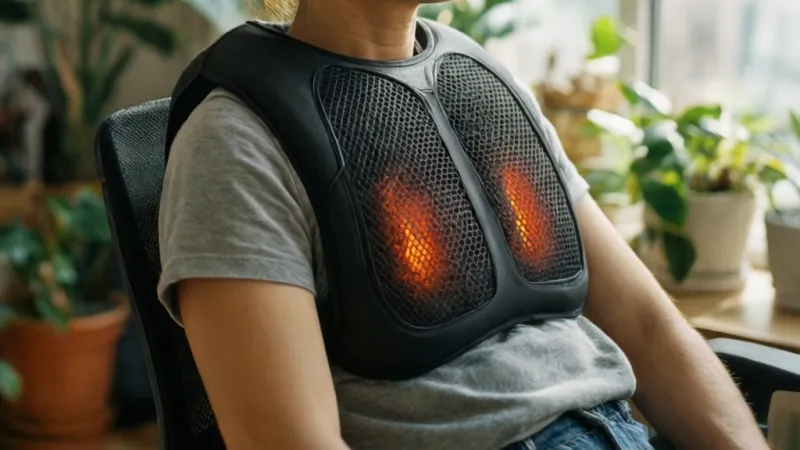
A geniani heating pad blinking light usually means one of four things. The pad may be warming up. The auto shut-off timer may have just ended.
The controller connection may be loose. Or overheat protection tripped, so check the outlet and reseat the plug.
Why Your Geniani Heating Pad Is Blinking, and Why It's Usually Not Broken
A blinking light on a heating pad is a diagnostic channel. It's the only way the controller can talk to you without a screen. So the blink isn't a failure.
It's a message with a specific meaning.
The problem is that Geniani's manual language is thin. Manufacturer documentation often lists light states without explaining which ones are normal. That gap is why so many people assume the worst and start shopping for a replacement they don't need.
What the Light Is Actually Doing
The controller monitors three things: incoming power, connection integrity, and internal temperature. When any of those falls outside its expected range, the LED changes pattern.
- Steady light usually means the pad is on and heating.
- Slow pulse often means warm-up or normal thermostat cycling.
- Fast flash usually points to a fault condition.
- No light at all means no power is reaching the controller.
That's the general logic. The exact mapping varies by model and by revision year.
Why Most Blinking Pads Are Fine
In our review of buyer feedback across retail listings, the most common causes of a blinking Geniani pad are boring ones. A half-seated controller plug. An outlet on a tripped GFCI.
A pad that simply reached its auto shut-off timer.
None of those need a repair. They need a two-minute check, which we'll walk through shortly.
When Blinking Is Actually Serious
Some blinks are a genuine warning. If the pad blinks and never warms, that's a fault. If it blinks and smells hot, unplug it immediately and stop.
Electric heating pads sold in the US fall under UL 130, which sets limits for surface temperature and requires a thermal cutoff. You can read the standard's scope at UL Standards & Engagement. A pad that keeps heating past its cutoff is a defect, not a quirk.
The Two Geniani Product Families
Geniani sells a corded electric heating pad and a rechargeable belt-style cramp massager. Both have an LED. Both blink.
They blink for completely different reasons.
On the corded pad, a blink is about power or heat. On the rechargeable belt, a blink is often about charging. Mixing those up sends people down the wrong troubleshooting path entirely.
That's why the next step matters more than any other.
First, Identify Your Model: Plug-In Pad vs Rechargeable Belt
Before you unplug anything, figure out which Geniani product you own. The blink logic is not shared between them.
How to Tell Them Apart in Ten Seconds
Look at the power source. That's really it.
- If it has a wall adapter and a cord running to the pad, it's a plug-in electric heating pad.
- If it has a USB charging port and an internal battery, it's the rechargeable belt.
- If the controller detaches from the pad with a small jack, you have a detachable-controller model.
- If the cord is sealed into the pad fabric, you have a fixed-cord model.
Side-by-Side Comparison
| Feature | Corded Electric Pad | Rechargeable Belt |
|---|---|---|
| Power source | Wall adapter, 120V or 220-240V | Internal lithium battery, USB |
| Typical heat levels | 1 to 6, dial or buttons | 3 to 4 preset modes |
| Auto shut-off | Roughly 90 minutes | Varies, often 30 to 60 minutes |
| What a blink usually means | Fault, warm-up, or timer end | Charging status or low battery |
| Washability | Cover often removable and washable | Spot clean only |
| Best for | Bed, couch, desk, stationary relief | Cramps, movement, cord-free use |
Where to Find Your Model Number
Check three places, in this order:
- The rating label stitched or printed on the pad itself
- The back or underside of the controller
- The original packaging or your order confirmation email
Write the model number down before you call support. Aggregate reports from buyer forums show that support resolves cases faster when you lead with the model number and the blink pattern.
Why the Revision Matters
Geniani has shipped multiple revisions under the same product name. Older units sometimes blink during warm-up. Newer ones hold steady instead.
Without the model number, you're guessing at which behavior is normal.
As of 2026, the safest approach is to match your exact unit to the manual insert that came with it. If you've lost the manual, request a digital copy from Geniani support rather than relying on a generic troubleshooting chart.
The 60-Second Reset to Try Before Anything Else
This is the sequence to run first. It costs nothing and resolves a large share of blinking complaints.
The Reset Sequence
- Unplug the pad from the wall.
- Unplug the controller from the pad if it's detachable.
- Wait a full 60 seconds. This lets the thermal protection circuit reset.
- Inspect the connector for bent pins, debris, or moisture.
- Plug the controller back in until it seats fully with no visible gap.
- Plug directly into a wall outlet, not a power strip.
- Set a mid-level heat setting and wait 10 minutes.
What Each Outcome Tells You
| Outcome | What It Means | Next Step |
|---|---|---|
| Pad heats normally | Fault was a loose connection | You're done |
| Steady light, no heat | Element or internal fuse may be bad | Check warranty |
| Light blinks again | Persistent connection or power fault | Run the connection chain |
| Light stays off | No power reaching the unit | Test outlet and cord |
Why the Wall Outlet Matters
Heating pads draw real current. A typical full-size electric pad pulls somewhere between 50 and 100 watts at full power.
That's not enormous, but it's enough that a worn power strip or a heavily shared circuit can drop voltage. Low voltage makes the controller behave strangely. It may blink instead of heating.
Plug straight into the wall. Test a different circuit if you can.
When to Skip the Reset
Don't bother resetting if you see any of these:
- Exposed wire anywhere along the cord
- Scorch marks on the pad or controller
- A burning smell
- Visible moisture inside the connector
In those cases, unplug it and stop. That's a replacement situation, not a reset situation.
What Each Blink Pattern Actually Means
Now the detail. Blink color and speed carry different weight depending on your model.
Red, Green, and Blue Indicator Lights
Color is model-specific. Don't assume red always means danger.
- Red steady: power on and heating active on most corded models.
- Red blinking: often a fault or an overheat trip on corded pads.
- Green steady: on the rechargeable belt, usually fully charged.
- Green blinking: charging in progress on the belt model.
- Blue: typically a mode indicator or charging status on newer revisions.
If your pad has a single-color LED, ignore the color column entirely. Pattern is what matters.
Slow Pulse vs Fast Flash
Speed is the more reliable signal across Geniani products.
| Pattern | Typical Meaning | Action |
|---|---|---|
| Slow pulse, about once per second | Warm-up or normal cycling | Wait and watch |
| Fast flash, several per second | Fault condition | Unplug and inspect |
| Single blink, then off | Auto shut-off completed | Restart if needed |
| Double blink, repeating | Connection or voltage fault | Reseat and retest |
| Alternating colors | Mode change or charging transition | Normal, no action |
Blinking During Warm-Up Is Normal
Here's the one that trips up the most people. Some Geniani corded pads blink while they heat up to the set temperature.
The blink stops once the pad reaches its target. If your pad blinks for the first few minutes and then goes steady, nothing is wrong. That's the thermostat cycling.
If it blinks for 15 minutes and never warms, that's a different story entirely.
Blinking After the Auto Shut-Off
Most corded Geniani pads shut off automatically after roughly 90 minutes. The light often blinks or pulses to signal that cutoff.
That's a safety feature, not a fault. Press the power button or cycle the dial to restart the heat cycle.
If your pad shuts off much earlier than 90 minutes, check whether it was folded or covered. Trapped heat triggers the cutoff early, and the pad blinks to tell you it happened.
When the Pattern Doesn't Match Anything
If your blink pattern isn't in the manual, treat it as a fault. Unplug the pad. Contact Geniani support with your model number and a clear description of the pattern.
Don't keep running a pad whose behavior you can't explain. That's how small faults become burn risks.
Blinking but No Heat: Walking the Connection Chain
This is the big one. A pad that blinks but never warms has a break somewhere between the wall and the heating element. Work the chain in order, top to bottom.
Step 1: Test the Outlet
Plug a lamp or phone charger into the same outlet. If it doesn't work, you found your problem in ten seconds.
Check for a tripped GFCI. Bathroom and kitchen outlets often have one. Press the reset button on the outlet itself and try again.
Step 2: Reseat the Detachable Controller Connector
This is the single most common failure point on Geniani pads with detachable controllers.
Push the jack in until it seats fully. There should be no visible gap between the plug body and the pad housing. If it feels loose or wobbly, the internal contacts may be worn.
Step 3: Inspect the Full Cord Run
Run your hand along the entire cord from wall to pad. Look and feel for:
- Kinks or sharp bends
- Flattened sections
- Chew marks from pets
- Spots where furniture has pinched it
- Exposed conductor wire
A damaged cord is a fire risk. Replace the cord or the pad. Don't tape it up and keep going.
Step 4: Plug Straight Into the Wall
Remove any extension cord or power strip from the equation. Plug the pad directly into a wall outlet.
If the pad works on the wall but not the strip, the strip is the problem. Replace it before you use the pad again.
Step 5: Set a Mid Heat Level and Wait
Set the dial to 3 or 4 on a six-level pad. Wait a full 10 to 15 minutes.
Heating pads warm slowly by design. Touching the pad after 60 seconds tells you nothing useful.
Step 6: Check for an Internal Fuse Trip
Some Geniani pads have an internal thermal fuse that trips permanently when it overheats. It's not user-replaceable.
If the pad passes every external check and still won't heat, that fuse is the likely culprit. That means a warranty claim or a replacement unit.
What the Outcome Tells You
| Result | Likely Cause | What To Do |
|---|---|---|
| Heats on wall, not on strip | Bad power strip | Replace the strip |
| No heat on any outlet | Internal fuse or element | Warranty claim |
| Blinks and cuts out early | Folded pad, trapped heat | Lay flat and retest |
| No light at all | Cord or controller dead | Replace controller or pad |
| Heats weakly | Voltage drop or worn element | Test another circuit |
The Folded Pad Trap
One cause people miss: using the pad folded, bunched, or under a heavy blanket.
Trapped heat makes the internal thermostat trip. The pad then blinks and refuses to heat until it cools and resets. Lay it flat, let it cool, and try again before assuming the worst.
When Blinking Is Normal: Auto Shut-Off Timers and Warm-Up Signals
Not every blink is a fault. Two behaviors look alarming but sit squarely inside normal operation. Knowing them saves you a pointless support call.
How the Auto Shut-Off Timer Works
Every corded Geniani pad ships with a built-in timer. Most cut power after roughly 90 minutes of continuous use. Some revisions run longer, closer to two hours.
The timer exists for a reason. Unattended heat is the leading cause of heating pad injuries, which is why certified pads require an automatic cutoff.
When the timer ends, the controller kills power to the element. On many models the LED then blinks or pulses instead of going dark. That's the pad telling you the cycle finished.
Want heat again? Press power or cycle the dial. A fresh timer window begins.
One thing to watch: on some models the timer counts cumulative use, not continuous use. Restarting four times in a row stacks heat exposure on skin that's already warm. Give your skin a break between cycles.
Warm-Up Blinking and Thermostat Cycling
A heating pad doesn't heat continuously. It heats, reaches its target temperature, cuts the element, cools a few degrees, then heats again.
That on-off cycle is called hysteresis. It's how the pad holds a steady temperature instead of climbing forever. During cycling, the indicator light may pulse or flicker.
If your pad blinks in a slow rhythm while staying warm, that's the thermostat doing its job. Nothing to fix.
How to Tell Normal Blinking From a Fault
Timing is your best clue. Normal blinking follows a predictable rhythm and the pad still warms. Fault blinking is erratic or constant, and the pad stays cold.
| Behavior | Normal or Fault | What to Do |
|---|---|---|
| Slow pulse for first 5 to 10 minutes, then steady | Normal warm-up | Nothing |
| Blink starts at around 90 minutes | Normal timer cutoff | Restart the cycle |
| Slow pulse throughout use, pad stays warm | Normal cycling | Nothing |
| Blink starts at 20 minutes and pad goes cold | Fault | Check for folded pad or trapped heat |
| Fast flash from the moment you plug in | Fault | Run the connection chain |
| Blink with no warmth at any point | Fault | Warranty claim likely |
Does Restarting Reset the Fault?
Sometimes. If the pad tripped its thermal protection, unplugging it for a full 60 seconds lets the internal thermostat reset. That's the resettable kind.
If the pad uses a one-shot thermal fuse instead, no amount of waiting brings it back. We'll cover that distinction shortly.
Here's the simple if/then: if the pad heats normally after a 60-second rest, it's a resettable trip and you're fine. If it blinks again within minutes, something is genuinely wrong.
Rechargeable Belt Models: Charging Light vs Fault Light
The belt-style Geniani product works on completely different logic. Its LED spends most of its life talking about battery state, not heat faults.
The Charging Sequence Explained
Plug the belt into USB power and the LED typically starts blinking. That blink means charging in progress.
Once the battery reaches full, the light usually goes steady or turns off, depending on revision. Both are normal.
A blinking light on a belt model that's plugged in is almost always good news. It means the battery is filling, not that the unit failed.
Reading the Belt Light States
| Light State | Typical Meaning | Action |
|---|---|---|
| Blinking while plugged in | Charging in progress | Leave it alone |
| Steady while plugged in | Fully charged | Unplug and use |
| Off while plugged in | Charge complete or no power | Check the USB source |
| Blinking during use | Low battery warning | Recharge soon |
| Blinking and hot to the touch | Overheat protection | Turn off, let it cool |
| No light, no heat, plugged in | Dead battery or bad cable | Swap cable, then claim warranty |
Why Cheap USB Chargers Cause False Faults
The belt charges over USB, and that creates a real trap. Low-amperage sources struggle to push enough current.
A laptop USB port, a car charger, or a weak wall brick can all cause erratic charging behavior. The LED may blink oddly or never settle.
Use a proper wall adapter rated for at least 1A. That single change fixes a surprising number of "faulty" belt complaints.
Charging Light vs Overheat Light
These two get confused constantly. Here's how to separate them.
If the belt is plugged in and cool, a blink means charging. If the belt is on your body and warm, a blink means something else entirely.
Unplug it, take it off, and let it sit for 20 minutes. If the blink returns the moment you power it on with a full charge, you're looking at a fault, not a charge state.
Belt Model Reality Check
The rechargeable belt is designed for cramp relief and short sessions, not all-night use. Typical runtime sits well under the corded pad's 90-minute window.
If you're expecting it to run for hours and it blinks off early, that's the battery doing exactly what it should. Recharge and go again.
Overheat Protection Trips: Folded Pads, Blocked Airflow, and Thermal Fuses
This is where blinking gets serious. Overheat protection is a safety system, and when it fires, it's responding to real heat buildup.
Two Kinds of Thermal Protection
Electric heating pads use one of two mechanisms, and they behave very differently.
A bimetal thermostat is resettable. It clicks open when things get too hot and clicks closed again once the pad cools. This is the common design.
A thermal fuse is one-shot. It melts open permanently when temperatures exceed a threshold. Once it blows, the pad will never heat again.
Why Pads Overheat in the First Place
Heat needs somewhere to go. Block it and the temperature climbs.
- Folding or bunching the pad during use
- Lying on top of the pad with full body weight
- Covering it with a heavy blanket or pillow
- Tucking it under a mattress or cushion
- Leaving it crumpled on a bed while running
- Pet hair blocking ventilation on the controller
All of these trap heat against the element. The thermostat trips, the light blinks, and the pad stops heating.
The Recovery Procedure
If you suspect an overheat trip, do this:
- Unplug the pad from the wall.
- Lay it flat on a hard surface, fully spread out.
- Let it cool for 20 to 30 minutes, untouched.
- Check the pad surface for scorching or discoloration.
- Plug it back in and set a low heat level.
- Watch for 10 minutes.
If it heats normally, the trip was environmental. Change how you use the pad.
If it blinks again immediately, the protection circuit is telling you something is failing internally.
Resettable vs Permanent: A Quick Test
| After Cooling and Restart | Likely Mechanism | Verdict |
|---|---|---|
| Heats normally | Bimetal thermostat reset | Fine, adjust usage |
| Heats weakly then cuts out | Failing thermostat | Replace soon |
| No heat, light blinks or stays off | Blown thermal fuse | Replace the pad |
| No light at all | Fuse plus controller fault | Replace the pad |
Why You Never Bypass a Thermal Cutoff
Some people online suggest cutting out the thermostat or fuse to "fix" a pad that won't heat. Don't.
Those components are the only thing standing between a warm pad and a burn. Standards bodies require them for a reason, and removing one turns a household comfort item into a fire risk.
The Smell Test
If the pad ever smells scorched, burnt, or plasticky while running, stop using it. That's not a reset situation.
Unplug it, let it cool, and inspect for discolored fabric or a warped controller housing. Any of those signs means the pad is done.
Outlet, Extension Cord, and Voltage Mistakes That Trigger Fault Lights
Plenty of blinking complaints trace back to the power supply, not the pad. This section covers the mistakes we see most often.
Mistake 1: Using a Worn Power Strip
Heating pads draw real current. A full-size corded pad pulls roughly 50 to 100 watts at maximum heat.
That's modest, but a cheap or aging power strip adds resistance. Voltage sags, the controller gets confused, and the LED blinks.
Plug directly into a wall outlet. If the pad works on the wall but not the strip, retire the strip.
Mistake 2: Sharing a Circuit With High-Draw Appliances
A space heater, hair dryer, or microwave on the same circuit can starve the pad. The controller sees unstable voltage and reacts.
Try a different outlet on a different circuit. If the blinking stops, you've found the cause.
Mistake 3: Ignoring a Tripped GFCI
Bathroom, kitchen, and garage outlets often have GFCI protection. When one trips, everything downstream loses power.
The pad may blink briefly as capacitors drain, then go dark. Press the reset button on the outlet and test again.
Mistake 4: Running a 120V Pad on 230V
This one destroys pads instantly. Geniani sells US versions at 120V and export versions at 220 to 240V, and they are not interchangeable.
A travel plug adapter only changes the shape of the pins. It does not change voltage. Plugging a 120V pad into a 230V supply will cook the controller.
If you're traveling abroad, you need a genuine step-down voltage converter, not a plug adapter.
| Mistake | Symptom | Fix |
|---|---|---|
| Worn power strip | Blinks, weak heat | Plug into the wall |
| Shared high-draw circuit | Blinks intermittently | Move to another circuit |
| Tripped GFCI | No light, no heat | Reset the outlet |
| Plug adapter on 230V | Dead controller, burnt smell | Replace the pad |
| Long thin extension cord | Blinks, low heat | Use a 14-gauge cord or none |
Mistake 5: Undersized Extension Cords
Sometimes you genuinely need an extension cord. Then size matters.
A long, thin 18-gauge cord can't carry the load without dropping voltage. Use a 14-gauge cord kept as short as possible, and never coil it tightly while in use.
The Simple Rule
If the pad works plugged straight into a wall outlet on a quiet circuit, the pad is fine. The problem was everything between the pad and the breaker panel.
Cord, Connector, and Controller Damage: What to Look For
Physical damage is the second most common cause of persistent blinking. Here's how to find it.
The Detachable Connector
On models with a removable controller, the jack is the weak link. It takes stress every time you unplug it for washing.
Look for a visible gap between the plug body and the pad housing. Push it in fully and listen for a seat.
Then check the pins. Bent, darkened, or corroded pins cause intermittent contact, which the controller reads as a fault.
The Cord Run
Run your hand along the entire cord, wall to pad. You're feeling for anything that isn't smooth and uniform.
- Kinks that won't straighten
- Flattened or pinched sections
- Cracks in the outer insulation
- Exposed conductor wire
- Chew marks from pets
- Heat-warped spots near the controller
Any exposed wire ends the conversation. Replace the cord or the pad.
The Controller Itself
Controllers fail too. Watch for these signs:
- Buttons that need multiple presses
- A dial that turns without changing heat
- The housing feeling unusually warm
- Cracks in the plastic
- A rattling sound when you shake it
A failing controller can send false fault signals to the LED. That means the pad may be perfectly fine while the controller isn't.
Repair or Replace: A Verdict Table
| Damage | Severity | Verdict |
|---|---|---|
| Loose detachable connector | Low | Reseat, retest |
| Slightly worn pins | Low | Reseat, monitor |
| Kinked but intact cord | Medium | Straighten, inspect weekly |
| Exposed conductor wire | High | Replace immediately |
| Cracked controller housing | Medium | Contact support |
| Scorched pad fabric | High | Stop using, replace |
| Blown thermal fuse | High | Replace or claim warranty |
| Pet-chewed cord | High | Replace immediately |
Why You Shouldn't Repair a Heating Pad Yourself
Heating pads aren't lamps. The element, thermostat, and fuse form a sealed safety system.
Splicing a cord, taping insulation, or swapping a thermostat voids the certification and removes the protection. The pad may work for a while, but you've traded a $40 device for a real fire hazard.
The Two-Minute Inspection Routine
Do this once a month and you'll catch problems before they cause a blink.
Unplug the pad. Spread it flat. Run your hands along the cord, the connector, and the pad surface.
Look for discoloration, kinks, and gaps.
It takes two minutes and it's the difference between a pad that lasts years and one that fails mid-winter.
Mistakes That Make a Blinking Pad Worse
The blink itself is rarely the problem. How people respond to it is. Here are the moves that turn a two-minute fix into a dead pad or a safety hazard.
Mistake 1: Ignoring the Blink and Keeping It On
A blink is a signal, not background noise. If the pad is blinking and not heating, running it for another hour doesn't fix anything.
It just keeps current flowing through a compromised circuit. If the blink is an overheat trip, you're holding heat against skin that's already had enough.
Mistake 2: Restarting the Pad Over and Over
Some people cycle the power button ten times hoping the light goes steady. That's not a reset. That's stacking heat cycles.
If the pad tripped its thermal protection, restarting doesn't clear it. Only cooling does. Repeated restarts on a genuinely failing unit can push a marginal thermostat closer to permanent failure.
Mistake 3: Taping Over a Damaged Cord
Electrical tape is not a repair. It hides damage from your own eyes without restoring the conductor inside.
Exposed wire under tape can still arc, still overheat, and still start a fire. A cord with visible damage is a replace situation, full stop.
Mistake 4: Bypassing the Thermal Cutoff
Search any heating pad forum and you'll find someone suggesting you snip out the thermostat or fuse. This is genuinely dangerous advice.
That component is the device's only defense against runaway heat. Removing it takes a certified pad and turns it into an unregulated heating element next to your skin.
Mistake 5: Using Topical Pain Creams Under the Pad
Menthol, camphor, and capsaicin creams amplify heat sensation. Pairing them with a heating pad is a recipe for a chemical and thermal burn.
Manufacturer labels warn against this combination directly. If you've applied a topical analgesic, wait until it's fully absorbed and the tingling stops before using heat.
Mistake 6: Falling Asleep on It
Most pads shut off around 90 minutes. That window is long enough to cause a low-temperature burn if you're asleep and can't feel it building.
Sleeping on a heating pad is one of the most common pathways to a burn injury reported in consumer safety data. Use it to warm the bed, then remove it.
Mistake 7: Washing It the Wrong Way
Submerging the pad or the controller in water is fatal to the electronics. So is machine drying.
Water gets into the element and the connector. It doesn't always cause an immediate failure. Sometimes it corrodes quietly and shows up as intermittent blinking weeks later.
Mistake 8: Pinning It in Place With Safety Pins
Safety pins pierce the fabric and can hit the heating element. That creates a short circuit path and a shock risk.
If you need the pad to stay put, use the tie straps or a fitted cover. Never puncture the pad.
Mistake 9: Assuming It's Dead and Buying a New One
Aggregate buyer reviews suggest a large share of "faulty" Geniani pads were fixed by reseating a connector or changing outlets. If you're inside the warranty window, a claim costs you nothing.
Buying a replacement before running the checks wastes money on a problem that never existed.
Mistake 10: Calling Support Without the Details
Support can't help much with "it blinks." Have these ready:
- Model number from the rating label
- Purchase date and order number
- The exact blink pattern (color, speed, repeats)
- What you already tried
- Whether the pad warms at all
Cases with this information resolve faster and are more likely to end in a replacement.
| Mistake | Short-Term Result | Long-Term Consequence |
|---|---|---|
| Ignoring the blink | Pad stays on | Burn risk, worsened fault |
| Repeated restarts | Temporary heat | Thermostat failure |
| Taping a cord | Looks fine | Fire risk |
| Removing the fuse | Pad heats again | Serious burn or fire risk |
| Topical cream plus heat | Extra warmth | Chemical and thermal burn |
| Sleeping on the pad | Comfortable | Low-temperature burn |
| Submerging the pad | Clean surface | Corrosion, intermittent faults |
| Safety pins | Pad stays put | Short circuit, shock |
| Premature replacement | New pad | Wasted money |
| Vague support call | Slow reply | Delayed resolution |
Heating Pad Safety: Who Shouldn't Use One, and When to Stop
This is the part that matters more than any troubleshooting step. Heating pads are regulated medical devices in the US, not simple appliances.
Why Powered Heating Pads Carry Real Risk
In the US, powered heating pads fall under FDA device regulation because they can burn you. That classification isn't bureaucratic box-ticking. It reflects decades of injury data.
Most heating pad burns aren't the dramatic kind. They're low-temperature burns that build over 30 to 60 minutes of continuous contact.
Surface temperatures on a pad at full power can sit around 40 to 60°C, or 104 to 140°F. Hold skin against 44°C long enough and tissue damage starts, even without pain.
Who Should Avoid Heating Pads Entirely
Some people can't feel heat accurately. For them, a heating pad is a burn waiting to happen.
- Anyone with diabetic neuropathy
- People with peripheral vascular disease or poor circulation
- Anyone with reduced skin sensation from spinal cord injury or nerve damage
- People with paralysis or limited mobility who can't move away from heat
- Anyone with dementia or cognitive impairment
- Young children and infants
- Anyone who can't remove the pad independently
If any of those apply to you or someone you care for, talk to a clinician before using a heating pad. The FDA's consumer safety resources cover this in plain language at FDA.gov.
Who Should Use Extra Caution
You can still use a heating pad with these conditions. Just shorten sessions, lower the heat level, and check your skin often.
| Condition | Why It Matters | Adjustment |
|---|---|---|
| Diabetes | Reduced heat sensation in feet and legs | Low heat, 15-minute sessions |
| Pregnancy | Core temperature concerns | Avoid abdomen, consult a clinician |
| Implanted devices | Heat can affect some device sites | Ask your clinician first |
| Skin conditions | Dermatitis, eczema, open wounds | Never apply over broken skin |
| Blood thinners | Bruising and burn severity | Short sessions, low heat |
| Sedatives or painkillers | Dulled pain response | Never use unsupervised |
| Older age | Thinner skin, slower healing | Lower heat, shorter use |
The Temperature and Time Limits That Matter
Two variables cause nearly all heating pad burns: temperature and duration.
| Heat Level | Typical Session Limit | Skin Check Interval |
|---|---|---|
| Low (levels 1 to 2) | 30 minutes | Every 10 minutes |
| Medium (levels 3 to 4) | 20 minutes | Every 10 minutes |
| High (levels 5 to 6) | 15 minutes | Every 5 minutes |
These aren't manufacturer rules carved in stone. They're sensible guardrails. If your skin looks pink and stays pink after you remove the pad, you went too long.
Signs You Should Stop Immediately
Stop using the pad and seek medical attention if you notice any of these:
- A burn, blister, or open sore
- Redness that persists more than an hour after removal
- Numbness that wasn't there before
- Skin that feels unusually firm or waxy
- Pain that increases instead of easing
- A rash or allergic reaction at the contact site
Second-degree burns from heating pads are more common than people expect. They don't always hurt at first, especially on already-damaged skin.
Never Do These Things
- Never sleep on a heating pad
- Never sit or lie directly on top of one for long periods
- Never use one on a numb or insensate area
- Never place it over broken skin
- Never use it with a topical menthol, camphor, or capsaicin product
- Never cover it with a heavy blanket while in use
- Never use it on an infant or young child
- Never leave it unattended with pets nearby
When to See a Doctor
Seek care if a burn blisters, breaks the skin, or covers more than a small area. Also go in if the burn is on your face, hands, feet, or over a joint.
Diabetics and anyone with circulation problems should treat any heating pad burn as urgent. Those burns heal poorly and infect easily.
The Safety Habit That Prevents Most Problems
Set a timer on your phone before you turn the pad on. Fifteen or twenty minutes. When it goes off, get up and check your skin.
That single habit catches more problems than any indicator light ever will.
Maintenance That Keeps the Blinking From Coming Back
Most repeat faults come from wear that builds up quietly. A little upkeep goes a long way.
The Monthly Inspection
Do this once a month during heating pad season. It takes two minutes.
- Unplug the pad and let it cool completely.
- Spread it flat on a table.
- Run your hand along the entire cord, feeling for kinks and flat spots.
- Look at the connector for gaps, darkened pins, or debris.
- Scan the pad surface for discoloration or scorch marks.
- Check the controller housing for cracks or heat warping.
- Plug it in, set low heat, and confirm it warms evenly.
How to Clean a Geniani Pad Properly
Check the care tag first, because models vary. Most Geniani pads have a removable, machine-washable cover.
- Remove the cover before washing.
- Machine wash cold on a gentle cycle.
- Air dry only, laid flat.
- Never wring or twist the cover.
- Never machine dry.
- Never submerge the pad or controller in water.
- Spot clean the pad itself with a barely damp cloth.
- Let everything dry completely before reassembly.
If the pad has a fixed cord and no removable cover, spot clean only. Moisture inside the connector is a leading cause of intermittent blinking.
Storage That Protects the Element
How you store the pad matters more than most people realize.
- Let it cool fully before folding.
- Never fold along the same crease every time. Shift the fold lines.
- Store loosely coiled in a dry place.
- Keep it away from sharp edges and heavy objects.
- Don't hang it by the cord.
- Keep it out of reach of pets.
Pets chewing cords is one of the most common causes of a pad that suddenly stops working. It's also one of the most dangerous.
Cord Care Habits
- Unplug by the plug body, never by pulling the cord.
- Avoid sharp bends right where the cord meets the controller.
- Don't run the cord under rugs or across doorways.
- Don't wrap it tightly around the controller for storage.
- Keep it away from heat sources and radiators.
When to Replace the Pad Outright
Even with perfect care, heating pads have a lifespan. Elements degrade, thermostats drift, and fabric wears thin.
A reasonable rule: replace a heating pad every three to five years of regular use. Sooner if you notice uneven heating, a persistent smell, or recurring overheat trips.
Seasonal Prep
Pull the pad out a week before you actually need it. Plug it in, run it on low for ten minutes, and check that it heats evenly across the whole surface.
Cold spots mean element damage. That's a replacement, not a repair.
| Maintenance Task | Frequency | Time Needed |
|---|---|---|
| Full cord and pad inspection | Monthly in season | 2 minutes |
| Cover wash | Every 2 to 4 weeks | Depends on cycle |
| Connector cleaning | Monthly | 1 minute |
| Storage check | Start and end of season | 5 minutes |
| Pre-season heat test | Once a year | 10 minutes |
| Full replacement | Every 3 to 5 years | N/A |
Checking for Recalls
Before you assume a fault is your fault, check whether your model has been recalled. The U.S. Consumer Product Safety Commission maintains a public recall database.
Search your model number. It takes thirty seconds and rules out a known defect.
Fix It, Replace It, or Claim It: Your Decision Guide
Here's where everything comes together. Work down this list and stop at the first match.
Start With the Blink Type
If the light is steady and the pad is warm, nothing is wrong. If it blinks slowly during warm-up and then settles, that's normal cycling.
If it blinks fast, blinks constantly, or blinks while staying cold, keep going.
The Decision Table
| Symptom | Most Likely Cause | Verdict | Action |
|---|---|---|---|
| Slow pulse, pad warms | Normal thermostat cycling | Keep | None |
| Blink at about 90 minutes | Auto shut-off | Keep | Restart if needed |
| Blink, no heat, loose connector | Connection fault | Fix | Reseat the jack |
| Blink, no heat, dead outlet | Power fault | Fix | Change outlet or reset GFCI |
| Blink, no heat, all checks pass | Internal fault | Claim | Contact support |
| Blink after folding or covering | Overheat trip | Fix | Lay flat, cool, retest |
| Recurring overheat trips | Failing thermostat | Replace | New pad |
| No light at all, no heat | Blown fuse or dead controller | Replace | New pad |
| Exposed wire or scorch marks | Physical damage | Replace | Stop using now |
| Blinking on a belt model while charging | Charging in progress | Keep | None |
When a Warranty Claim Makes Sense
If your pad is inside its warranty window and the fault isn't physical damage, claim it. Check the warranty card or your order confirmation for the term.
Geniani's coverage typically runs one year from purchase on manufacturing defects. It won't cover damage from folding, chewed cords, water exposure, or voltage mistakes.
Have these ready before you contact support:
- Model number
- Purchase date and order number
- Description of the blink pattern
- What you already tested
- A photo or short video of the blinking light
That video is worth more than three paragraphs of description.
When Repair Isn't Worth It
Heating pads aren't designed to be repaired. There are no user-serviceable parts inside.
If the issue is anything beyond a loose connector or a bad outlet, replacement is almost always the right call. A new pad costs less than the risk of using a compromised one.
When to Stop and Replace Immediately
Don't weigh options here. Replace the pad right away if you see:
- Exposed conductor wire
- Scorch marks on fabric or housing
- A burning or chemical smell
- A controller that's hot to the touch when the pad is off
- A blown thermal fuse that won't reset
- Any physical damage from pets or impact
The Final Verification Pass
Before you buy a replacement, run this one last check. Try a different wall outlet on a different circuit. Reseat the connector until it seats fully.
Unplug for 60 seconds, then retest. Lay the pad flat and set a mid heat level. Wait a full 10 minutes.
If it heats, you're done. If it doesn't, you've ruled out everything external. Now you know the fault is inside the pad.
Frequently Asked Questions About Geniani Heating Pad Blinking
Why is my Geniani heating pad blinking red?
A red blink on a corded Geniani pad usually signals a fault or an overheat trip. Unplug it, let it cool for 20 minutes, then reseat the connector and test a different wall outlet. If it blinks red again immediately, the internal protection circuit has likely tripped and the pad needs a warranty claim.
Is it safe to use a heating pad that's blinking?
It depends on why it's blinking. A slow pulse during warm-up or at the auto shut-off point is normal and safe. A fast, constant blink paired with no heat is a fault.
Stop using the pad, unplug it, and run the connection checks before turning it on again.
How do I reset my Geniani heating pad?
Unplug the pad from the wall. Unplug the controller from the pad if it's detachable. Wait a full 60 seconds to let the thermal protection circuit clear.
Plug everything back in, seating the connector fully, and set a mid-level heat setting. Most resettable trips clear with this sequence.
Why does my Geniani heating pad blink but not heat up?
A pad that blinks without warming has a break somewhere between the wall and the element. Check the outlet, reseat the controller connector, inspect the full cord for damage, and plug straight into a wall socket with no power strip. If all of that passes and it still won't heat, the internal thermal fuse has likely blown.
What does a blinking light on a Geniani rechargeable heating pad mean?
On the rechargeable belt model, a blink usually means charging is in progress. A steady light typically means fully charged. If the belt blinks while you're wearing it and feels warm, that's an overheat warning.
Turn it off and let it cool for 20 minutes before recharging.
When should I replace my Geniani heating pad instead of fixing it?
Replace it if you see exposed wire, scorch marks, a burning smell, or a blown thermal fuse. Also replace if overheat trips keep recurring after you've corrected your usage. If the fault is just a loose connector or a dead outlet, fix it and keep the pad.