The Vaporesso Xros 2 blinking three times indicates that the battery is extremely low. Ensure that the device is fully charged.
Check the USB port for any dust or lint that could hinder a strong charge, and remove it if necessary. The Vaporesso Xros 2 is a popular vape pen model that may experience issues with the battery when the light blinks three times.
This blinking pattern serves as a warning sign that the battery is running low. To resolve this issue, it is recommended to fully charge the device and check for any obstructions in the USB port that may hinder charging. By following these troubleshooting steps, users can ensure that their Vaporesso Xros 2 functions optimally.
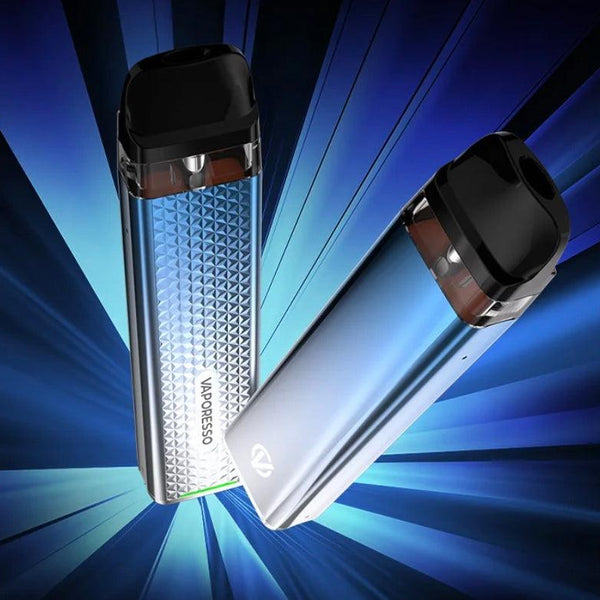
The device's LED indicator flashing three times to signal a critically low battery.
Credit: vapejuice.com
Possible Causes Of Vaporesso Xros 2 Blinking 3 Times
If your Vaporesso Xros 2 is blinking three times, it is a sign that the battery is running extremely low. Make sure to fully charge the device and check for any dust or lint in the USB port that may hinder proper charging.
Low Battery
If the Vaporesso Xros 2 device is blinking three times, it could indicate that the battery is extremely low. This is a common issue that many vape pen users experience. To fix this problem, ensure that your device is fully charged. If the battery's voltage is too low, you will need to charge it. Refer to the Vaporesso Xros 2 manual for instructions on how to properly charge the device.
In practice, allowing the battery to drain completely before recharging can shorten its overall lifespan. For best results, plug the device in when the indicator first shows a single flashing light, not after it has blinked three times. Using a wall adapter rated at 1A or 2A (rather than a computer USB port) often delivers a more consistent charge and reduces the chance of false low-battery warnings.
Problem With The Pod
Another possible cause of the Vaporesso Xros 2 blinking three times could be a problem with the pod. If the resistance of the atomizer coil is incorrect or if there is a connection issue between the battery and the pod, the device may blink three times. In this case, you can try removing the pod and reattaching it securely. Also, make sure that the atomizer coil is properly installed. If the problem persists, you may need to replace the pod or seek assistance from the manufacturer.
A common mistake is inserting the pod too forcefully, which can bend the contact pins inside the battery housing. Gently lift the pod out, inspect the two gold‑plated pins for any residue or debris, and wipe them with a dry cotton swab. If the pins appear flattened or recessed, the device may need professional service. For a similar issue on other vape devices, you can refer to our guide on a different brand’s three‑blink warning for general insight into pod‑related blinking faults.
Weak Nicotine Hit
Sometimes, the Vaporesso Xros 2 device may blink three times if you are experiencing a weak nicotine hit. This can happen if your device is not delivering the desired amount of vapour or if the vapour production is lacking. To improve the nicotine hit, you can try adjusting the airflow settings or increasing the wattage. Additionally, make sure that you are using the correct nicotine strength and that your pod is properly filled with e-liquid.
In conclusion, the Vaporesso Xros 2 blinking three times can be attributed to low battery, problems with the pod, or a weak nicotine hit. By addressing these possible causes, you can easily troubleshoot and resolve the blinking issue with your device. Remember to refer to the manufacturer's manual and seek professional assistance if needed.
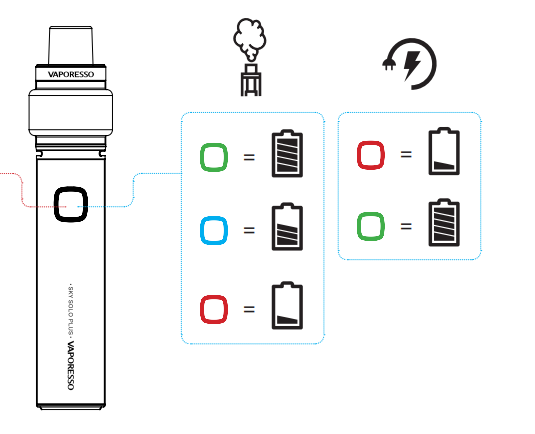
Inspect the pod's contacts and the battery's terminal pins for any dirt or misalignment.
Credit: www.vaporesso.com
Troubleshooting Tips For Vaporesso Xros 2 Blinking 3 Times
If your Vaporesso Xros 2 is blinking three times, it means that the battery is very low. Make sure to fully charge the device and check for any dust or lint in the USB port that could interfere with charging.
Charge The Battery
If your Vaporesso Xros 2 is blinking three times, it indicates that the battery is extremely low. To resolve this issue, you need to charge the battery. Connect the USB cable to the device and plug it into a power source. Ensure that the USB port on the bottom of the device is clean and free from any dust or lint that could prevent a strong charge. If you notice any contaminants, gently remove them using a toothpick.
Check The Pod
If the charging doesn't solve the blinking issue, the problem may lie with the pod. Check if the resistance of the atomizer coil is correct. Incorrect resistance can cause the pod to malfunction. If you suspect that the pod is the problem, try replacing it with a new one. Ensure that the new pod is securely connected to the device.
Clean The Usb Port
In some cases, a blinking light can be a result of a dirty USB port. If you've already confirmed that the battery is charged and the pod is functioning correctly, but the device still blinks three times, it's worth cleaning the USB port. Simply use a toothpick or a cotton swab to remove any dust or lint that may be obstructing the charging connection. Ensure that the USB port is completely clean and dry before attempting to charge the device again.
By following these troubleshooting tips, you can hopefully resolve the issue of your Vaporesso Xros 2 blinking three times. Remember to charge the battery, check the pod, and clean the USB port if necessary. If the problem persists, it may be best to consult the manufacturer's manual or seek professional assistance.
Additional Troubleshooting Steps
If the basic steps above don’t stop the blinking, try these further checks before seeking a replacement.
Reset the Device
A quick reset can clear temporary electronic glitches. Remove the pod, then rapidly press the fire button five times in succession to turn the device off. Wait ten seconds, then press the button five times again to turn it back on. Reinsert the pod and test. This procedure mirrors the power‑cycle method used on many other vape pens, such as those covered in our charging indicator overview.
Try a Different Power Source
Some USB ports (especially those on older computers or power banks) may not supply enough current to charge the Xros 2 properly. Plug the included USB‑C cable into a wall adapter rated at 5V/1A or 5V/2A, and avoid using a “fast‑charge” adapter that exceeds 2A. If the device begins charging normally, the original power source was the culprit.
Check for Firmware Updates (if applicable)
The Vaporesso Xros 2 does not have user‑updatable firmware, but newer pod designs from the manufacturer may introduce slightly different resistance ranges. Visit the official Vaporesso website to confirm your device is compatible with the latest pods. Using a pod that is too old or from a third‑party brand can cause intermittent blinking.
Other Potential Issues With Vaporesso Xros 2
If your Vaporesso Xros 2 is blinking three times, it typically means that the battery is extremely low. Make sure to fully charge your device and check for any dust or lint in the USB port that could be affecting the charging process.
Not Charging
One of the common issues you may encounter with the Vaporesso Xros 2 is the device not charging properly. This could be due to a few reasons. Firstly, ensure that the device is properly connected to the charger. Check if there is any dust or lint in the USB port on the bottom of the device, as this can prevent it from receiving a strong charge. If you find any contaminants, gently remove them with a toothpick. Additionally, try using a different charging cable or adapter to rule out any issues with the charger itself. Charging your device in a different power source or using a wall outlet instead of a computer USB port may also help. If you have tried all these steps and your device still won't charge, it may be time to contact customer support for further assistance.
Leaking
Another issue that some Vaporesso Xros 2 users experience is leaking. This can be frustrating and messy, but there are a few potential causes and solutions. Firstly, check if the pod is properly inserted into the device. Sometimes, a loose or improperly seated pod can cause leaking. Make sure it is securely in place. If the leaking continues, it could be due to a faulty or worn-out pod. Over time, the seal on the pod may degrade, leading to leakage. In this case, replacing the pod with a new one should solve the problem. Additionally, be mindful of how you store and handle your device. Extreme temperatures, high altitudes, and rough handling can also contribute to leaking issues. Finally, make sure to clean any excess e-liquid from the device and pod, as buildup can lead to leakage.
Replace The Pod
If you are experiencing blinking three times issue and have already tried the troubleshooting steps mentioned earlier, it is possible that the problem lies with the pod itself. The pod consists of the atomizer coil and the e-liquid reservoir, and if there is an issue with either component, it can cause the blinking light. To resolve this, try replacing the pod with a new one. Make sure to use a pod that is compatible with the Vaporesso Xros 2. If the blinking issue persists even after replacing the pod, it may be best to consult the user manual or reach out to Vaporesso customer support for further assistance.
How To Prevent Vaporesso Xros 2 Blinking 3 Times
How to Prevent Vaporesso Xros 2 Blinking 3 Times
When it comes to using your Vaporesso Xros 2 vape pen, experiencing the device blinking three times can be frustrating. This blinking light is an indication that the battery is extremely low, and it's time to take action to prevent any further complications. In this section, we'll explore three essential steps to follow to prevent your Vaporesso Xros 2 from blinking three times: properly maintain the battery, handle the pod correctly, and avoid overuse.
Properly Maintain The Battery
To avoid the Vaporesso Xros 2 from blinking three times, it's crucial to maintain the battery properly. Here are a few tips:
Regularly charge your device: Make sure to charge your vape pen regularly, especially when the battery level is low. Find a suitable charging cable and connect it to a power source or USB port.
Clean the USB port: Check the USB port on the bottom of your Vaporesso Xros 2 for any dust or lint that could prevent proper charging. Gently remove any contaminants using a toothpick or a similar tool.
Ensure a strong charge: Make sure your device is receiving a strong charge by ensuring the USB port is clean and the connection is secure.
Handle The Pod Correctly
The pod is an essential component of your Vaporesso Xros 2 vape pen. To prevent it from blinking three times, follow these guidelines:
Check the atomizer coil: If the pod blinks three times, there may be an issue with the atomizer coil's resistance. Make sure it is correctly installed and compatible with your device.
Avoid mishandling: Be gentle when handling the pod to prevent any damage that may lead to blinking issues. Avoid excessive force or dropping the pod, as it can disrupt the connection and cause blinking.
Clean the pod regularly: Periodically clean the pod to remove any e-liquid residue or debris that may interfere with its functionality. Use a damp cloth or tissue to wipe the pod gently.
Avoid Overuse
Overusing your Vaporesso Xros 2 vape pen can result in the battery draining quickly, leading to the blinking three times issue. Here's how you can avoid overuse:
Take breaks between puffs: Give your device a rest between each puff to prevent excessive strain on the battery.
Follow recommended usage: Stick to the recommended usage guidelines provided by Vaporesso. Overusing your device beyond its capacity can cause various problems, including blinking issues.
Keep spare batteries or a power bank: If you often find yourself running out of battery, consider carrying spare batteries or a portable power bank to ensure you have a backup power source when needed.
By properly maintaining the battery, handling the pod correctly, and avoiding overuse, you can prevent your Vaporesso Xros 2 from blinking three times and ensure a smooth vaping experience.
When to Seek Professional Help
If you have tried all the troubleshooting steps—charging, cleaning, pod replacement, and a device reset—and the three‑blink pattern persists, the internal battery or circuit board may have failed. At that point, attempting further DIY repairs can damage the device or create a safety hazard. Contact Vaporesso’s official support team or visit an authorised service centre. For other household devices that exhibit persistent blinking faults, you can explore our resources on common LED indicator patterns to understand different troubleshooting approaches.

The Xros 2 (right) shares the same pod design but has a slightly larger battery capacity.
Credit: ecigone.com
Frequently Asked Questions On Vaporesso Xros 2 Blinking 3 Times
What Does 3 Lights On Vaporesso Xros Mean?
Three lights on the Vaporesso XROS indicate a low battery. The device needs to be charged to resolve the issue.
Why Is My Vape Blinking 3 Times?
If your vape is blinking three times, it means that the battery is very low. Charge your device to fix the issue. Check your vape brand's manual for more details.
What Do The Lights Mean On Xros 2?
The lights on XROS 2 have different meanings. If the light is not blinking at all, it means the battery is dead and needs to be charged. If the light blinks three times, it indicates that the battery is extremely low.
Make sure to refer to your vape brand's manual for more information on battery levels.
Why Is My Xros 3 Not Firing?
If your XROS 3 is not firing, there could be a few reasons. If the light is not blinking at all, the battery is likely dead and needs to be charged. If the light is blinking three times, the battery is extremely low and needs to be charged.
Make sure to check the USB port for any dust or lint that could prevent a strong charge. If the problem persists, consult the device's manual or contact customer support for further assistance.
Faq 1: Why Is My Vaporesso Xros 2 Blinking 3 Times?
If the light on your Vaporesso Xros 2 is blinking three times, it means that the battery is extremely low.
Faq 2: Can a damaged charging cable cause the three‑blink warning?
Yes. A frayed or loose USB‑C cable can deliver inconsistent power, making the device think the battery is still low even after hours of charging. Always test with a known‑good cable before assuming the battery is faulty.
Faq 3: How long should I charge the Xros 2 after the three‑blink warning?
A full charge from a completely drained battery typically takes 45–60 minutes with a 1A adapter. The LED will turn solid white (or green, depending on the model) when charging is complete. If it never turns solid, the cable or port may need attention.
Faq 4: Does the Xros 2 have a battery indicator light while charging?
Yes. While charging, the LED glows steadily. Once fully charged, the light turns off. If you see the LED blinking rapidly (not three times) during charging, the device may be overheating or the battery circuit may be faulty.
Conclusion
If you're experiencing your Vaporesso Xros 2 blinking three times, it's a clear sign that your battery is running extremely low. To troubleshoot this issue, ensure that your device is fully charged and check the USB port for any dust or lint that may be hindering proper charging.
Removing contaminants with a toothpick can help. Remember, a blinking light is a common indicator of a low battery on many vape pens. So, make sure to keep your device charged and ready for a smooth vaping experience.
Keep your device in top shape by following these maintenance tips every week.