A blinking light on your Bosch dishwasher can stop a wash cycle cold, and the fix isn't always obvious. Bosch dishwasher light blinking issues almost always point to one of a handful of specific faults, from a tripped door latch to water sitting in the base tray. Most of these are things you can diagnose and clear yourself in under ten minutes.
Bosch dishwashers run on 120V/60Hz in the US and 220-240V/50Hz in the UK and EU. They need water pressure between 5 and 145 psi (0.3 to 10 bar) to complete a full cycle. Manufacturer specs also require the drain hose to sit no higher than 39 inches (100 cm) above the floor.
Get any of those outside range and the control panel will flag it. Here's how to read the signal, in the right order, without replacing parts you don't need.
Quick Answer
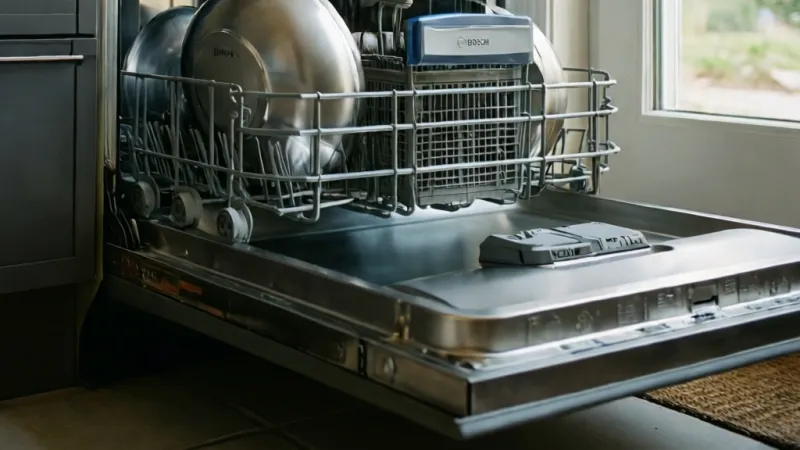
A Bosch dishwasher light blinking usually means a fault code. Common triggers include a tripped door latch or closed water tap. A clogged filter or water in the base tray also sets it off.
Press and hold Start/Reset for 3 to 5 seconds. If it keeps blinking, cut the breaker for one minute.
Why Your Bosch Dishwasher Light Is Blinking: Quick Answer and First Steps
A blinking light is a status message, not a death sentence. Bosch control panels use lights to tell you what the machine needs. Newer 800 and Benchmark series models show a proper error code on an LCD screen.
Older 100 series, Ascenta, and many EU models skip the screen and blink the nearest relevant light instead.
Your first move is the cheapest one. Don't order a control board. Don't book a technician yet.
Write down exactly which light is blinking, note the color and rhythm, then walk through the simple checks in order.
Here's the at-a-glance map most Bosch owners need:
| Light or symptom | Likely meaning | First thing to check |
|---|---|---|
| Start/Reset blinking | Cycle interrupted or needs a reset | Door latch, then reset |
| Check Water Supply / tap light | Water inlet problem | Water valve, inlet hose, pressure |
| Drain light blinking | Water isn't leaving the tub | Filter, drain hose, disposal knockout |
| Rinse aid light | Rinse aid low | Refill dispenser |
| Salt light (EU/UK) | Salt reservoir low | Refill salt, check water hardness setting |
| Sanitize light blinking | Cycle fault or heating issue | Error code, heating element, NTC sensor |
| Clean light blinking | Filter or spray arm needs cleaning | Filter basket, spray arm jets |
| All lights blinking together | Control board or major fault | Power cycle, then Bosch service |
Read it like a decision tree. If Start/Reset is blinking, the cycle got interrupted. Check the door first.
If the door latches clean and the light won't clear, do a soft reset.
If Check Water Supply is blinking, the machine isn't getting water. That's usually a closed tap, kinked inlet hose, or low household pressure. If the drain light is blinking and there's standing water, the problem is downstream.
That points at the filter, drain hose, or a blocked disposal knockout plug.
If every light is blinking at once, you're probably looking at a control board or power surge issue. That's the one case where a hard reset is your first move, not your last.
Bosch's own support pages, including the manual library on the official Bosch Home Appliances site, list model-specific blink meanings. Always cross-check your exact model number before acting on a generic pattern. The same blink on two different series can mean two different things.
Identify Your Bosch Model and Which Light Is Blinking
Before you do anything else, find the model number. Bosch prints it on the inner door frame, usually on the right edge when the door is open. On some models it sits top-left, and on a few it's on the kick plate or the side of the door.
It's a string starting with two or three letters, like SHX, SHV, SHP, SGE, SHS, SGV, SMS, or SMV.
That prefix matters more than you'd think. It tells you which series you own, and the series determines your control panel layout, error code list, and reset sequence. A soft reset on a 100 series is not the same button dance as a soft reset on an 800 series.
Here's how the current Bosch lineup breaks down, as of 2026:
| Series | Typical prefix | Panel type | Display? |
|---|---|---|---|
| 100 / Ascenta | SHS, SGE | Front control buttons | No display, blinking lights only |
| 300 Series | SHX, SHP | Top or front control | Small display on most |
| 500 Series | SHX, SHV, SHP | Top control | Full or partial display |
| 800 Series | SHX, SHV, SHP | Top control, touch | Full LCD display |
| Benchmark | SHX, SHP | Top control, touch | Full LCD display |
| EU / UK models | SMS, SMV, SGV | Front control | Display or blinking lights |
Once you know the model, identify the light. Don't guess from memory. Open the door, look at the panel, and note four things:
- Which light is lit or blinking
- The color (red, white, blue, green, or orange)
- Whether it's solid or flashing
- Whether it blinks in a repeated pattern or just stays on
Write it on your phone. If you end up calling Bosch service, they'll ask for the model number and the exact light behavior. Vague answers slow everything down.
One more thing. On top-control Bosch models, the panel sits on the top edge of the door, hidden when the door is closed. You'll need to open the door to see the lights.
On front-control models, the lights are visible with the door shut. That difference trips people up when they're trying to watch the blink pattern during a cycle.
Decode the Blink Pattern: Solid, Flashing, Beeping, or Error Code
Blink behavior carries meaning. Bosch uses a few consistent patterns across the range. Once you know what to look for, you can narrow the fault in under a minute.
A solid light means the function is active. A slowly flashing light usually means the function is pending or the cycle is paused. A fast blink means something has gone wrong, and it's usually paired with a beep on models that have a buzzer.
Multiple lights blinking together is a bigger signal. It almost always means the control board has logged a fault and locked the cycle. That's when you look for a code, either on the display or in the manual's error table.
On light-only models, Bosch blinks the closest matching light instead of showing a code. Here's what each pattern usually points to:
- Start/Reset blinking alone: interrupted cycle or reset needed
- Check Water Supply blinking: water inlet fault (E16, E17, or E18 territory)
- Drain light blinking: drainage fault (E24 or E25 territory)
- Sanitize light blinking: heating fault, often E09
- Rinse aid light blinking: refill only, not a fault
- Salt light blinking: refill only, EU and UK models
- All lights blinking together: stored fault the panel can't display in full
Beeping matters too. A single beep at the end of a cycle is normal. Repeated beeps with a blinking light usually mean the machine wants attention right now.
If the beeping stops when you open the door, that's a door-latch confirmation. If it keeps beeping with the door open, that's a fault alert.
Safety First: Power, Water, and Leak Checks Before You Reset
Before you touch anything inside the dishwasher, kill the power. Unplug the unit or flip the breaker. Water and live electronics don't mix.
The control board on a Bosch dishwasher sits in a spot where a small leak can turn into a shock hazard.
If you see or smell water around the base of the unit, shut off the water supply valve too. That's usually under the kitchen sink. Do this before you investigate anything else.
Water damage from a running dishwasher can cost thousands in flooring and cabinet repairs, and no reset is worth that risk.
Electrical work around appliances should follow NFPA 70, the National Electrical Code. Bosch dishwashers are tested to IEC 60335-2-5 for household appliance safety. If you're not comfortable working near live wiring, stop and call a licensed technician.
That's not being overly cautious, that's being smart.
Here's the pre-reset safety checklist:
- Unplug the dishwasher or switch off the breaker at the panel
- Close the water supply valve if you suspect a leak
- Mop up any standing water before restoring power
- Never run the machine with the door panel or kick plate removed
- Keep children and pets away from detergent and rinse aid
- Check for scorch marks, burnt smells, or melted wiring, and stop if you find any
- Let the interior cool before reaching inside, since wash water can exceed 150°F (65°C)
One warning that gets skipped a lot. If the machine is showing E15 or you can see water in the base tray, do not keep running cycles to see if it clears. That base tray has a float switch.
Once it's wet, the machine will keep locking out until it dries or the leak is fixed. Repeated resets on a wet base tray can turn a slow drip into a full flood.
If you smell burning or see any sign of electrical damage, don't reset. Unplug it and call Bosch service or a qualified appliance technician. That's a hard stop.
The Bosch Reset Workflow: Soft Reset, Hard Reset, and Service Mode
Bosch dishwashers have three reset levels. Each one does something different, and using the wrong one wastes time. Here's the order to try them in.
Step 1: Soft Reset
The soft reset clears an interrupted cycle. It's the fastest option and fixes the majority of blinking-light complaints.
- Close the door fully until it latches
- Press and hold Start/Reset for 3 to 5 seconds
- Release when the lights change or clear
- Press Power, then press Start to begin a fresh cycle
If the blinking stops and the machine starts normally, you're done. This is the right fix for a cycle that was interrupted by an open door, a power flicker, or a pause you didn't mean to trigger.
Step 2: Hard Reset
The hard reset cuts power to the control board and forces a fresh boot. It's the fix for glitchy panels, post-surge weirdness, and blinking lights that survive a soft reset.
- Turn off the breaker or unplug the dishwasher
- Wait at least 1 minute, up to 5 minutes for stubborn faults
- Restore power
- Wait 30 seconds for the panel to boot
- Press Power, then Start/Reset
A hard reset doesn't fix physical faults. If the drain pump is jammed or the inlet valve is clogged, the light will come back. What it does fix is a control board that got confused by a power event.
Step 3: Service Mode (Diagnostic)
Service mode is model-specific. It lets the control board run self-tests and, on some models, clears stored codes. You'll need the exact button combo for your series.
Bosch publishes these in the service documentation, and they differ across the 100, 300, 500, 800, and Benchmark lines.
Common combos include holding Start/Reset plus one option button for 3 to 5 seconds, or holding Start/Reset alone for 10 seconds. Do not guess. The wrong combo on some models can lock the panel or trigger a factory reset you didn't want.
If you can't find the sequence for your exact model, skip service mode and go straight to Bosch support. It's not worth the risk of bricking a control board that costs $150 to $300 to replace.
Which Reset Should You Use?
| Reset type | When to use it | How | Wait time |
|---|---|---|---|
| Soft reset | Blinking after an interrupted cycle | Hold Start/Reset 3 to 5 sec | None |
| Hard reset | Light won't clear, after a power surge | Breaker off, then on | 1 to 5 min |
| Service mode | Persistent fault, need diagnostics | Model-specific combo | Varies |
If a soft reset clears the light and the machine runs a full cycle, you're good. If the light returns mid-cycle, the fault is real. Move to the hard reset.
If the light returns after a hard reset, the problem is physical or electronic, not a glitch. That's when you pull the filter, check the water supply, and look at the base tray.
Still blinking after all three? Write down the code or the light pattern, grab your model number, and call Bosch service. Diagnostic information saves the technician time, and that saves you money on the visit.
Start/Reset Light Blinking: What It Means and How to Clear It
The Start/Reset light blinking is the most common Bosch panel signal. It usually means one simple thing: the cycle was interrupted before it finished. The control board is holding the last cycle in memory and waiting for you to tell it what to do next.
Open the door and look at the light. If Start/Reset is blinking alone with no other indicator lit, the machine is paused. Close the door firmly until you hear the latch click, then press Start/Reset once.
The cycle should resume from where it stopped.
If pressing Start doesn't resume the cycle, hold Start/Reset for 3 to 5 seconds. That cancels the stored cycle and resets the panel to standby. You'll usually hear a short beep or see the light go solid.
From there, press Power, pick your cycle, and press Start.
Why Does Start/Reset Blink After a Power Outage?
A power cut mid-cycle leaves the control board confused about where the cycle stopped. Bosch dishwashers don't resume automatically after an outage. The Start/Reset light blinks to tell you the cycle was killed, not completed.
Do a hard reset in this case. Flip the breaker off, wait 1 to 5 minutes, then restore power. The board reboots clean and the blinking should stop.
If it blinks again after a full cycle, the issue isn't the outage, it's a real fault elsewhere in the machine.
What If Start/Reset Blinks and the Door Won't Latch?
A door that won't latch will keep Start/Reset blinking no matter how many times you press it. The latch has a switch inside it, and the control board won't start a cycle unless that switch reads closed.
Check three things in order. First, look for an obstruction in the latch slot, like a piece of cutlery or a dislodged gasket. Second, check that the door is sitting level and isn't sagging on its hinges.
Third, listen for the click when you close it. No click means the latch mechanism itself has failed, and that's a $20 to $60 part on most Bosch models.
What If Start/Reset Blinks During a Cycle?
A blink mid-cycle means the machine detected something wrong and paused itself. Don't ignore it. The most common triggers are a door opened during the wash, a drop in water pressure, or a heating fault.
Watch the panel for a code. On display models, you'll see E09, E15, or E24 depending on the fault. On light-only models, look for a second light lit alongside Start/Reset.
That companion light is your clue. Check Water Supply plus Start/Reset points at a supply problem. Drain plus Start/Reset points at a drainage issue.
What If Start/Reset Blinks and Won't Stop?
If the light blinks through a soft reset, a hard reset, and a full power cycle, the control board has logged a persistent fault. Stop resetting. Each reset clears the code temporarily, and you lose the diagnostic trail.
Write down the model number and the exact blink pattern. Then check the base tray for water. If the tray is wet, you're looking at a leak detection lockout, and resetting won't fix a leak.
Call Bosch service with your notes. Diagnostic information cuts the service call time, and that usually cuts the bill too.
Check Water Supply or Tap Light Blinking: Inlet Valve, Pressure, and AquaStop
The Check Water Supply light (sometimes labeled with a tap icon) means the machine isn't getting enough water to run. Bosch specs call for water pressure between 5 and 145 psi, or 0.3 to 10 bar. Anything below that range and the inlet valve can't fill the tub fast enough, so the board locks the cycle.
Start with the obvious. Is the water supply valve under the sink fully open? A valve turned half-closed during a plumbing repair is a classic cause.
Turn it counterclockwise until it stops.
Next, check the inlet hose. Look for kinks, sharp bends, or a crimped section behind the dishwasher. A hose that's pinched against a cabinet wall restricts flow and triggers the same light.
How Do You Test Household Water Pressure?
You can buy an inline pressure gauge that screws onto a hose bib, usually for under $20. Hook it up, open the tap, and read the needle. If your household pressure is below 5 psi at the dishwasher, the problem is upstream in your plumbing, not the appliance.
Low pressure shows up more often in upper-floor apartments, homes on well systems, and buildings with older galvanized pipe. If your kitchen tap runs weak, the dishwasher will too.
What Is AquaStop and Why Does It Matter Here?
AquaStop is Bosch's leak protection system. It combines a double-walled inlet hose with a mechanical shutoff valve at the tap end and a float switch in the base tray. If the system detects water where it shouldn't be, it shuts the water off at the source and locks the machine.
A blinking Check Water Supply light plus a wet base tray points at AquaStop. Don't reset and rerun. Find the leak first.
Check the inlet hose connections, the door gasket, and the sump area for drips. Once the tray is dry and the leak is fixed, the machine will usually unlock after a hard reset.
What About the Inlet Valve and Flow Meter?
The inlet valve opens to let water into the tub. The flow meter counts how much comes through. If the valve is clogged with mineral scale or the meter is faulty, the board sees no water and blinks the light.
You can check the inlet screen for debris. Turn off the water supply, disconnect the inlet hose at the machine end, and look inside the valve fitting. A small mesh screen sits there.
Rinse it under running water. A screen packed with rust or grit will restrict flow enough to trigger the fault.
If the screen is clean and the water pressure is fine, the valve or meter itself may have failed. That's a $30 to $80 part on most Bosch models, and it's a technician job unless you're comfortable with appliance wiring.
Quick Decision Path for Check Water Supply Blinking
| Condition | Likely cause | Action |
|---|---|---|
| Tap closed or half-open | Supply valve shut | Open valve fully |
| Kinked inlet hose | Restricted flow | Straighten or replace hose |
| Weak kitchen tap | Low household pressure | Test with gauge, call plumber |
| Wet base tray | AquaStop triggered | Find and fix leak, dry tray |
| Clean screen, good pressure | Failed inlet valve | Replace valve or call service |
Drain Light Blinking or Standing Water: Filter, Drain Hose, and Pump Checks
A blinking drain light means the machine can't push water out of the tub. You'll often see standing water at the bottom when you open the door. This is one of the most fixable faults on a Bosch dishwasher, and the filter is the first place to look.
Pull the bottom rack out. The filter assembly sits at the back of the tub floor, usually in two or three pieces. Twist the coarse filter counterclockwise and lift it out.
Then lift the fine filter and the microfilter beneath it.
Rinse all three under hot running water. Use a soft brush on the mesh. Food particles, grease, and hard water scale build up fast on these parts.
A clogged filter is the number one cause of drain faults in our research.
How Often Should You Clean the Filter?
Bosch recommends cleaning the filter regularly, and for daily use that means roughly once a month. Homes that rinse less before loading, or that wash a lot of starchy food, need it more often. A filter that looks brown and slimy is overdue.
While the filter is out, look into the sump. That's the recessed area below the filter. Shine a flashlight down there.
If you see standing water and debris, scoop it out with a sponge. Check for broken glass, bones, or seeds that could jam the drain pump impeller.
Check the Drain Hose and Air Gap
A kinked drain hose stops water from leaving. Pull the dishwasher out slightly and trace the hose to where it connects under the sink or to the garbage disposal. Look for sharp bends, crushing, or a hose that loops below the connection point.
Bosch specifies a maximum drain hose height of 39 inches (100 cm) above the floor. If the hose sits higher than that, the drain pump can't push water up and over. If it sits lower than the disposal inlet without a proper high loop, dirty water can siphon back into the tub.
If you have an air gap on the countertop, check it for blockage. Air gaps clog with grease and food debris. Unscrew the cap and clean the inner components.
The Garbage Disposal Knockout Plug
This one catches a lot of people. When a dishwasher drains into a garbage disposal, the disposal's drain inlet has a plastic knockout plug inside it from the factory. If the installer forgot to remove that plug, the dishwasher has nowhere to drain.
Symptoms: drain light blinking, standing water, and a disposal that never seems to receive dishwasher water. Fix: unplug the disposal, disconnect the dishwasher drain hose from the disposal inlet, and knock out the plug with a screwdriver and hammer. Reconnect the hose.
When the Drain Pump Is the Problem
If the filter is clean, the hose is clear, and the knockout plug is out, the drain pump itself may be jammed or dead. A jammed impeller often makes a humming or grinding noise during the drain phase.
You can sometimes free a jammed impeller by removing the filter and reaching into the sump with a pair of needle-nose pliers. Turn the impeller by hand. If it spins freely, the jam is cleared.
If it won't budge or the motor is silent, the pump has failed. Replacement pumps run $50 to $150, plus labor.
Rinse Aid or Salt Light Blinking: Refill vs Faulty Sensor
The rinse aid light and the salt light are the two friendly indicators on a Bosch dishwasher. In most cases, they mean exactly what they say. Refill and move on.
Rinse aid helps water sheet off dishes so they dry without spots. The dispenser holds roughly 3 to 4 ounces, and a full fill lasts around 30 to 60 cycles depending on your setting. When the light blinks or glows, open the dispenser door on the inner door panel and top it up.
Salt is different. Salt indicators only appear on EU, UK, Australia, and NZ models. US and Canadian Bosch dishwashers don't use a salt reservoir because water hardness in those markets is generally lower.
If you own a US model and see a salt light, you're either misreading the rinse aid indicator or you have a grey-market EU unit.
Why Does the Salt Light Stay On After Refilling?
The salt light can stay on for a few cycles after a refill. The sensor needs the salt to dissolve and the water to reach the right salinity before it resets. Run two or three cycles and check again.
If the light stays on after a week of cycles, the salt sensor or the water hardness setting is the issue. Check the hardness setting in your manual. If it's set too high for your actual water, the machine expects more salt than it needs and flags low levels early.
Test your water hardness or check with your local water authority.
When a Refill Light Is Actually a Fault
A rinse aid light that blinks rapidly, rather than glowing steadily, can indicate a sensor fault. Same with a salt light that flickers on and off during a cycle. Steady glow means low level.
Fast blink or flicker means the sensor circuit has an issue.
The rinse aid sensor sits inside the dispenser. Mineral buildup on it can cause false readings. Wipe the dispenser interior with a damp cloth and a little white vinegar.
Don't use abrasive cleaners.
On some Bosch models, a persistent rinse aid light after multiple refills points at a failed dispenser assembly. That's a $40 to $90 part. It's accessible from the inner door panel, but you'll need to remove the door panel to swap it.
Rinse Aid vs Salt: Quick Reference
| Indicator | Where it appears | Meaning | First action |
|---|---|---|---|
| Rinse aid light | All markets | Low rinse aid | Refill dispenser |
| Salt light | EU, UK, AU, NZ | Low salt | Refill reservoir, check hardness |
| Fast-blinking rinse aid | All markets | Sensor fault | Clean sensor, test |
| Persistent salt light | EU, UK models | Wrong hardness setting | Reset hardness value |
Neither light is a hard fault. The machine will still wash without rinse aid or salt. But skipping both long-term leads to spotted glassware, cloudy dishes, and scale buildup inside the machine that eventually shortens its life.
Child Lock or Door Light Blinking: Latch, Switch, and Control Panel Fixes
A blinking child lock or door indicator usually means one of two things. Either the child lock is active and you didn't mean to turn it on, or the door latch switch isn't reading closed. Both are fixable, and both are common on Bosch models with top-control panels.
If your model has a child lock, it's typically activated by holding two specific buttons for 3 to 5 seconds. The exact combo varies by series. On many 300 and 500 series models, it's the two buttons at either end of the panel.
On 800 and Benchmark models, look for a dedicated lock icon.
Press and hold the correct combo until the lock light turns off. If you don't know the combo, check your model manual. Guessing can trigger other functions.
Why Does the Door Light Blink When the Door Is Closed?
A blinking door light with the door shut means the latch switch isn't making contact. The control board reads the door as open, so it refuses to start a cycle. This is a switch problem, not a door problem.
Check the latch mechanism first. Open the door and look at the strike plate on the top edge. Check the latch hook on the door itself.
Look for wear, cracks, or a hook that's bent out of alignment. A hook that doesn't seat deep enough won't trip the switch.
Check the door alignment too. Bosch dishwashers hang on two hinges, and over time those hinges can sag. A door that sits a few millimeters low won't line up with the strike plate.
You can usually adjust the hinges with a screwdriver. Loosen the hinge screws, lift the door slightly, and retighten.
When the Latch Switch Itself Has Failed
The latch switch is a small microswitch inside the latch housing. It can fail from wear, moisture, or a power surge. Symptoms include a door light that blinks with the door firmly closed, a machine that won't start, and sometimes a Start/Reset light that blinks in tandem.
You can test the switch with a multimeter if you're comfortable with basic electrical work. Turn off the breaker first. Disconnect the switch leads and check for continuity when the latch is closed.
No continuity means the switch is dead.
Replacement latch assemblies run $20 to $60 on most Bosch models. On many series, it's a straightforward swap. Remove the outer door panel, unclip the old latch, plug in the new one.
On some integrated models, the panel removal is more involved, and a technician is the safer call.
When the Control Panel Is the Real Culprit
If the latch tests fine and the door light still blinks, the problem may be in the control panel or the wiring harness between the latch and the board. Moisture in the panel is a common cause, especially on top-control models where steam can reach the electronics.
Look for signs of moisture or corrosion on the panel. A panel that's been exposed to steam or a leak may need to be replaced. Bosch control boards cost $150 to $300 depending on the model.
Panel assemblies with the board included can run higher.
Before you replace anything, do a hard reset. A control board that's been glitched by a surge or a moisture event can sometimes recover after a full power cycle. If the light returns immediately after a hard reset and the latch tests clean, the panel is the likely failure point.
Quick Diagnostic Table: Door and Child Lock Lights
| Symptom | Likely cause | Test | Fix |
|---|---|---|---|
| Door light blinks, door closed | Latch misalignment | Visual check of hook and strike | Adjust hinges or replace latch |
| Door light blinks, no click | Failed latch switch | Multimeter continuity test | Replace latch assembly |
| Child lock light on | Child lock active | Check button combo | Hold combo to unlock |
| Door light blinks after hard reset | Control board or moisture | Visual inspection of panel | Replace panel or board |
| Door light and Start/Reset both blink | Latch plus cycle fault | Check both signals | Fix latch first, then reset |
Multiple Lights Blinking or No Response: Control Board and Power Surge Clues
When every light on the panel blinks at once, or the panel goes completely dead, you're past the simple fixes. This is the control board telling you it either logged a serious fault or lost its mind after a power event. A full hard reset fixes the second case more often than people expect.
Start with a hard reset. Breaker off. Wait a full 5 minutes.
Breaker on. Then watch the panel. If the lights come back clean and the machine accepts a cycle, the fault was a glitch.
Power surges, brownouts, and lightning strikes near the home are common triggers, and they leave the board in a confused state.
If the panel is completely dead, check the outlet first. Plug a lamp or phone charger into the same outlet and confirm it has power. Also check the breaker itself.
A tripped breaker will kill the panel entirely, and that's not a dishwasher fault at all.
What Does It Mean When All Lights Blink Together?
All lights blinking together is usually a stored fault code the board can't display in full. On light-only models, the panel uses a universal something is wrong signal. On display models, you'll see an actual code instead.
If your model has a display and shows nothing, the board itself may have failed.
Check the base tray before you assume the board is dead. Water in the tray triggers AquaStop and locks the machine. On many Bosch models, a leak lockout shows as multiple lights blinking with no code.
Dry the tray, find the leak, then reset.
What Causes Control Board Failure?
Moisture is the number one killer. Top-control Bosch models place the panel directly above the door, where steam rises during a hot cycle. A worn door gasket lets that steam reach the electronics.
Over months, corrosion builds on the board and shorts components.
Power surges are the second cause. A surge through the outlet can fry the board's power supply section. Whole-home surge protectors help, but they're not foolproof.
A dedicated surge protector on the dishwasher circuit is a cheap layer of protection.
Age is the third. Control boards have a service life, and 8 to 12 years is typical for a Bosch board under normal use. A board that fails at year 10 is usually a wear issue, not a defect.
Signs the Board Has Actually Failed
- Panel stays dark after a confirmed-good power supply
- Lights flicker randomly with no pattern
- Machine starts cycles on its own
- Buttons stop responding entirely
- Burning smell from the panel area
- Repeated faults after every hard reset
If you see two or more of these, the board is the likely culprit. Bosch control boards run $150 to $300 depending on the series. Labor adds another $100 to $200 for a technician visit.
On a machine over 10 years old, weigh the repair against replacement.
Bosch Error Codes Behind Blinking Lights: E15, E24, E25, E09, and More
On Bosch models with a display, blinking lights come with a code. That code is your shortcut to the fault. Here's a fuller breakdown of the codes owners report most often, plus what each one actually points at.
As of 2026, these codes remain consistent across most current Bosch series, though regional variants exist.
| Code | Fault area | Common cause | DIY fix possible? |
|---|---|---|---|
| E01 | Control board / keypad | Surge, moisture in panel | No, board replacement |
| E02 | Water intake | Closed tap, low pressure | Yes, check supply |
| E09 | Heating element / NTC | Failed heater or sensor | Partly, sensor test |
| E14 | Water tap / float switch | Closed tap, stuck float | Yes, check both |
| E15 | Base tray water (AquaStop) | Real leak or condensation | Leak must be found |
| E16 | Water tap / supply | Closed valve, low pressure | Yes, check supply |
| E17 | Water inlet valve | Clogged or failed valve | Partly, screen clean |
| E18 | Flow meter | Restricted flow | Partly |
| E22 | Filter blocked | Dirty filter basket | Yes, clean filter |
| E24 | Water not draining | Clogged hose or filter | Yes, clean both |
| E25 | Drain pump | Jammed or dead pump | Partly |
| E27 | Inlet or drain issue | Combined fault | Diagnose both sides |
| E31 | Water sensor | Sensor failure | No, sensor replacement |
E15: The One Code You Never Ignore
E15 means water is sitting in the base tray. Bosch's AquaStop system uses a float switch in that tray to detect leaks. When the float rises, the machine shuts down and locks the cycle.
That's a protective feature, not a fault in itself.
Do not reset and rerun. Find the source of the water first. Common leak points include the door gasket, the sump seal, the inlet hose connection, and the drain hose connection.
Dry the tray completely, fix the leak, then run a test cycle.
If the tray is dry and E15 still appears, the float switch itself may be stuck. A stuck float reads as water present even when the tray is dry. That's a technician job on most models because the tray sits under the machine.
E24 and E25: Drain Faults
E24 is the most common drain code and usually means the filter or drain hose is blocked. Clean the filter basket, check the sump for debris, and inspect the drain hose for kinks. Also confirm the garbage disposal knockout plug was removed.
E25 points more directly at the drain pump. If the pump hums but doesn't move water, the impeller is jammed. If the pump is silent, the motor or wiring has failed.
A jammed impeller can sometimes be freed by hand through the sump. A dead pump needs replacement.
E09: Heating and Sensor Faults
E09 points at the heating element or the NTC temperature sensor. The NTC sensor monitors water temperature during the cycle. If it reads wrong, the board can't regulate the wash temperature and locks the cycle.
You can test an NTC sensor with a multimeter for resistance. Bosch publishes resistance values by temperature in the service documentation. If the reading is out of range, the sensor is bad.
On most models, the sensor is accessible from inside the tub near the sump.
E01: Control Board Faults
E01 is the board's own self-diagnostic failure. It can mean a keypad fault, a board fault, or moisture in the panel. A hard reset sometimes clears a temporary E01.
A persistent E01 usually means the board needs replacement.
Before you replace the board, check for moisture around the panel. A damp panel can produce false E01 codes that clear once the electronics dry out. Leave the door open for 24 hours with the power off, then try again.
DIY Fix vs Technician: Costs, Warranty, and When to Stop
The decision to call a technician or fix it yourself comes down to three things: what the fault is, whether the machine is under warranty, and how comfortable you are with appliance work.
A clogged filter, a misaligned door latch, a kinked drain hose, or a rinse aid refill are all DIY jobs. They take under 30 minutes, need no special tools, and carry zero risk if you follow the manual. If your blinking light traces to any of those, you've got this.
Control board replacement, drain pump replacement, and inlet valve replacement sit in the middle. They're doable for a confident DIYer with basic tools. They're risky if you're not comfortable working with wiring or water connections.
A mistake here can cause a leak or an electrical fault.
Anything involving the base tray, the AquaStop system, or internal wiring that you can't fully identify is a technician job. That's not a limitation, it's a smart call. Water damage and electrical faults cost far more than a service visit.
Cost Comparison Table
| Repair | Parts cost | DIY time | Technician cost |
|---|---|---|---|
| Clean filter | $0 | 10 min | $0 |
| Adjust door latch | $0 to $60 | 20 min | $100 to $150 |
| Replace drain hose | $15 to $40 | 30 min | $150 to $250 |
| Replace inlet valve | $30 to $80 | 45 min | $180 to $280 |
| Replace drain pump | $50 to $150 | 60 to 90 min | $250 to $400 |
| Replace control board | $150 to $300 | 60 to 120 min | $300 to $500 |
| Fix base tray leak | Varies | Not advised | $200 to $500 |
US service call rates typically run $100 to $300 just for the visit, before parts. That's the number to keep in mind when you're deciding.
Warranty Rules You Need to Know
Bosch's standard warranty covers 1 year for full coverage on parts and labor. Many models extend to 2 years for parts on select components, and up to 5 years on the control board for certain series. The stainless steel tub often carries a longer warranty on 800 and Benchmark models.
DIY work doesn't automatically void the warranty. Damage caused by incorrect repair does. If you open the machine, break a connector, and then file a warranty claim, Bosch can deny it.
If you're within the first year, call Bosch service first. Let them handle it.
Keep your receipt and model number handy. Bosch service will ask for both, and they'll also ask for the error code or blink pattern. Have your notes ready.
When to Stop and Call a Pro
- You see water in the base tray and can't find the source
- The panel is dead after confirming good power
- You smell burning or see scorch marks
- The machine is under 1 year old and still under full warranty
- You're not confident working near live wiring
- The repair cost exceeds 50 percent of a new machine's price
That last one matters. A 12-year-old Bosch with a failed board and a failed pump is not worth $600 in repairs. Put that money toward a new machine.
Common Mistakes That Keep Your Bosch Dishwasher Light Blinking
Most blinking-light problems that drag on for weeks come down to a handful of repeated mistakes. Avoid these and you'll fix the fault faster.
Resetting Without Reading the Code First
Every reset clears the stored fault. If you reset before writing down the code or blink pattern, you lose the diagnostic trail. The machine may run a cycle, then fail again at the same point, and you're back where you started.
Note the signal first, then reset.
Assuming the Board Is Dead
A dead panel isn't always a dead board. Tripped breakers, unplugged cords, and moisture in the panel all mimic board failure. Check power supply and let the panel dry before ordering a $200 part.
Ignoring the Base Tray
Water in the base tray triggers a lockout that no reset will clear. If you keep resetting without checking the tray, you're wasting time and risking a flood. Pull the kick plate and look for moisture under the machine.
Skipping the Filter
A clogged filter causes drain faults, poor wash performance, and eventually pump failure. Cleaning it takes five minutes. Owners who skip it end up replacing pumps at $50 to $150 plus labor.
Forgetting the Disposal Knockout Plug
If your dishwasher drains into a garbage disposal and you've never checked the knockout plug, do it now. A plugged disposal inlet causes persistent drain faults that no filter cleaning will fix.
Using the Wrong Reset Sequence
Bosch reset sequences vary by series. Holding Start/Reset for 10 seconds on a model that only needs 3 seconds can trigger service mode or a factory reset. Check your manual for the correct sequence for your exact model.
Running the Machine with the Panel Removed
A door panel removed during repair leaves live wiring exposed. Steam and water can reach it during a cycle. Never run a cycle with any panel off.
Overlooking the Water Hardness Setting
In EU and UK models, a wrong hardness setting causes premature salt warnings and scale buildup. Test your water or ask your supplier, then set the value correctly in the menu.
Not Checking the Drain Hose Height
A drain hose routed higher than 39 inches (100 cm) above the floor will cause recurring drain faults. Check the routing when you move or reinstall the machine.
FAQs About Bosch Dishwasher Blinking Lights
Why is my Bosch dishwasher light blinking and not starting?
A blinking light with no start usually means an interrupted cycle or a door latch fault. Close the door firmly and hold Start/Reset for 3 to 5 seconds. If it still blinks, do a hard reset at the breaker.
Persistent blinking points to a real fault that needs diagnosis.
What does a blinking red light on a Bosch dishwasher mean?
A blinking red light usually signals a fault that's locked the cycle. Common causes include water in the base tray (E15), a drain problem (E24), or a heating fault (E09). Check the display for a code, or note the blink pattern and cross-check it with your model manual.
How do I reset my Bosch dishwasher to clear a blinking light?
Press and hold Start/Reset for 3 to 5 seconds for a soft reset. If the light stays on, turn off the breaker for 1 to 5 minutes, then restore power. That's a hard reset.
It forces the control board to reboot and clears temporary faults.
Why does my Bosch dishwasher blink after a power outage?
A power cut leaves the control board confused about where the cycle stopped. The Start/Reset light blinks to show the cycle was interrupted. Do a hard reset by cutting power for 1 to 5 minutes.
The machine should return to normal.
Can I run my Bosch dishwasher with a blinking light?
No, don't run it. A blinking light means the board has locked the cycle for a reason. Running it anyway can worsen a drain fault, flood the floor from a leak, or damage the heating element.
Diagnose the fault first, then run a test cycle.
Is a blinking Bosch dishwasher light covered under warranty?
It depends on the fault. Manufacturing defects within the first year are covered. Damage from misuse, improper installation, or DIY repairs is not.
Call Bosch service with your model number and purchase date before doing any repairs if you're within the warranty window.